
Tag: monetization

  • What Is a Content Performance Audit? (And How Is It Different From a Social Media Audit)

    What Is a Content Performance Audit? (And How Is It Different From a Social Media Audit)

    Two agencies pitch the same DTC brand in the same week. One deck is titled “Social Media Audit.” The other says “Content Performance Audit.” Open both PDFs and, for the first ten pages, you’d struggle to tell them apart: follower graphs, engagement rates, a heatmap of best posting times, a competitor comparison slide with somebody else’s logo blurred out.

    Then you hit the last section, and only one of the two decks tells you which post actually put money in the bank.

    That’s the whole difference. Not the cover page, not the vendor’s tagline, not how confidently the salesperson says “performance.” It’s whether the report was built to answer “how’s our presence doing” or “which content made us money.” Those are different questions, they need different data, and if your team has been treating the two audits as interchangeable, you’ve probably been making budget calls off the wrong one.

    Two Terms, Two Very Different Reports

    A social media audit and a content performance audit look similar from a distance. Open either report and the difference becomes obvious fast.

    What a social media audit actually measures

    A social media audit is the older, more established category. It reviews your entire presence on a platform, not just individual posts. That usually covers your profile setup, your posting cadence, your follower growth, your engagement rate compared with competitors, and whether your branding stays consistent from one platform to the next.

    Think of it as a checkup for your presence as a whole. It tells you whether your bio is optimized, whether you are posting often enough, and whether your account looks healthy next to the accounts you compete with. It is genuinely useful for catching gaps like an outdated profile photo, an inconsistent posting schedule, or a competitor quietly pulling ahead on a platform you have been ignoring.

    What a content performance audit actually measures

    A content performance audit asks a narrower question, and for a revenue-focused team, a far more useful one. Instead of reviewing your presence, it reviews your content piece by piece and asks which pieces are actually driving business outcomes.

    That means looking past likes and views to whether a product mentioned in a video is tagged, whether that tag still works, and whether clicks on it are turning into sales. A content performance audit treats every video, post, or Reel as its own small revenue channel worth grading individually, rather than folding everything into one account level score.

    Why the Mix-Up Costs DTC Teams Real Money

    This is not just a semantic argument. Most content teams already track plenty of numbers. The problem is which numbers. Eighty seven percent of content teams track traffic, but only 31 percent track revenue attribution, according to Digital Applied’s 2026 Content Marketing Statistics report. That gap explains why so many marketing teams can point to a growing follower count and still struggle to justify their budget in a leadership meeting. For a deeper look at why engagement numbers alone keep failing marketing teams in that exact meeting, see our piece on the problem with social media metrics.

    Sixty one percent of marketers say they struggle to connect content metrics to revenue outcomes, per the same Digital Applied research. A social media audit, run on its own, tends to reinforce that gap rather than close it. It can tell you engagement rose 12 percent this quarter. It cannot tell you whether that lift came from content that sold anything.

    Quick Takeaway

    Teams that can prove content ROI to leadership see 3.1 times higher budget growth the following year, according to Digital Applied. That single number is probably the strongest argument for running a content performance audit that most DTC teams have never heard.

    Content Performance Audit vs Social Media Audit

    Here is the difference laid out side by side, based on what each audit actually reviews and the question each one is built to answer. Our post on the recognition between content and conversion goes deeper on why that revenue column matters so much.

    Category Social Media Audit Content Performance Audit
    Scope Account level presence Individual piece of content
    Main Metrics Reach, engagement rate, follower growth Tag coverage, attribution, revenue per post
    Question Answered Is our presence healthy Which content is actually making money
    Best For Presence Check Revenue Check
    Typical Cadence Quarterly Monthly

    What a Content Performance Audit Actually Looks At

    Product and affiliate tag coverage

    A content performance audit starts by checking whether every product or brand mention inside a piece of content actually has a working tag attached to it. A video can rack up hundreds of thousands of views and still generate close to nothing if the product shown on screen was never tagged, or if the tag points to a broken link. This is the exact gap covered in our guide on why your YouTube videos are leaking revenue, and it is usually the single biggest fix a brand finds in its first audit.

    Content-to-revenue attribution

    Tag coverage only matters if it connects to an actual sale. The second layer of a content performance audit traces each tagged click through to a purchase event, so a brand can see not just that a link was clicked, but that the click turned into revenue. This is the core idea behind content-to-revenue attribution, which our content-to-revenue attribution guide for DTC teams breaks down in more detail. Once that link exists, a content calendar stops being built around what got the most views and starts being built around what actually sold something.

    Cross-platform performance, not single-channel vanity metrics

    Most DTC brands are not living on a single platform. A content performance audit pulls YouTube, Instagram, Facebook, and Threads into one place instead of forcing a marketing manager to reconcile four separate dashboards by hand. Shoppers already behave this way, needing roughly 11 touchpoints across channels before buying, and brands with mature cross-channel measurement see 3.2 times higher marketing-attributed revenue growth than brands still relying on single-channel reporting, according to Admetrics’ 2026 cross-channel marketing research.

    Eighty seven percent of teams track traffic and thirty one percent track revenue. The other fifty six percent are just really good at watching a number go up for no reason.

    Delphi, Bluekona AI mascot

    Which One Does Your Team Actually Need

    Most DTC teams do not need to pick one audit and abandon the other forever. They need to know which question they are actually trying to answer this quarter.

    Run a social media audit when the question is about presence, whether your profiles are set up correctly, whether your posting cadence keeps pace with competitors, or whether your branding holds together across platforms. It is the right tool for a quarterly health check.

    Run a content performance audit when the question is about money, which videos or posts are actually driving sales, where revenue is leaking through broken tags, and what a leadership team should hear in a report that ties content back to the P&L. Our guide on how to report social media results to leadership walks through exactly what that report should look like once the audit data exists.

    Works Well

    Matching the Audit to the Question

    Running a content performance audit when the goal is proving revenue impact, and a social media audit when the goal is checking presence and consistency.

    Falls Short

    Running One Audit for Every Question

    Using a single generic report to answer both presence questions and revenue questions, then feeling disappointed when it does neither one well.

    A useful rule of thumb, if the meeting you are preparing for is with your community manager, a social media audit probably has what you need. If the meeting is with your CFO, you need a content performance audit.

    Running a Content Performance Audit Without Hiring an Analyst

    Doing this by hand is possible for a single creator posting on one platform. It stops being realistic the moment a brand is running content across three or four platforms with more than a couple of people touching the calendar. That is usually the point where a marketing manager ends up manually copying click counts between five dashboards into one spreadsheet, a problem covered in detail in why manual social media audits are wasting your time.

    Rising costs and growing tech complexity are already pushing DTC brands in this direction industry wide. A 2026 survey of 134 DTC brands and agencies by Digiday and Klaviyo found the industry shifting back toward unified, revenue-based measurement instead of optimizing each channel in isolation, because reconciling separate tools channel by channel stopped scaling.

    An automated content performance audit does that reconciliation work for you, pulling tagged product data, attribution, and cross-platform performance into a single view. Instead of spending a week each month assembling the data, a marketing manager spends that time acting on it, which is the entire point of running an audit in the first place.

    Frequently Asked Questions


    Is a content performance audit just a rebranded social media audit?

    No. A social media audit reviews your account level presence. A content performance audit reviews individual pieces of content against tagging, attribution, and revenue, a narrower and more commercially focused question.

    Do I need both types of audit?

    Most growing DTC brands eventually run both, a social media audit for quarterly presence checks and a content performance audit for ongoing revenue and monetization decisions.

    How often should a content performance audit run?

    Monthly is a reasonable cadence for a brand publishing regularly across multiple platforms, since tags break and attribution windows shift faster than most teams expect.

    Can a content performance audit replace Google Analytics or Shopify reporting?

    Not entirely. It complements them by connecting the content side of the funnel, tags, clicks, and attribution, back to the purchase data those platforms already track.

    What is the fastest way to see if my brand needs one?

    If nobody on your team can name which specific video or post drove your last ten sales, that is a strong signal a content performance audit would surface something your current reporting is missing.
    See which of your posts are actually driving revenue.

    Run a free content performance audit across YouTube, Instagram, Facebook, and Threads in minutes.

    Run Free Audit
  • What Is Content-to-Revenue Attribution? A Guide for DTC Marketing Teams

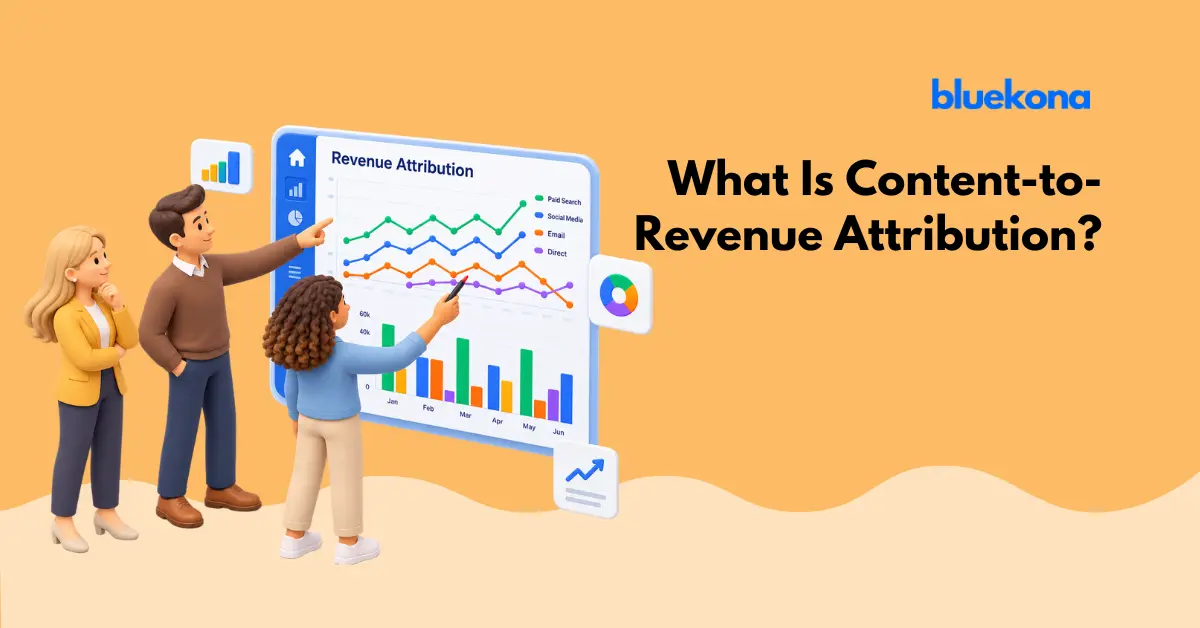
    What Is Content-to-Revenue Attribution? A Guide for DTC Marketing Teams

    Your last video hit record views. Comments are up. The engagement graph in your dashboard is trending the right direction. Then someone on the leadership team asks the one question that actually matters. Which piece of content drove revenue this month? The room goes quiet.

    This is the exact moment where most DTC and e-commerce marketing teams run into a wall. They have plenty of data on what people watched, liked, and shared. What they do not have is a clear line from a specific piece of content to a specific dollar in the bank. That line is what content-to-revenue attribution is built to draw.

    This guide breaks down what content-to-revenue attribution actually means, why the engagement metrics your team already tracks will not get you there, and how to set up a realistic attribution process even without a dedicated analyst or a six-figure martech stack. Along the way, it walks through a real worked example showing how one video’s viewers turn into tracked revenue, and the exact spots where even a well-built attribution setup tends to break down.

    What Content-to-Revenue Attribution Actually Means

    Content-to-revenue attribution is the practice of connecting a specific piece of content, a video, a post, a product placement, directly to the sales it produces. Instead of asking how a post performed, the question becomes how much revenue can be traced back to that exact post.

    That distinction sounds small, but it changes almost everything about how a marketing team plans its calendar, briefs its creators, and defends its budget. A brand that only tracks engagement can say which posts got attention. A brand that tracks content-to-revenue attribution can say which posts, formats, and creators are actually worth making more of.

    The mechanics are simpler than most teams expect. It starts with tagging the products or affiliate links inside a piece of content, so every click, view, and eventual purchase can be traced back to the content that produced it. From there, attribution connects that tagged interaction to an actual purchase event, whether that happens on the same platform or after a customer clicks through to your store. For a broader look at why proving content works is so hard in the first place, see the problem with social media metrics.

    It also helps to be honest about what attribution can and cannot prove. A well-tagged system can show that a specific video preceded a specific purchase. It cannot always show that the purchase would not have happened anyway, through a different channel, on a different day. That stronger claim, that the content actually caused the sale rather than just showing up somewhere in the path to it, is called incrementality, and it usually requires a holdout group or a controlled test rather than tagging alone. Attribution and incrementality answer different questions. Most DTC teams get the most value once they use attribution for everyday decisions about which content to make more of, and save incrementality testing for occasional checks on whether the whole system is adding new revenue rather than just reshuffling credit for sales that would have happened regardless.

    Why Engagement Metrics Keep Lying to Your Team

    Likes and Views Measure Attention, Not Intent

    Engagement metrics were built to measure whether people noticed your content, not whether they were persuaded by it. A video with a huge view count might be entertaining without moving a single unit. A post with modest reach but a highly relevant audience might quietly drive a disproportionate share of sales. Platform dashboards were not designed to tell those two situations apart, because they were built to keep viewers inside the platform, not to report what happened after someone left it.

    This is the trap DTC teams fall into constantly. A content calendar gets built around what performs well by the platform’s own terms, likes, shares, watch time, without ever checking whether any of it correlates with the numbers the business actually cares about, like new customer acquisition or repeat purchase rate.

    A meaningful chunk of buying behavior never shows up in any dashboard at all. A shopper watches a video, does not click anything, opens a new tab a day later, and searches the product by name instead. Someone else screenshots a product and texts it to a friend, who buys it a week later without ever seeing the original post. Marketers call this dark social, and it is one of the biggest reasons a genuinely persuasive piece of content can look like it drove almost nothing.

    The Gap Between Performing Well and Driving Sales

    Here is the uncomfortable part. Content can perform extremely well by every engagement measure and still contribute close to nothing to revenue. That gap is exactly why so many marketing teams struggle to defend their budgets to finance. It is hard to justify spend on a metric that leadership cannot tie to the P&L. Campaigns that connect content to actual purchase data see a 31.8 percent lower customer acquisition cost than campaigns judged on platform metrics alone, according to Admetrics’ 2026 cross-channel research, which is the kind of number that gets a CFO’s attention in a way an engagement report never will.

    Delphi, Bluekona AI mascot

    A million views and zero sales is not a content win. It is a very expensive way to entertain strangers.

    The Data Behind the Measurement Gap

    This is not a niche problem. Recent research shows just how wide the gap is between what content teams track and what they can actually prove to leadership.

    87%
    of content teams track traffic, but only 31% track revenue attribution
    Digital Applied, Content Marketing Statistics 2026 (Apr 2026)
    61%
    of marketers say they struggle to connect content metrics to revenue outcomes
    Digital Applied, Content Marketing Statistics 2026 (Apr 2026)
    3.1x
    higher budget growth for teams that can prove content ROI to leadership
    Digital Applied, Content Marketing Statistics 2026 (Apr 2026)

    The gap shows up in the customer journey too. Shoppers today typically need around 11 separate touchpoints before they buy, and brands with mature cross-channel measurement see roughly 3.2 times higher marketing-attributed revenue growth than brands still relying on single-channel reporting, according to Admetrics’ 2026 cross-channel marketing research. Teams that can prove content ROI get more budget the following year, while teams stuck reporting on engagement alone tend to have their spend questioned every quarter. The gap is not about effort. Most content teams already track plenty of numbers. The problem is that the numbers they track do not answer the question their CFO is actually asking.

    How Content-to-Revenue Attribution Actually Works

    Tagging Products and Links Inside Content

    Attribution starts at the content level, not the analytics level. Every product mentioned or shown in a video, every affiliate link dropped in a caption or description, needs a tag that survives the trip from the content to the checkout page. Without that tag, a sale that started with your content looks identical to a sale that started from a random search. For teams juggling product placements across dozens of videos and posts, doing this by hand in a spreadsheet is usually where things fall apart first. Automated product and affiliate link tagging exists specifically to close that gap, catching mentions and links inside content and tying them to a trackable identifier without someone combing through every video by hand.

    In practice, tagging happens through a mix of methods depending on the platform. Instagram and TikTok both support native shopping tags that attach a specific product straight to a post or video, no extra link required. YouTube offers a similar shopping shelf under long-form videos and Shorts. For platforms or creators without native shopping tools, affiliate links through networks like LTK, ShopMy, Amazon Associates, or a brand’s own affiliate program fill the gap, alongside plain UTM-tagged links dropped in captions, descriptions, and link-in-bio tools. None of these methods is complete on its own. A brand running content across four platforms with a handful of creators typically ends up combining two or three of them just to get reasonable coverage.

    Connecting That Tag to a Purchase Event

    Once a tag exists, a few things need to line up before a sale gets connected back to it. First, an attribution window. Most platforms and affiliate networks default to something like a one day view window and a seven day click window, meaning a purchase only counts if it happens within that stretch of time after the interaction, though some brands extend this to twenty eight days for higher consideration products. Second, an identifier that survives the trip from click to checkout, usually a cookie, a URL parameter, or a server-side event tied to the customer’s order. Third, a way to reconcile that identifier against the actual order in Shopify, WooCommerce, or whatever platform processes the sale. A tagging system that works on one video but breaks on the next post leaves gaps in the data that make trend analysis nearly impossible, and an attribution window that runs too short will systematically undercount slower-consideration purchases, like a $200 skincare bundle, compared to a $15 impulse buy.

    Where Attribution Breaks Down

    Even a well-built system has real limits, and it helps to know them going in. Platforms are walled gardens, so a creator’s Reel that gets watched, screenshotted, and then converts through a Google search two days later shows up as organic search revenue, not content revenue, even though the video did the actual persuading. Cross-device journeys cause a similar problem. Someone watches a video on a phone during a commute and buys later from a laptop, and unless a brand has strong cross-device identity matching, that purchase looks disconnected from the content that triggered it. Privacy changes on iOS and growing cookie restrictions have made this harder over the past few years, which is part of why 78 percent of e-commerce companies had already moved to server-side tracking by 2025, since server-side events survive browser-level blocking that pixel-only tracking does not.

    Attribution Models in Plain Terms

    Once tracking data exists, a team still has to decide how credit gets assigned when a customer interacts with more than one piece of content before buying. Three basic models handle most of this work.

    Model How It Works Best For Setup Effort
    First Touch All the credit goes to the first piece of content a customer interacted with Short consideration windows, awareness-focused campaigns Moderate
    Last Touch All the credit goes to the final piece of content before purchase Teams just starting attribution Low Effort
    Multi Touch Credit is split across every piece of content in the path to purchase Longer, multi-platform customer journeys Higher Effort
    Position-Based Splits credit between the first and last touch, with a smaller share for everything in between Brands with strong content at both the discovery and conversion stages Higher Effort

    Most DTC teams start with last touch because it is the simplest to set up, then move to multi touch or position-based once they have enough volume to make the added complexity worth it. There is no universally correct choice here. The right model depends on how long a customer journey typically runs and how many pieces of content a buyer usually sees before converting, and with the average shopper now needing around 11 touchpoints before buying, last touch alone increasingly hides more than it reveals.

    Picking an attribution model is like picking a diet. The best one is the one your team will actually stick with past week two.

    Delphi, Bluekona AI mascot

    A Worked Example, Tracing One Video to Actual Revenue

    Numbers make this concrete faster than definitions do. Picture a skincare brand publishing two Instagram Reels in the same week, each tagging the same $58 serum.

    Reel A is a fast-paced trend format. It pulls 210,000 views, 3,400 profile visits, and a respectable 68,000 likes. The product tag gets 1,900 clicks. Of those clicks, 22 turn into purchases inside the seven day attribution window, for $1,276 in tracked revenue.

    Reel B is a slower, more explanatory video showing exactly how the serum fits into a routine. It pulls only 38,000 views, a fraction of Reel A’s reach. But the product tag gets 2,600 clicks, a much higher share of a smaller audience, and 94 of those clicks convert, for $5,452 in tracked revenue.

    Metric Reel A Reel B
    Views 210,000 38,000
    Product Tag Clicks 1,900 2,600
    Purchases 22 94
    Attributed Revenue $1,276 $5,452
    Revenue per 1,000 Views $6.08 $143.47

    Judged on views alone, Reel A looks like the clear winner, more than five times the reach. Judged on attributed revenue, Reel B outperforms it by roughly four times, off a fraction of the audience. A content calendar built around view counts would greenlight ten more videos like Reel A. A content calendar built around attribution data would greenlight ten more videos like Reel B, and would likely hand that creator a bigger share of next quarter’s product seeding budget.

    This is a simplified example, but the pattern shows up constantly in real audits. A video that looked unremarkable in the engagement tab is often quietly outperforming everything else once tagged product data gets layered on top, which is exactly the kind of signal the recognition between content and conversion is built to surface.

    A Realistic Attribution Setup for a Lean DTC Team

    What You Can Track Manually, and Where It Breaks Down

    A small team with one or two people handling content can track attribution manually for a while. UTM links in every caption, a shared spreadsheet logging which video promoted which product, a manual pull from the store’s backend each week to cross-reference sales against click data. This holds up reasonably well for a single creator posting on one or two platforms. It typically starts breaking down somewhere around three to four active creators across more than two platforms, which is exactly when the spreadsheet turns into a part-time job nobody signed up for, someone is manually copying click counts from five different dashboards into one tab, catching typos in product codes, and still missing purchases that happened outside the tracked window. This is the exact wall covered in tracking content performance across platforms without a spreadsheet or analyst, and it is the point where most teams either hire an analyst they cannot afford yet or quietly give up on attribution altogether.

    What an Automated Audit Handles for You

    Quick Takeaway

    A content performance audit does the matching work automatically, tying every tagged product or link back to the video or post that produced it, so a team spends time acting on the data instead of assembling it.

    This is where a platform like Bluekona changes the math. Instead of manually reconciling data across YouTube, Instagram, Facebook, and Threads, an automated audit pulls performance and tagged product data into one place, so a marketing manager can see which specific pieces of content are actually contributing to sales without opening five different dashboards. That view is exactly what closes the gap between content and conversion that most engagement-only reporting misses entirely.

    Good Attribution Habits vs Bad Ones

    Works Well

    Tagging Every Product Before Publishing

    Every video and post gets a trackable tag the moment it goes live, so no sale gets lost in the gap between content and checkout.

    Falls Short

    Tagging Products After the Fact

    Waiting until a video already went viral to add tracking links, which means the biggest wins in the dataset are the ones missing the most data.

    Turning Attribution Data Into Content Decisions

    Attribution only pays off once it changes what a team makes next. In practice, this usually plays out as a simple ranking exercise, run monthly rather than after every single post. Pull every piece of tagged content from the past 30 days, sort by attributed revenue instead of views or engagement rate, and look closely at the top and bottom quartiles. The top quartile usually shares something in common, a specific creator, a specific format, a specific way of showing the product in use, and that pattern becomes the actual brief for next month’s content, not a hunch about what felt like it was trending.

    If a certain creator’s product placements consistently outperform on revenue per view, that is a signal to give them a bigger share of the content calendar, not just a bigger comment count. If a format that gets huge engagement never converts, that is useful information too. It might still be worth keeping for brand awareness, but it should not be graded on the same scale as content built to sell.

    Repurposing plays into this as well. A piece of content that already proved it drives revenue is a much safer bet to repurpose across formats than one that simply went viral. Bluekona’s own research on measuring the ROI of content repurposing found that content with a proven conversion history tends to perform better when reformatted than content chosen purely because it got attention the first time around.

    Delphi, Bluekona AI mascot

    Stop repurposing whatever went viral last week and start repurposing whatever actually sold something. Your calendar will thank you.

    Over time, this turns content planning from a guessing game into a feedback loop. Every piece of content becomes a data point that tells a team what to make more of and what to quietly retire, which is a very different starting position than rebuilding the plan from scratch every planning cycle.

    Frequently Asked Questions

    Is content-to-revenue attribution only possible with a big martech budget?

    No. The core requirement is consistent tagging, not expensive software. Small teams can start with UTM links and spreadsheets, though that approach gets harder to maintain as content volume grows across multiple platforms and creators.

    What is the difference between content-to-revenue attribution and affiliate tracking?

    Affiliate tracking is one input into attribution. It shows that a sale came through a specific link. Content-to-revenue attribution goes a step further, connecting that sale back to the specific video, post, or creator that produced the link in the first place.

    How long does it take to see reliable attribution data?

    Most teams need at least four to six weeks of consistent tagging and tracking before patterns become reliable enough to act on. Shorter windows tend to get skewed by a single high-performing post or a slow sales week.

    Should every piece of content be judged by revenue attribution?

    Not necessarily. Some content exists to build brand awareness or community, and grading it purely on revenue misses the point. The goal is knowing which content is meant to sell and measuring that content accordingly, rather than applying one yardstick to everything.

    What is the difference between attribution and incrementality?

    Attribution assigns credit to specific touchpoints along a customer’s path to purchase. Incrementality measures whether a marketing action actually caused a sale that would not have happened otherwise, usually through a holdout group or a controlled test. A piece of content can carry heavy attribution credit and still add little incremental revenue if the customer was always going to buy anyway. Most DTC teams use attribution for everyday content decisions and save incrementality testing for validating bigger budget shifts.

    Do platform native shopping tools already handle this?

    Partly. Instagram, TikTok, and YouTube shopping tools track clicks and, in some cases, on-platform purchases reasonably well. Where they fall short is anything that happens off platform, a customer who clicks through to a separate storefront, browses, and buys three days later on a different device. That gap is exactly why most DTC brands end up layering a cross-platform audit on top of native shopping analytics rather than relying on either alone.

  • Why Your Best Video Is Leaking Revenue (And How to Find It in 10 Minutes)

    Why Your Best Video Is Leaking Revenue (And How to Find It in 10 Minutes)

    Somewhere in your channel is a video that is doing everything right. Good views, strong retention, comments full of people asking where to buy the thing you mentioned. And somewhere in that same video is a missing tag, a dead link, or a description that never got updated, quietly handing money to nobody.

    You would notice if a sponsor stopped paying you. You are far less likely to notice a broken affiliate link sitting in a video that is still getting views a year later. That is the entire problem with revenue leaks. They do not show up as a dramatic drop. They show up as nothing at all, just money that was always supposed to arrive and never does.

    50%+ of affiliate revenue creators are entitled to gets lost to misattribution and broken redirects Button creator commerce data, cited 2026
    43% more clicks on tagged products when a timestamp is added alongside the tag YouTube internal data, January 2025
    71% year over year growth in shoppable video placements across YouTube, TikTok, and Instagram 2026 creator commerce industry data

    The Video That’s Working and Still Losing You Money

    Picture a mid-size cooking channel, a few hundred thousand subscribers, posting steady weekly recipes. One video, a fifteen-minute butter chicken tutorial, pulls in 2.4 million views. By every normal measure, that is a hit. Except when someone actually checks the video, three products mentioned on camera were never tagged. No affiliate link, no description mention, nothing for a viewer to click even if they wanted to buy the pan or the spice blend on screen.

    That is not a hypothetical. It is close to the exact situation Bluekona surfaces constantly when creators run their first channel audit, high performing videos sitting right next to a revenue gap nobody had gone looking for. The video is not underperforming. The monetization behind it is.

    What a Revenue Leak Actually Looks Like

    Missing Product Tags

    You mention a product on camera, maybe even show it, but never add the tag, the pinned comment, or the description link that turns that mention into a click. This is the most common leak, and it is almost always accidental. You are focused on the edit, the thumbnail, the title. Tagging every product mentioned in a fifteen-minute video is easy to forget.

    Broken or Expired Affiliate Links

    Retailers restructure their affiliate programs. Amazon updates its associate link format. A product gets discontinued and its page redirects somewhere useless. None of this shows up in your analytics as a problem. It just quietly stops paying out, sometimes for months before anyone notices.

    Untimed Tags on Your Highest-Retention Moments

    Even when a tag exists, where it appears in the video matters. A tag sitting in the description with no timestamp asks viewers to go hunting for it. A tag with a timestamp, placed right at the moment the product appears on screen, catches people while their interest is highest. The data backs this up clearly, tagged products paired with a timestamp get 43% more clicks than a description link alone, according to YouTube’s own internal figures from January 2025.

    Delphi, Bluekona AI mascot

    Creators are excellent at making things people want to watch. Most are terrible at bookkeeping. Both things can be true, and only one of them is costing you money.

    Why This Happens Even to Careful Creators

    Nobody sets out to leave money on the table. It happens because the work of making a video and the work of maintaining its monetization live on completely different timelines. You publish once. The video keeps earning, or should keep earning, for years. But nobody goes back and checks whether the affiliate program you joined two years ago still uses the same link format, or whether that discontinued product page is now redirecting to a 404.

    Channels growing fast feel this the most. More videos, more products mentioned, more affiliate relationships to track, and no time built into the schedule for checking any of it. The bigger the back catalog gets, the bigger the blind spot gets with it.

    How Much This Is Actually Costing You

    The scale here is bigger than most creators assume. Misattribution and broken redirects alone cause creators to miss more than half of the affiliate revenue they are technically entitled to, based on Button’s creator commerce data cited in 2026 industry reporting. Meanwhile creator affiliate revenue as a category grew 47% year over year in 2026 and now makes up 24% of total affiliate spend, up from just 11% in 2022, according to Awin’s 2026 affiliate marketing statistics. The pie is growing quickly. A leak in your share of it costs more every year it goes unfixed, not less.

    The Real Cost Isn’t the Missing Tag

    It’s the compounding effect. A video that keeps earning views for years also keeps losing the same untagged revenue for years. Fixing one video today is worth more than fixing ten videos five years from now, simply because of how much longer the fix has to work in your favor.

    The 10-Minute Audit

    This does not require new software or a weekend. It requires ten focused minutes and a willingness to actually click your own links.

    Step 1, Pull Your Top 20 Videos by Views

    Sort your channel by views, not by upload date. Your highest performing videos are where a small fix produces the biggest return, since they have the most eyeballs still landing on whatever tag or link sits underneath them.

    Step 2, Check Tags Against What You Actually Say

    Watch the first thirty seconds and skim the middle of each video. Note every product, tool, or brand you mention out loud or show on screen. Then compare that list against what is actually tagged in the description or pinned comment. Gaps show up fast once you are looking for them on purpose.

    Step 3, Click Every Link

    Not skim, click. A link that looks fine in the description can still redirect to a dead page, an out of stock listing, or a generic homepage instead of the actual product. This step alone catches most of the silent leaks in an older back catalog.

    Step 4, Flag and Fix

    Keep a simple list as you go, video, timestamp, what’s missing or broken. Fix the highest-view videos first. A single afternoon spent working through this list against your top twenty videos usually closes the biggest gaps in your entire channel.

    Checking your own affiliate links is not glamorous content. It is, without question, the highest return on ten minutes you will get all week.

    Delphi, Bluekona AI mascot

    Building a Habit So It Doesn’t Happen Again

    A one-time audit fixes today’s leak. It does not stop tomorrow’s. The creators who actually keep this under control build a small habit around it instead of treating it as a one-off cleanup project.

    Leak typeWhat it looks likeHow often to checkRisk if ignored
    Missing product tagsProduct shown or mentioned, no tag addedEvery new uploadHigh
    Broken affiliate linksLink redirects to a dead pageMonthly, top 20 videosHigh
    Untimed tagsTag exists only in descriptionQuarterly reviewMedium
    Outdated program linksOld link format no longer trackedWhen program terms changeMedium
    Discontinued products taggedTag points to a product that no longer existsTwice a yearLow
    Leaking revenue

    Tags added once at upload and never revisited. Links trusted forever. Older top-performing videos treated as finished, not as ongoing income.

    Healthy tagging habit

    Top videos re-checked on a schedule. Links clicked, not just glanced at. Every new upload tagged completely before it goes live, not fixed later.

    Running a habit like this manually across dozens or hundreds of videos is exactly where it falls apart for growing channels. This is the gap a proper YouTube channel audit is built to close, one pass across your whole library instead of a mental note you keep meaning to act on.

    Your Back Catalog Is Still a Revenue Channel

    It is easy to think of monetization as something that happens at publish time and then stops mattering. The numbers say otherwise. 63% of global viewers say they have bought something they first discovered on YouTube, according to YouTube’s own Culture and Trends team, and shoppable video placements across YouTube, TikTok, and Instagram grew 71% year over year. Viewers are already primed to buy from video. The only question is whether your older content still gives them a working way to do it.

    Every video sitting in your back catalog with views still trickling in is a small, ongoing revenue channel, whether you are actively thinking about it or not. Treating your top twenty videos as something to audit and maintain, not something you finished the day you hit publish, is the difference between a channel that grows its return on existing content and one that keeps making new videos to replace the earnings the old ones quietly stopped delivering.

    Delphi, Bluekona AI mascot

    Your old videos didn’t stop earning because people stopped watching. They stopped earning because nobody went back to check on them. Big difference.

    Find Out Which of Your Top Videos Are Actually Leaking

    Run the free YouTube Channel Audit and see which of your videos are missing tags, carrying broken links, or sitting on untapped revenue right now.