Somewhere in your channel is a video that is doing everything right. Good views, strong retention, comments full of people asking where to buy the thing you mentioned. And somewhere in that same video is a missing tag, a dead link, or a description that never got updated, quietly handing money to nobody.
You would notice if a sponsor stopped paying you. You are far less likely to notice a broken affiliate link sitting in a video that is still getting views a year later. That is the entire problem with revenue leaks. They do not show up as a dramatic drop. They show up as nothing at all, just money that was always supposed to arrive and never does.
50%+of affiliate revenue creators are entitled to gets lost to misattribution and broken redirectsButton creator commerce data, cited 2026
43%more clicks on tagged products when a timestamp is added alongside the tagYouTube internal data, January 2025
71%year over year growth in shoppable video placements across YouTube, TikTok, and Instagram2026 creator commerce industry data
The Video That’s Working and Still Losing You Money
Picture a mid-size cooking channel, a few hundred thousand subscribers, posting steady weekly recipes. One video, a fifteen-minute butter chicken tutorial, pulls in 2.4 million views. By every normal measure, that is a hit. Except when someone actually checks the video, three products mentioned on camera were never tagged. No affiliate link, no description mention, nothing for a viewer to click even if they wanted to buy the pan or the spice blend on screen.
That is not a hypothetical. It is close to the exact situation Bluekona surfaces constantly when creators run their first channel audit, high performing videos sitting right next to a revenue gap nobody had gone looking for. The video is not underperforming. The monetization behind it is.
What a Revenue Leak Actually Looks Like
Missing Product Tags
You mention a product on camera, maybe even show it, but never add the tag, the pinned comment, or the description link that turns that mention into a click. This is the most common leak, and it is almost always accidental. You are focused on the edit, the thumbnail, the title. Tagging every product mentioned in a fifteen-minute video is easy to forget.
Broken or Expired Affiliate Links
Retailers restructure their affiliate programs. Amazon updates its associate link format. A product gets discontinued and its page redirects somewhere useless. None of this shows up in your analytics as a problem. It just quietly stops paying out, sometimes for months before anyone notices.
Untimed Tags on Your Highest-Retention Moments
Even when a tag exists, where it appears in the video matters. A tag sitting in the description with no timestamp asks viewers to go hunting for it. A tag with a timestamp, placed right at the moment the product appears on screen, catches people while their interest is highest. The data backs this up clearly, tagged products paired with a timestamp get 43% more clicks than a description link alone, according to YouTube’s own internal figures from January 2025.
Creators are excellent at making things people want to watch. Most are terrible at bookkeeping. Both things can be true, and only one of them is costing you money.
Why This Happens Even to Careful Creators
Nobody sets out to leave money on the table. It happens because the work of making a video and the work of maintaining its monetization live on completely different timelines. You publish once. The video keeps earning, or should keep earning, for years. But nobody goes back and checks whether the affiliate program you joined two years ago still uses the same link format, or whether that discontinued product page is now redirecting to a 404.
Channels growing fast feel this the most. More videos, more products mentioned, more affiliate relationships to track, and no time built into the schedule for checking any of it. The bigger the back catalog gets, the bigger the blind spot gets with it.
How Much This Is Actually Costing You
The scale here is bigger than most creators assume. Misattribution and broken redirects alone cause creators to miss more than half of the affiliate revenue they are technically entitled to, based on Button’s creator commerce data cited in 2026 industry reporting. Meanwhile creator affiliate revenue as a category grew 47% year over year in 2026 and now makes up 24% of total affiliate spend, up from just 11% in 2022, according to Awin’s 2026 affiliate marketing statistics. The pie is growing quickly. A leak in your share of it costs more every year it goes unfixed, not less.
The Real Cost Isn’t the Missing Tag
It’s the compounding effect. A video that keeps earning views for years also keeps losing the same untagged revenue for years. Fixing one video today is worth more than fixing ten videos five years from now, simply because of how much longer the fix has to work in your favor.
The 10-Minute Audit
This does not require new software or a weekend. It requires ten focused minutes and a willingness to actually click your own links.
Step 1, Pull Your Top 20 Videos by Views
Sort your channel by views, not by upload date. Your highest performing videos are where a small fix produces the biggest return, since they have the most eyeballs still landing on whatever tag or link sits underneath them.
Step 2, Check Tags Against What You Actually Say
Watch the first thirty seconds and skim the middle of each video. Note every product, tool, or brand you mention out loud or show on screen. Then compare that list against what is actually tagged in the description or pinned comment. Gaps show up fast once you are looking for them on purpose.
Step 3, Click Every Link
Not skim, click. A link that looks fine in the description can still redirect to a dead page, an out of stock listing, or a generic homepage instead of the actual product. This step alone catches most of the silent leaks in an older back catalog.
Step 4, Flag and Fix
Keep a simple list as you go, video, timestamp, what’s missing or broken. Fix the highest-view videos first. A single afternoon spent working through this list against your top twenty videos usually closes the biggest gaps in your entire channel.
Checking your own affiliate links is not glamorous content. It is, without question, the highest return on ten minutes you will get all week.
Building a Habit So It Doesn’t Happen Again
A one-time audit fixes today’s leak. It does not stop tomorrow’s. The creators who actually keep this under control build a small habit around it instead of treating it as a one-off cleanup project.
Leak type
What it looks like
How often to check
Risk if ignored
Missing product tags
Product shown or mentioned, no tag added
Every new upload
High
Broken affiliate links
Link redirects to a dead page
Monthly, top 20 videos
High
Untimed tags
Tag exists only in description
Quarterly review
Medium
Outdated program links
Old link format no longer tracked
When program terms change
Medium
Discontinued products tagged
Tag points to a product that no longer exists
Twice a year
Low
Leaking revenue
Tags added once at upload and never revisited. Links trusted forever. Older top-performing videos treated as finished, not as ongoing income.
Healthy tagging habit
Top videos re-checked on a schedule. Links clicked, not just glanced at. Every new upload tagged completely before it goes live, not fixed later.
Running a habit like this manually across dozens or hundreds of videos is exactly where it falls apart for growing channels. This is the gap a proper YouTube channel audit is built to close, one pass across your whole library instead of a mental note you keep meaning to act on.
Your Back Catalog Is Still a Revenue Channel
It is easy to think of monetization as something that happens at publish time and then stops mattering. The numbers say otherwise. 63% of global viewers say they have bought something they first discovered on YouTube, according to YouTube’s own Culture and Trends team, and shoppable video placements across YouTube, TikTok, and Instagram grew 71% year over year. Viewers are already primed to buy from video. The only question is whether your older content still gives them a working way to do it.
Every video sitting in your back catalog with views still trickling in is a small, ongoing revenue channel, whether you are actively thinking about it or not. Treating your top twenty videos as something to audit and maintain, not something you finished the day you hit publish, is the difference between a channel that grows its return on existing content and one that keeps making new videos to replace the earnings the old ones quietly stopped delivering.
Your old videos didn’t stop earning because people stopped watching. They stopped earning because nobody went back to check on them. Big difference.
Find Out Which of Your Top Videos Are Actually Leaking
The scroll is ruthless. You have ~3 seconds to hook — or die.
Every platform’s algorithm,from YouTube to Instagram to LinkedIn, is designed to reward content that grabs attention instantly. Not eventually. Instantly. Weak openings? They get buried.
In this post, we’ll break down exactly what makes a powerful first three seconds on YouTube Shorts, Instagram Reels, and LinkedIn Carousels. You’ll see real examples, repeatable hook formulas, and data-backed strategies to improve your scroll-stop rate — no matter the platform.
If your job depends on getting people to watch, read, or engage, this is where you start.
Why the First 3 Seconds Matter ?
The first three seconds aren’t just important — they’re make-or-break. In a feed moving faster than a caffeine-fueled scroll session, attention isn’t given. It’s earned instantly.
Viewer Drop-Off Rates Don’t Lie
YouTube Shorts: According to YouTube’s own Creator Insider, a staggering 70% of viewers decide whether to keep watching or swipe away within the first 3 seconds. That’s your entire pitch window.
Instagram Reels: Meta’s internal research shows that the average viewer gives a Reel just 1.7 seconds before deciding if it’s worth their time. That’s less than two blinks — your visual or audio cue needs to hit immediately.
LinkedIn Carousels: LinkedIn’s Ads Benchmark Report reveals that if your first slide lacks contrast or punchy copy, CTRs can drop by over 50%. On a platform where users skim while pretending to read, the first visual has to do the heavy lifting.
Platform Behavior You Can’t Ignore
Users don’t watch — they scan. You’re competing with subconscious thumb reflexes, not just other creators.
Algorithms boost content that causes users to hesitate, rewatch, or interact right away. The quicker you trigger that pause, the better your odds of reach.
Your first frame is algorithmic currency. If it doesn’t hook, it doesn’t rank.
YouTube Shorts: What Grabs & Keeps
When it comes to YouTube Shorts, the first three seconds are less of an opening and more of a grenade. They need to explode fast, loud, and with purpose. Unlike longer-form YouTube content, there’s zero patience for buildup. The best-performing Shorts punch the viewer with motion, tension, or curiosity — immediately.
What Works in the First 3 Seconds
1. Hard Cuts & Pattern Disruption The scroll stops when something breaks the feed’s rhythm. Think jarring transitions, zooms, sudden audio bursts — anything that snaps the brain awake. The goalis to disrupt the default passive scroll.
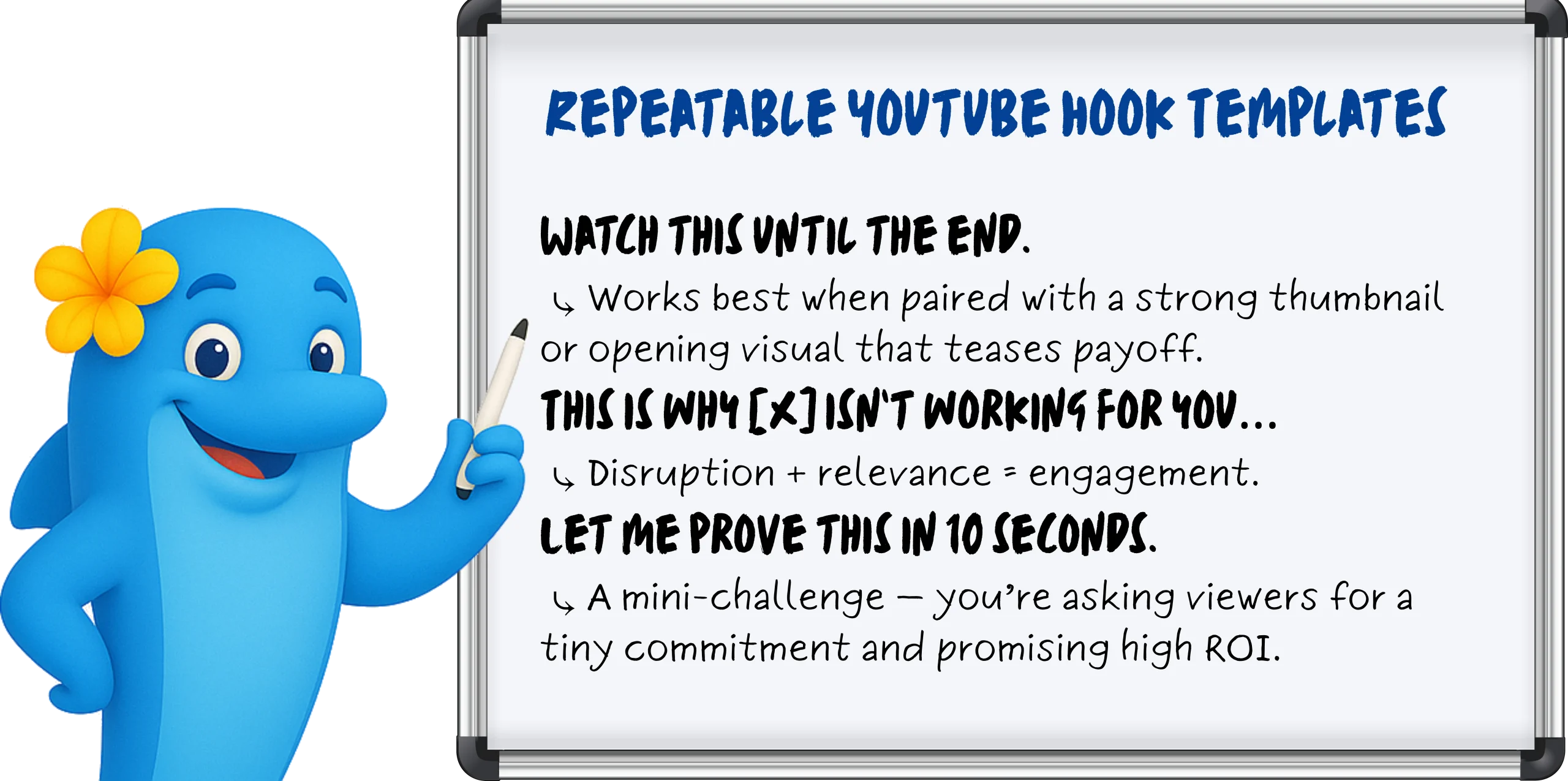
2. Immediate Voiceovers Top creators open with lines like:
“Here’s what nobody tells you about [topic]…”
“You’ve been doing this wrong — let me show you why.”
The pattern? They open with tension, contradiction, or a bold promise — within the first breath.
3. Motion-Heavy or Unexpected Visuals Whether it’s fast jump cuts, punch-ins on facial expressions, or text that animates with meaning — static = skipped. Viewers are drawn to movement, so even talking heads layer in kinetic typography, visual overlays, or reaction-style inserts to hold attention.
Instagram Reels: Shock, Sound, Overlay
Instagram Reels doesn’t reward slow burns — it rewards sensory ambush. If YouTube Shorts is about pacing and narrative tension, Reels is about vibe and visual punch, often before the viewer even taps.
Scroll-Stop Mechanisms That Work
Your job? Interrupt the scroll within one second — visually or audibly.
1. Trending Audio Cues (First Second or Bust) Instagram’s algorithm loves audio-native behavior. That means syncing your first second with a recognizable sound — a beat drop, a voiceover hook, or a viral soundbite — to instantly trigger familiarity.
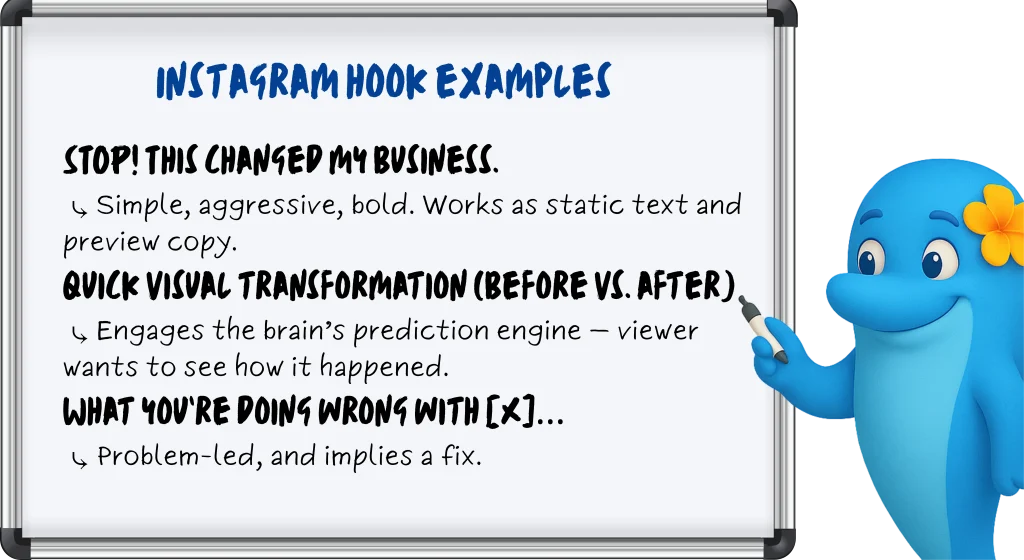
2. Timed Text Overlays (Preview-Optimized) Your first frame matters before the viewer even hits play. The preview frame is your thumbnail. Strategic creators time bold text overlays to appear in the first 0.3 seconds, so the hook is already visible in-feed.
3. High-Contrast or Unexpected Visuals Surreal edits. Face-reacts. Props in weird places. Reels thrives on visual thumb-breakers that contrast with lifestyle content around it. If your face fills the frame and your eyes say “wait for it” — it works.
Reels Editing Tips That Actually Matter
Time your text overlays to appear in the first 0.3 seconds Anything slower risks being cut off in preview mode — aka, your hook dies before it lives.
Always check your preview frame before posting What shows in-feed is what earns the click. A dead frame = dead reach.
Keep the first 1–2 seconds hyper-visual and reactive Even if you’re talking, make the viewer feel like they’re missing something if they scroll.
LinkedIn Carousels: First Slide = Battle Zone
On LinkedIn, the first slide isn’t an intro — it’s a knife fight for attention. Forget clever setups or brand-heavy titles. If your lead slide doesn’t provoke curiosity, urgency, or ego in under a second, you’ve already lost the click.
What Actually Makes People Swipe
1. Stat-Based Hooks That Challenge or Alarm Cold, hard numbers perform well — especially when they suggest most people are doing something wrong.
Example Slide 1: “78% of marketers miss this — are you one of them?”
Why it works: Social proof meets FOMO. Feeds into ego, curiosity, and self-assessment — all at once.
2. Provocative Questions That Poke at Pain Points Challenge the reader’s status quo. Swipe-worthy carousels open with a line that hits where it hurts — budget, performance, perception.
Slide 1: “Are your campaigns bleeding money?”
Slide 1: “Your boss cares about ROI. Show this.”
Why it works: LinkedIn users are job-focused — pain + solution = performance.
3. Visual Hierarchy & Contrast Big fonts. Bold text. Negative space. Colors that don’t blend in with the sea of blue and beige. The first slide should feel like a bold poster — not a polite cover.
Why it works: No fluff, no intro, just friction and value in one frame.
Best Practices That Actually Drive Swipes
Ditch the logo: You’re not Coca-Cola. The first slide is for the reader, not your brand team.
Never waste the slide on a title: If it reads like a headline from a blog post, it’s already being ignored. Make it punch, not label.
Add swipe cues: Use arrows, broken lines, or subtle animation to create movement and momentum — your carousel should feel like a journey.
How BlueKona Can Analyze Which of Your Hooks Actually Work
You’ve posted. You’ve hoped. Maybe even prayed to the algorithm gods. But which hooks actually worked — and which ones got ghosted?
BlueKona takes the guesswork out of performance. It analyzes your posts across platforms — YouTube Shorts, Instagram Reels, LinkedIn Carousels — by impressions vs. engagement, so you can see exactly which hooks stopped the scroll… and which ones got scrolled right past.
You’ll know:
Which posts had high visibility but low engagement (aka, hook fail)
Which ones spiked interaction right at the top (aka, hook magic)
How performance shifts by platform and format
Which opening frames or phrases actually pull people in
No more gut instinct. No more guessing. Just clear, scroll-stopping insight.
Ever wonder why some YouTube channels explode with views while others barely budge? The secret often boils down to one thing: regular, ruthless audits. A YouTube channel audit is like a tune-up for your car—skip it, and you’ll stall out. But nail it, and you’re cruising at peak performance.
In this guide, you’ll learn exactly how to dissect your channel’s branding, content, SEO, and engagement—step by step. We’re not talking vague “check your analytics” advice. You’ll get concrete, actionable tactics to pinpoint what’s working, fix what’s broken, and turbocharge your growth.
Whether you’re just starting out or you’ve been uploading videos for years, a thorough audit can change the game. You’ll uncover hidden opportunities, outmaneuver competitors, and boost your subscriber count—and yes, you’ll actually use this data to make smarter decisions.
Ready to uncover why your channel isn’t already winning? Let’s dive in and give your YouTube presence the overhaul it deserves.
Why Audit Your YouTube Channel?
Let’s be real: uploading video after video without a plan is like throwing spaghetti at the wall—you might hit something, but you’ll never know why.
A channel audit takes the guesswork out of growth. Here’s why it matters:
Uncover Hidden Strengths You might be underestimating a goldmine. Maybe your “easy recipe” tutorial has 10× more watch time than your polished “restaurant-style dish” video. Auditing shines a light on what’s already resonating so you can double down.
Fix Killer Weaknesses Those cringe thumbnails or rambling intros? An audit calls them out. Once you see which videos have high drop-off rates or low click-throughs, you know exactly what to tweak—no more wasted uploads.
Boost Discoverability YouTube is a search engine. Optimizing titles, tags, and descriptions isn’t optional—it’s crucial. A solid audit spots keyword gaps and metadata blunders so your videos rank higher and reach the right audience.
Maximize Revenue Monetization isn’t just about ads. Sponsorships, affiliate links, memberships—they all hinge on solid performance metrics. An audit helps you identify top-earning content, niche opportunities, and underutilized revenue streams.
In short, auditing is the difference between “upload and hope” and “upload with purpose.” Ready to supercharge your channel? Let’s break down the steps.
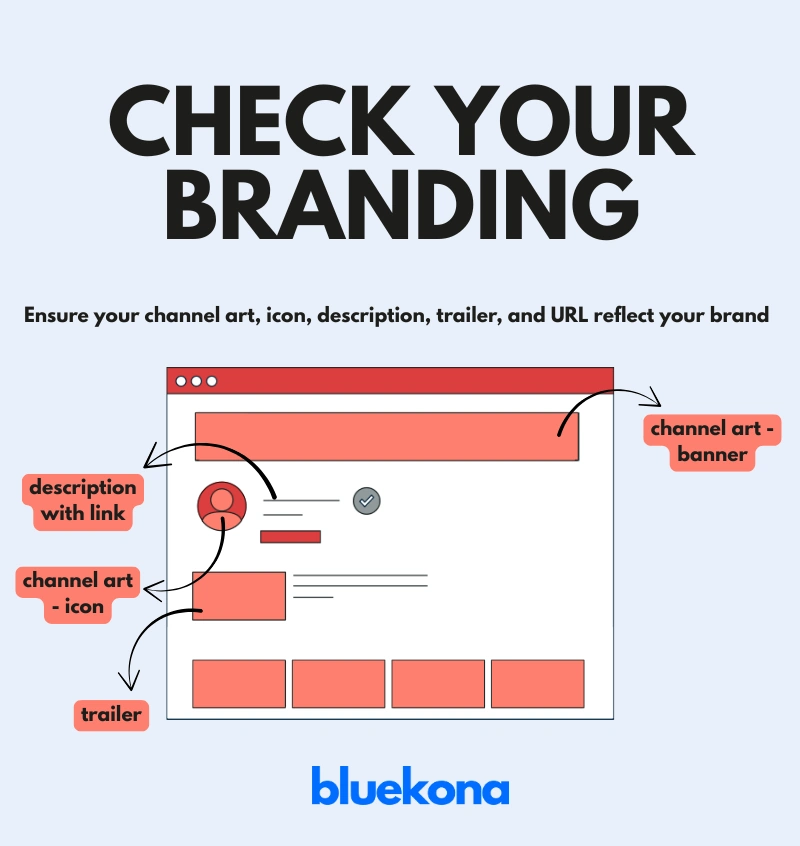
Step 1: Analyze Channel Branding and Settings
Branding isn’t about pretty logos—it’s about trust. Your channel’s look and feel should instantly tell viewers, “You’re in the right place.” Here’s how to audit and optimize your branding:
1. Channel Art and Icon
Banner Dimensions Matter: Use a 2048 × 1152 px image (16:9 ratio) so it looks crisp on all devices.
Consistent Visual Identity: If you’re a gaming channel, bold, neon colors and dynamic imagery scream “let’s play.” If you’re in tech, sleek fonts and minimal design reinforce expertise.
Legibility Check: Step back—does your channel name and tagline read clearly on mobile? Over 70% of YouTube traffic is on smartphones.
2. Channel Description (About Section)
Keyword-Rich but Human: Start with your core value proposition. Drop in high-impact keywords—“budget laptops,” “smartphone hacks,” “AI tutorials.”
Clear Call-to-Action: Tell viewers what to do: “Subscribe for 2 new videos every week” or “Hit the bell icon to never miss a tutorial.”
Link Strategically: Use the description’s “Links” section to drive traffic—website, social profiles, or a Lead Magnet page.
3. Channel Trailer
Keep It Under 60 Seconds: Attention spans on YouTube are short. Your trailer should highlight your best content, showcase personality, and end with a strong subscribe prompt.
Match Your Niche: A clean tech channel might open with a crisp unboxing scene. A fitness channel could start with a high-energy training montage.
Preview Your Schedule: If you post every Monday and Thursday, say so—consistency builds subscriber habits.
4. Custom URL
Make It Memorable: If eligible (100+ subscribers), claim a custom URL like youtube.com/ChannelName. Shorter is better—youtube.com/Channel beats youtube.com/user/Channel12345.
Brand Alignment: Ensure it matches your channel name to avoid confusion and make it easy for viewers to share offline.
Pro Tip: Open YouTube Studio on mobile and desktop to preview how your branding looks in different contexts. If the banner crops oddly or the icon is pixelated, fix it now—first impressions matter.
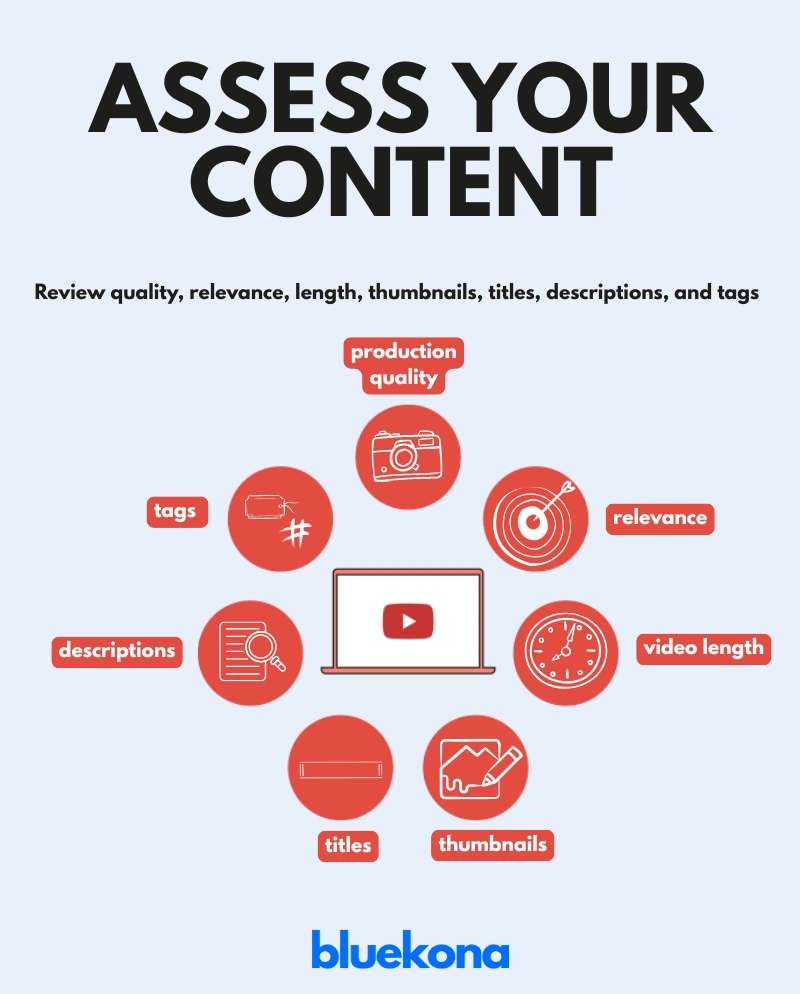
Step 2: Evaluate Video Content Quality and Relevance
Your content is the core of your channel—if it’s off, everything else suffers. This step shows you exactly how to audit each element so your videos pack a punch.
1. Production Quality
Audio Clarity: Poor audio is a deal-breaker. Even a $50 USB mic can outperform your laptop’s built-in mic. Listen for static, background noise, or low volume.
Video Resolution: Aim for at least 1080p. If your footage looks grainy or out of focus, viewers click away. A simple phone tripod and good lighting can take you from “meh” to “pro.”
Editing Polish: Are your cuts clean? Do you use jump cuts or B-roll to keep viewers interested? A rushed edit with long pauses or awkward transitions kills retention.
Quick Test: Pick a recent video, mute the audio, and watch without sound. If you’re lost, improve your editing flow or add on-screen text to guide viewers.
2. Relevance to Your Niche
Stay on Brand: If you’re a cooking channel, every video should tie back to food. A random lifestyle vlog might gain views but confuses subscribers.
Audience Interests: Open YouTube Analytics and check the “Overview” tab. Are 60% of your viewers searching for “quick recipes”? Double down on those. If “kitchen gadget reviews” underperforms, shelve it.
Consistency: Post topics that align. If you upload tutorials, follow them with related how-tos or behind-the-scenes cooking demos. Predictability builds trust.
Tip: Survey your audience via the Community Tab or Instagram Stories—ask directly, “What recipe would you like to see next?” Use their answers to guide relevance.
3. Video Length & Retention
Find Your Sweet Spot: Go to “Audience Retention” in YouTube Studio. If viewers drop off after 2 minutes in a 10-minute video, trim the intro or cut filler. Most tutorials do well in the 8–12 minute range.
First 15 Seconds Matter: Hook viewers immediately—pose a question (“Want perfect pasta in 5 minutes?”), tease the result, or show a quick montage of what’s coming.
Pace & Structure: Break your video into clear sections (intro, main steps, wrap-up). Use on-screen titles to segment. A well-structured video keeps retention high.
Action: Pick your last five uploads, check their 30-second retention rates, and adjust the next video’s intro or pacing based on what you learn.
4. Thumbnails That Get Clicked
Bold, Clean Design: Use high-contrast colors and large, readable text. A cluttered thumbnail gets scrolled past.
Emotional Cues: Faces with expressive reactions (surprise, delight) boost click-through rates (aim for 5–10% CTR). If you’re demonstrating a recipe, show the final dish close-up with a happy, inviting expression.
Consistency: Stick to a consistent style—same fonts, color swatches, and logo placement—so your thumbnails become instantly recognizable.
Example: Use a consistent corner overlay with your logo and a bright border that matches your brand palette.
5. Titles and Descriptions for SEO
Front-Load Keywords: Put the main keyword at the beginning of your title—e.g., “How to Cook Pasta Fast (5-Minute Recipe).”
Compelling Hooks: Avoid “My Latest Cooking Video.” Instead use “5-Minute Pasta Recipe: Dinner Tomorrow?” Tease value, not just content.
Rich Descriptions: In the first 200 characters (the part YouTube often displays), include your primary keyword and a brief summary. Then add timestamps, relevant links (website, social channels), and a clear CTA (“Subscribe for weekly cooking hacks”).
Tags That Matter: Use a mix of broad and long-tail tags. If your keyword is “easy pasta recipes,” add tags like “1-minute pasta tutorial,” “weeknight dinner,” and “Italian cooking at home.” YouTube’s auto-suggest can spark ideas; type your keyword into the tag field and see what’s suggested.
Action: Take three older videos that underperformed and update their titles, descriptions, and tags. Log results over 30 days to see if CTR and watch time improve.
Nailing production quality, relevance, length, thumbnails, titles, and tags turns good videos into great ones—and great ones into viral hits. Now that you’ve audited content quality, let’s move on to audience engagement metrics.
Step 3: Assess Performance Metrics and Audience Engagement
Metrics are more than vanity numbers—they’re your GPS to growth. Let’s dig into YouTube Analytics and find out exactly what’s working, what’s not, and how to keep viewers glued to your channel.
1. Key Metrics to Watch
Watch Time: This is gold. YouTube rewards watch time over views, so focus on total minutes watched. If your average watch time is low, viewers aren’t sticking around. Action: Sort your videos by watch time and identify the top 3. Study their structure—how long is the intro? What pacing did you use? Build your next video around those insights.
Click-Through Rate (CTR): Your thumbnail and title combo determine this. Aim for a 5–10% CTR—anything below 2% means your thumbnails or titles need a revamp. Action: Take your bottom 3 videos by CTR, swap out their thumbnails using bolder visuals and clearer text, then monitor for a 30-day improvement.
Average Percentage Viewed (APV): What percentage of each video do people actually watch? If your APV is under 50%, tighten your content. Cut filler, speed up your editing, or restructure your intro. Action: Identify videos with APV below 50%. Shorten intros or use on-screen bullet points to highlight key moments, then compare APV after reupload.
Engagement (Likes, Comments, Shares): These interactions signal YouTube’s algorithm that your content resonates. A video with high watch time but low likes/comments is missing the engagement hook. Action: End each video with a clear call-to-action—ask a question in the comments (“Which flavor should I cook next?”) or encourage shares (“Tag a friend who needs this tip.”).
2. Top Videos: Learn from Your Winners
Identify Your Top Performers: In YouTube Studio’s Analytics, sort videos by watch time or views over the past 90 days. Which videos consistently top the list? Action: Create a quick “Best Of” playlist featuring these winners. Then, analyze patterns: topic, format, thumbnail style, video length. Your goal—replicate these elements in your upcoming content.
Analyze Content Patterns: Do “listicle” videos outperform deep dives? Are shorter tutorials getting more watch time than long-form explainers? Action: If your “Top 5 Kitchen Hacks” reel is killing it, plan two more “Top 5” videos next month—perhaps “Top 5 Baking Tools” or “Top 5 Spice Mixes.”
3. Audience Demographics: Know Who’s Watching
Age, Gender, Location: Check if your core audience skews 18–24 or 35–44. If 40% of viewers are in India, consider adding English subtitles or occasional Hindi phrases. Action: In Analytics → Audience → Demographics, note the top three countries. Create a video tailored to that region—maybe a local cuisine tutorial or a culturally relevant challenge.
Viewer Interests: YouTube shows “Other Channels Your Audience Watches.” If 60% also watch “Budget Gadget Reviews,” a video titled “Top 5 Budget Cooking Gadgets” could cross-pollinate audiences. Action: Run a poll in the Community Tab asking, “Which gadget helps you cook faster?” Use the results to craft a targeted video.
4. Engagement: Interact and Retain
Comments: Replies build community. If a viewer asks, “What’s the secret to perfect pasta?” respond directly or even make a follow-up video answering that question. Action: Set aside 15 minutes daily to reply to new comments. Track which replies spark more discussion—this feedback loop fuels engagement.
Shares and Saves: These are gold—shares indicate your content is valuable enough to broadcast, and saves mean viewers want to revisit. Note which videos get more saves (e.g., “Holiday Recipes”) and consider turning that format into a series. Action: For videos with high saves, add a pinned comment linking to related playlists, maximizing watch time.
Community Tab & Polls: Use polls to crowdsource video ideas (“What’s next: Cake Decor Tips or Bread Baking Hacks?”). Polls boost engagement and give you direct insight into audience preferences. Action: Publish a weekly poll. Feature the winner in next week’s video, then mention the audience by name (“Thanks to @CookingWithAnita for suggesting cake decorating!”).
Now that you’ve mapped your performance metrics and audience behaviors, it’s time to optimize your SEO and channel discoverability.
In Step 4, we drill into keyword research, metadata tweaks, and end-screen strategies that push your channel to the top of search results. Let’s keep those stats climbing!
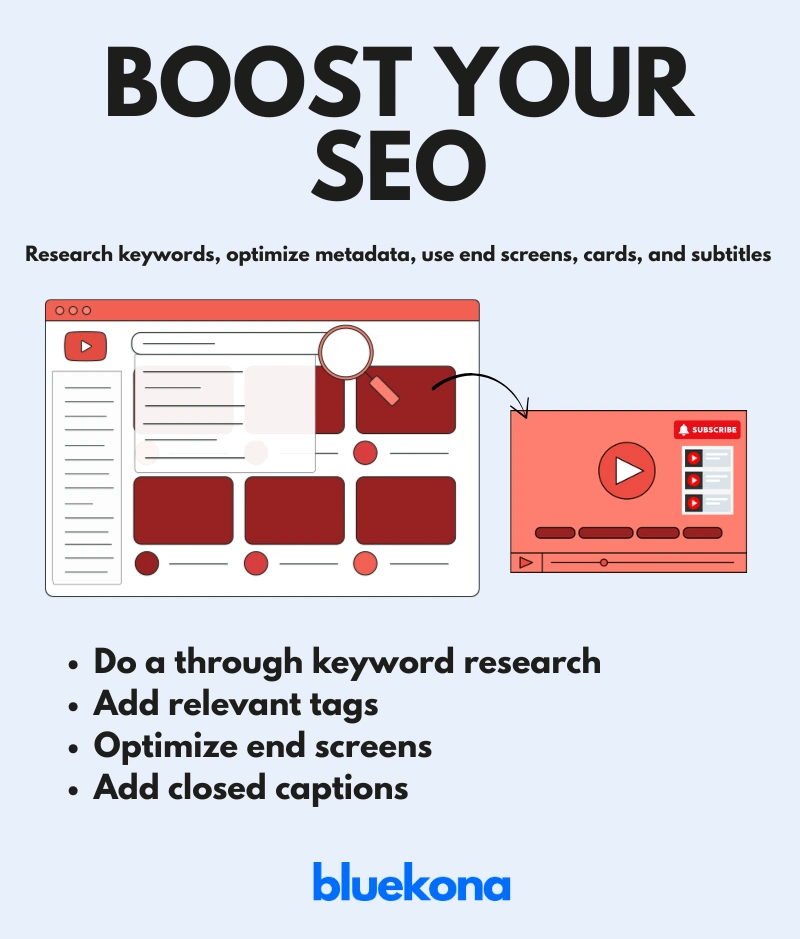
Step 4: Optimize for SEO and Discoverability
YouTube is a search engine—if you aren’t optimizing your videos, you’re invisible. In this step, we’ll tackle keyword research, metadata tweaks, and other SEO hacks to ensure your content gets found and binged.
1. Keyword Research: Find What People Actually Search For
Plug in your core topic (e.g., “easy pasta recipes”) and find related long-tail phrases like “5-minute pasta recipe” or “vegan pasta dinners.”
Compare search interest over time. If “one-pot pasta” spikes in winter, plan your next video accordingly.
Check top-performing channels in your niche—what keywords are they ranking for? Use those as inspiration, not duplicates.
Action: Make a list of 10 high-volume, low-competition keywords, then incorporate one into your next title and description.
2. Metadata: Titles, Descriptions, & Tags
Front-Load Your Title: Place the main keyword within the first 60 characters. For example: “5-Minute Pasta Recipe | Quick Dinner Ideas”
Craft a Compelling Description:
First 200 Characters Matter: Summarize your video with primary keywords (“Learn how to make a 5-minute pasta recipe that’s perfect for busy weeknights”).
Include Timestamps & Links: Time-stamps boost watch time by letting users jump to specific sections. Add links to your website, social profiles, and related playlists.
Repeat Keywords Naturally: Use your target phrase 2–3 times within the first 300 words—don’t keyword-stuff, keep it human.
Select Tags Strategically:
Mix Broad + Long-Tail Tags: Use “pasta recipes” (broad) and “easy vegan pasta dinner” (long-tail).
Check YouTube’s Auto-Suggest: Start typing your seed keyword in the tag field and note suggested phrases. Those are real searches.
Action: Update three of your highest-view videos with optimized titles, revamped descriptions, and refined tags. Track if CTR and rankings improve over the next 30 days.
3. End Screens & Cards: Keep Viewers Bingeing
Link to Related Content: Use end screens to promote your most-viewed playlists or a related how-to series (e.g., link “Top 5 Pasta Hacks” at the 60-second mark).
Add a Subscribe Button: Position your subscribe CTA in the final 5–10 seconds so viewers can click without scrolling away.
Interactive Cards: Place a card mid-video linking to a “Beginners’ Guide” playlist if retention dips at a certain timestamp. Cards can reroute viewers before they click away.
Action: For your next three videos, add relevant cards at 50% mark and end screens linking to your top 2 playlists. Measure watch time lift.
4. Subtitles & Closed Captions: Unlock Accessibility & SEO Gains
Transcribe & Upload SRT Files: YouTube automatically generates captions, but they’re often inaccurate. Upload your own SRT file to ensure precision.
Embed Keywords in Subtitles: When describing actions (“Add garlic to pan”), sprinkle in your target keyword naturally if it fits. Captions improve search indexing by 16%.
Multilingual Captions: If a sizable chunk of your audience is non-English-speaking, add subtitles in their language. More languages equals more discoverability.
Action: Pick one popular video, generate an accurate SRT transcript, and upload it. Then add one additional language subtitle (e.g., Spanish or Hindi) based on your demographic data.
5. Optimize Thumbnails for SEO Impact
Descriptive Text Overlays: Use your main keyword on the thumbnail sparingly—e.g., “5-Min Pasta” in big, readable text.
Consistent Branding Elements: Include your logo or a distinct visual hook so viewers instantly recognize your videos in search results or recommendations.
A/B Test Variations: Create two thumbnail versions and use TubeBuddy’s AB test feature. Let the data decide which design drives higher CTR.
Action: A/B test thumbnails for your top 5 underperforming videos. Evaluate CTR differences after one week and adopt the winner for future uploads.
By implementing these SEO best practices—keyword research, optimized metadata, engaging cards/end screens, accurate captions, and A/B-tested thumbnails—you’ll dramatically improve your channel’s discoverability. Next up: we’ll benchmark your channel against competitors and uncover fresh growth opportunities.
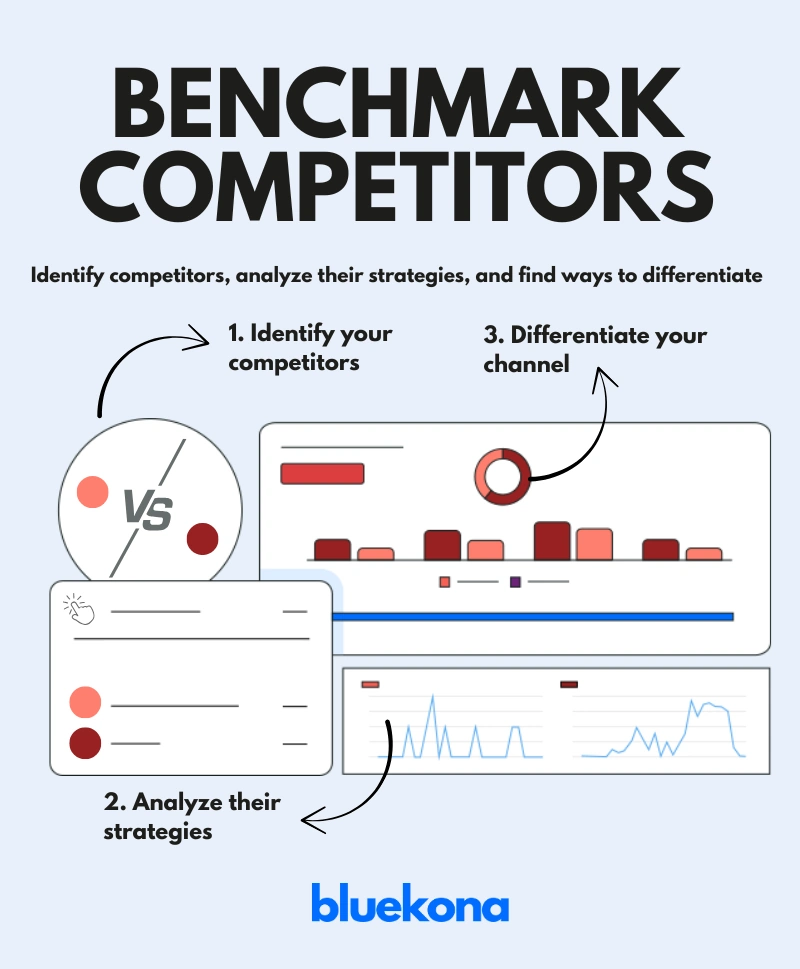
Step 5: Compare with Competitors
If you’re not watching your competitors, you’re flying blind.
Analyzing similar creators in your niche helps you spot content gaps, decode what’s working for them, and find areas where you can stand out. This isn’t about copying—it’s about outsmarting.
1. Identify Your Real Competitors
Not every big channel in your space is your true competition. Look for creators who:
Target the same audience
Create similar content types
Have a subscriber count close to yours or slightly higher
Example: If you run a food vlog with South Indian recipes, competitors might include other regional cooking channels—not general food vloggers with millions of subscribers.
2. Analyze Their Channel Strategy
Once you’ve picked 3–5 competitors, dig into their:
✅ Content Types
Are they doing how-tos, listicles, shorts, or vlogs?
What’s their most viewed content?
✅ Thumbnails
Are their thumbnails more vibrant or stylized than yours?
Do they use text overlays or face shots effectively?
✅ Titles
Are their titles curiosity-driven (“You’ve Been Cooking Rice Wrong!”) or keyword-heavy (“How to Cook Fluffy Rice | Beginner’s Guide”)?
✅ Posting Frequency
Do they post weekly? Twice a month?
Is there a noticeable boost in views during certain times?
✅ Engagement
Look at like ratios, comments, and community posts.
What kind of content gets them the most discussion?
Tool Tip: Use Social Blade or Noxinfluencer to track competitor subscriber growth, video performance, and upload consistency.
3. Find What They’re Doing Better (and Worse)
Compare their videos to yours and ask:
What’s visually stronger about their branding?
Are they explaining things more clearly?
Do they lead viewers to subscribe more effectively?
What topics have they NOT covered that you could?
Pro Tip: Use their “Videos” tab and sort by Most Popular. Study what’s resonated and how you can create a better version with your own twist.
4. Position Yourself Differently
To win, you need a value proposition that’s clear and unique.
Ask:
What’s your special sauce? (e.g., deeper breakdowns, humor, cultural lens, faster pacing)
How can you visually differentiate? (e.g., different thumbnail color scheme, on-screen animations)
Can you bring something they’re missing—like better storytelling or pro-level visuals?
Example: If all your competitors use voiceovers, you could appear on camera to make it more personal and relatable.
5. Track & Iterate
Competitive analysis isn’t a one-time thing. It’s a habit.
Action Plan:
Monthly: Review 3 top-performing videos from each competitor.
Quarterly: Identify one new tactic they’re using—and test it on your channel.
Bottom line:If you want to grow on YouTube, don’t just focus inward. Watch the competition, learn fast, and adapt even faster. Next, we’ll tackle how to make sure you’re monetizing every view and click.
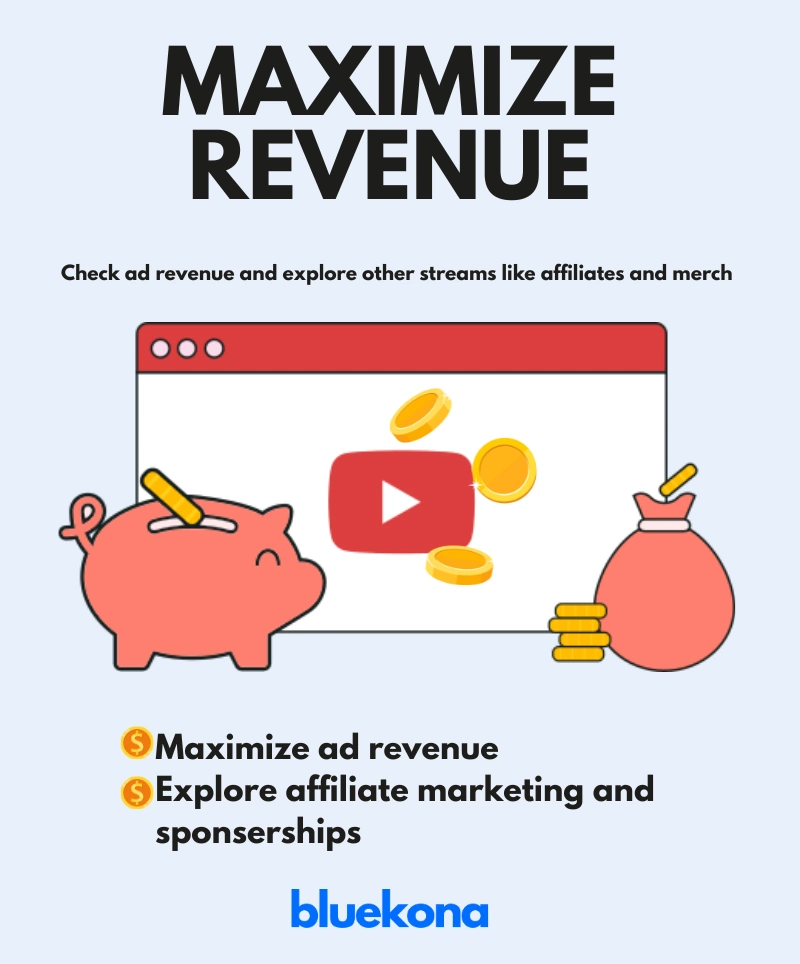
Step 6: Review Monetization and Revenue Streams
Let’s be real—if you’re putting in hours planning, filming, editing, and uploading, you should be earning from it too. But many creators leave money on the table by not fully tapping into YouTube’s monetization ecosystem.
This step helps you make sure your channel is generating revenue smartly—not just through ads, but through multiple income streams.
1. Audit Your Ad Revenue
Start with YouTube’s built-in monetization: AdSense.
Go to YouTube Studio → Analytics → Revenue Tab
Check:
RPM (Revenue per Mille): How much you earn per 1,000 views.
CPM (Cost per Mille): What advertisers pay per 1,000 ad impressions.
Top-earning videos: What’s making you money now?
Tip: Videos longer than 8 minutes can include mid-roll ads, which can significantly boost earnings. Don’t stretch your content—but if it naturally fits, use this feature.
2. Explore Affiliate Marketing
Recommend products you already use and love—and earn a cut from each sale.
Join platforms like:
Amazon Associates
ShareASale
Impact
Add affiliate links in your description and mention them in the video.
Example: A tech reviewer can link to gadgets they review. A cooking channel can share utensils, ingredients, or kitchen appliances.
Pro Tip: Always use a disclosure (like: “Links may earn a small commission”) to stay compliant with platform rules.
3. Sell Your Own Products or Services
Create and promote something of your own:
Merch (T-shirts, mugs, digital downloads)
Courses or eBooks
Templates or presets
Consulting or coaching
Example: A beauty creator could offer a paid skin-care guide or one-on-one sessions. A food channel could offer an eCookbook or spice kits.
You can promote these in:
Descriptions
End screens
Pinned comments
Community tab
4. Use Fan-Funding Options
Let your audience support you directly.
YouTube Memberships: Offer perks like exclusive videos or emojis.
Super Chat / Super Stickers: For live streams.
Patreon: Offer tiered memberships with behind-the-scenes content, shoutouts, or downloadable bonuses.
Example: A gaming channel might offer early access to walkthroughs or bonus game commentary for members.
5. Track What’s Working
Monetization isn’t “set it and forget it.”
Review which affiliate links get clicks.
Compare RPMs across video types.
Test different product placements or calls-to-action (CTAs).
Action Item: Try one new revenue stream this month—whether it’s adding affiliate links, launching a mini product, or setting up channel memberships.
Bottom Line: Monetizing on YouTube isn’t just about turning on ads. It’s about turning your content into a revenue machine—through strategy, experimentation, and genuine value. Next up, let’s talk about how to grow beyond YouTube by expanding your reach across platforms.
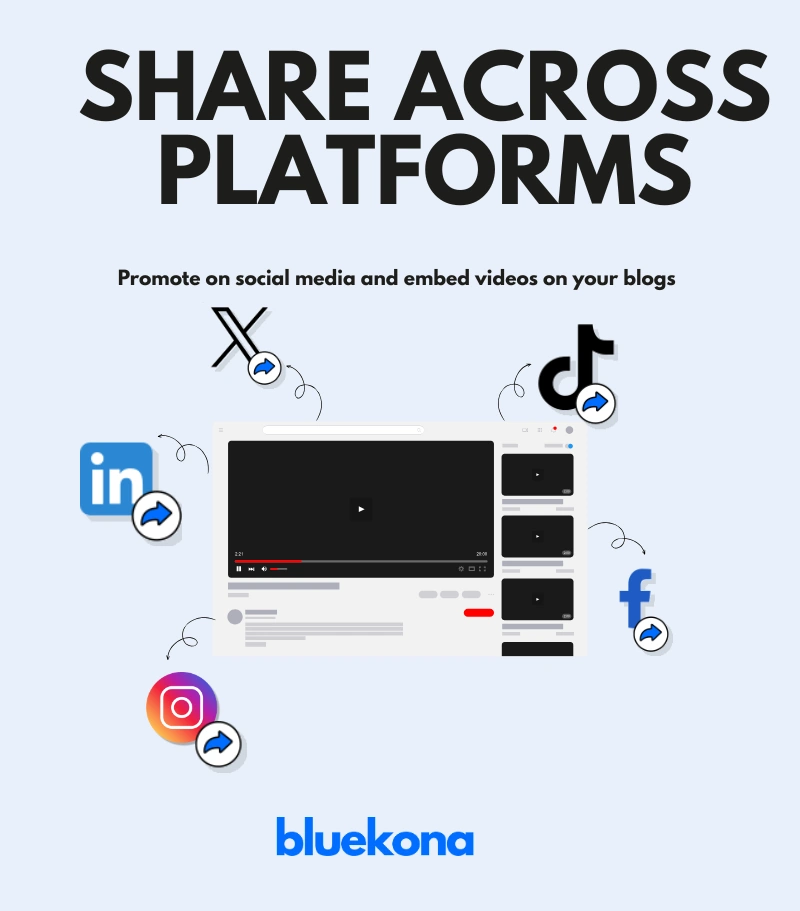
Step 7: Check Cross-Platform Integration
Creating amazing content on YouTube is only half the battle. If you want to grow faster and reach wider audiences, you have to go where your viewers hang out—outside of YouTube. That’s where cross-platform integration comes in.
This step focuses on amplifying your content by distributing and repurposing it across social media, blogs, and more. Think of it as building an ecosystem around your channel.
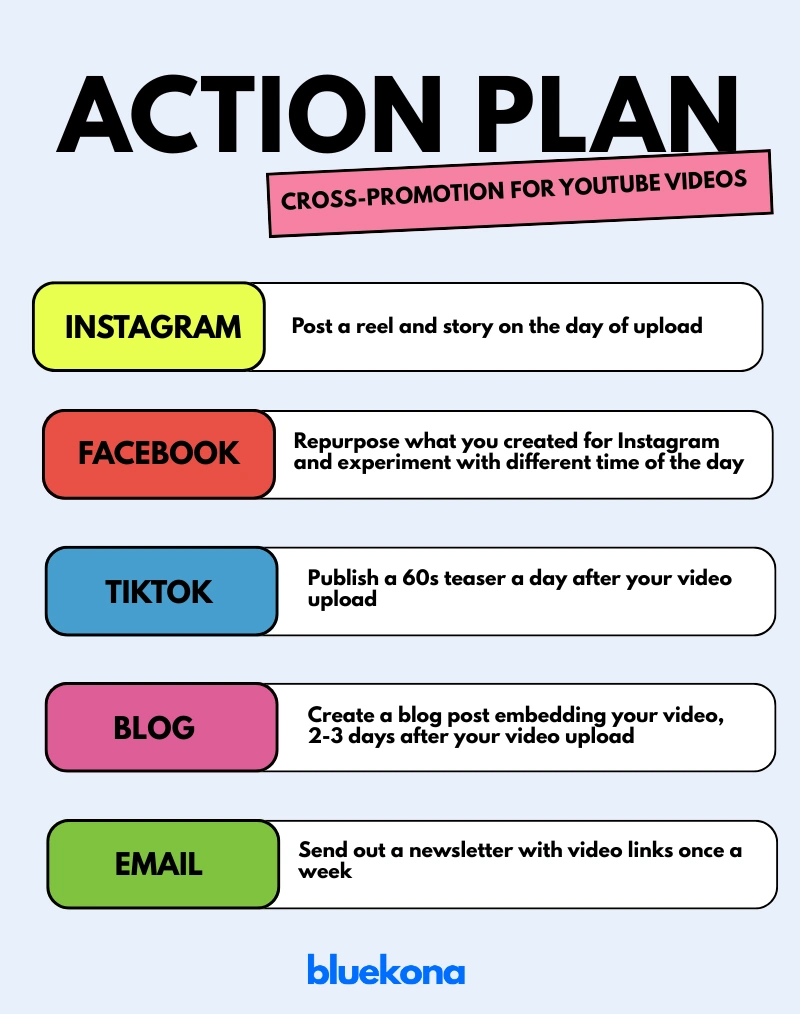
1. Repurpose for Social Media
Your long-form video can be a goldmine for short-form content.
X (formerly Twitter): Share behind-the-scenes moments, quotes, or quick takes.
Instagram: Use Reels, Stories, and carousel posts for short tips or teasers.
TikTok: Cut 60-second highlights or how-to demos from your full video.
Pinterest: Pin your videos (especially tutorials or how-tos) with keyword-optimized captions.
Example: If you posted a 10-minute recipe video, pull out a 30-second montage of the final dish and post it as a Reel or TikTok.
Tool Tip: Use tools like CapCut, InShot, or Descript to quickly repurpose and format videos for each platform.
2. Embed in Your Website or Blog
If you have a website, use it to extend your video’s life.
Write a short blog post summarizing the video.
Embed the full YouTube video.
Optimize the blog post for SEO using the same keywords from your video.
Example: A finance creator might write a blog titled “How to Save $1,000 in 30 Days” and embed the matching YouTube video in the article.
This helps in:
Driving search traffic from Google.
Increasing video watch time directly from your site.
Improving your domain authority and overall brand presence.
3. Use Email Marketing
Yes, email still works. If you have a subscriber list:
Send a weekly update with your latest video.
Add a personal note or bonus tip to increase open rates.
Include links to your social profiles to cross-pollinate platforms.
Pro Tip: Use free tools like MailerLite or ConvertKit to start building your list.
4. Collaborate Cross-Platform
Sometimes the best growth hack is tapping into someone else’s audience.
Team up with a creator on Instagram or TikTok and cross-promote each other’s YouTube content.
Share content in Facebook Groups or Reddit communities that allow relevant self-promotion.
Action Plan
Build a simple cross-promotion system for every upload.
Step 8: Compile Findings and Create an Action Plan
Now that you’ve dug deep into your channel’s branding, content, performance, SEO, monetization, and distribution, it’s time to bring it all together. This is where analysis turns into action—and action turns into growth.
Think of this as your YouTube GPS: it shows where you are, where you want to go, and how to get there.
1. Summarize Your Audit
Start by mapping out your audit findings using a SWOT framework
Writing this out helps you see the bigger picture. Are your thumbnails hurting performance? Are your top videos short and punchy? Are you missing out on collab opportunities?
2. Build an Action Plan (With Deadlines!)
Turn your insights into clear, achievable steps. Prioritize them based on impact and ease of implementation.
Use tools like Trello, Notion, or even a Google Sheet to track progress.
3. Set Clear, Measurable Goals
Without goals, it’s hard to know if your changes are working. Set goals tied to real numbers:
Increase watch time by 20% in 2 months
Hit 5% CTR across new videos
Reach 1,000 subscribers by Q4
Boost revenue by adding 2 affiliate links per video
Make your goals SMART: Specific, Measurable, Achievable, Relevant, and Time-bound.
4. Schedule Regular Check-ins
A one-time audit is good. A recurring one is game-changing.
Quarterly: Do a full audit every 3 months.
Monthly: Review key metrics and note any major shifts.
Weekly: Track progress on your action plan.
Pro Tip: Block time in your calendar now so you actually follow through.
This keeps the process focused, fast, and measurable.
Remember: An audit is only valuable if it leads to action. Use what you’ve learned to improve, experiment, and evolve your channel with purpose. Up next: bonus growth tips, real-life inspiration, and answers to your most pressing YouTube audit questions. Let’s wrap this up strong.
Bonus Tips for YouTube Growth
Consistency: Post on a schedule (e.g., every Wednesday) to build viewer habits.
Trends: Use YouTube’s trending page for timely content ideas.
Community: Host Q&As or live streams to deepen connections.
Case Study: Yoga and You
Take Yoga and You, a channel by Ventuno Yoga (YouTube link). Instead of chasing trends or uploading randomly, they focused on:
High-quality yoga content: Each video offers professionally shot sessions guided by trained instructors.
Consistency: They post regularly, making it easier for viewers to build a habit.
Audience engagement: Their community tab reflect genuine conversations and feedback.
Result? Yoga and You has built a loyal global audience by combining value-driven content with smart branding and routine.
FAQ
What is a YouTube channel audit?
A detailed review of your channel’s performance, content, and strategy.
Why is it important?
It boosts visibility, engagement, and revenue while keeping you competitive.
How often should I audit my YouTube channel?
Every 3–6 months to stay on track.
What tools help?
YouTube Studio, Bluekona AI
How do I improve performance?
Enhance content quality, optimize SEO, and engage your audience.
Take Your Channel to the Next Level
Auditing your YouTube channel isn’t a one-off task—it’s a habit that fuels long-term success.
Start today, implement these steps, and watch your channel thrive.
Have questions or results to share? Drop them below—I’d love to hear your story!