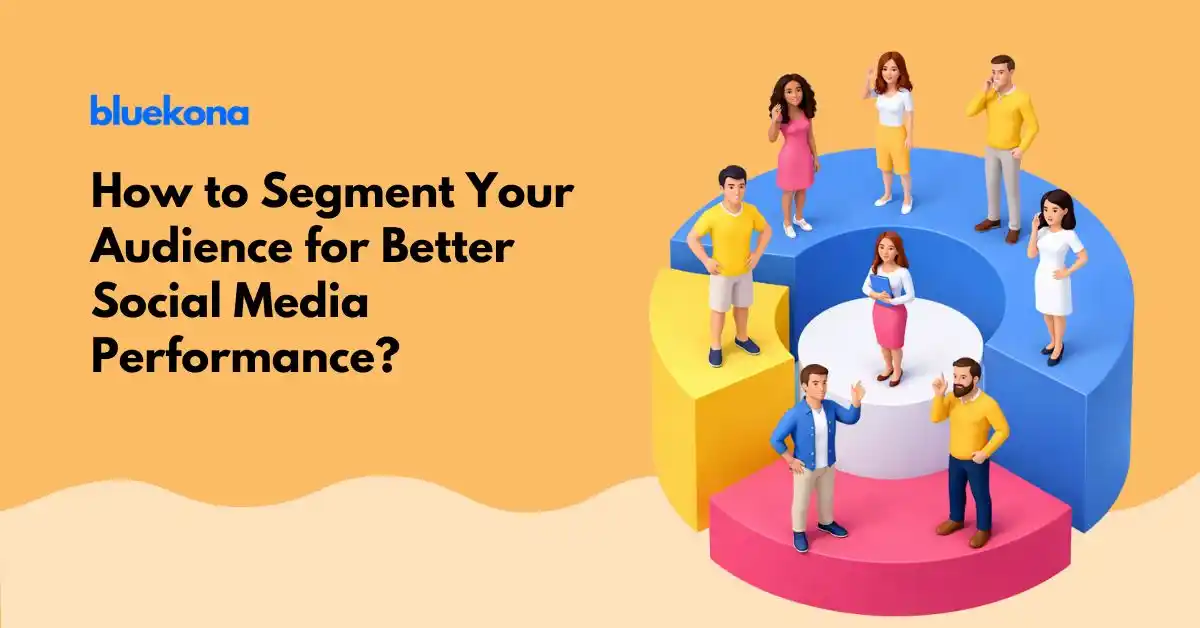
Most brands treat social media like one big room with one big audience. It is not. It is three completely different worlds running at the same time, and what works in one world will fall flat in the other two.
Social media started as a place to post updates and stay in touch with people. That version of social media does not really exist anymore. Today, people use social media to search for things, study a product before they buy it, and decide who they trust.
Think about how people in your life actually use these platforms. A 21-year-old opens TikTok to search for coffee shops near them. A 34-year-old checks Instagram to see if other parents are buying a specific baby monitor. A 47-year-old goes on Facebook to read real reviews before signing up for a service. Three people. Three completely different journeys. Same general idea of “being on social media.”
The brands that are winning right now understand this. They are not posting one piece of content and hoping it lands with everyone. They are building with a specific person in mind each time. And the brands that are struggling? They are still thinking of their audience as one group.
You do not need more content. You need the right content for the right person at the right moment.
How Gen Z Actually Uses Social Media
Gen Z does not just use social media. They live on it. For them, it is not a leisure activity they check once a day. It is the main way they find out about the world. This generation grew up with smartphones in their hands, and they have built habits that most older marketers still find hard to believe.
What this tells you is that for Gen Z, social media is basically Google, YouTube, and Amazon combined into one place. When they want to find something, they go to TikTok or Instagram. When they want to learn something, they look for a short video. When they are ready to buy something, they check what creators they follow are saying about it.
What Gen Z Expects From a Brand
Gen Z is not looking for products. They are looking for experiences and identity. They want to follow brands that feel like they get the culture, that speak without corporate polish, and that have a genuine point of view. They respond to creators and voices that feel real. The moment something feels like an ad trying too hard to be cool, they are out.
This does not mean you have to chase every trend. It means your content needs to have a clear personality and deliver something fast. A useful tip, a funny take, an honest opinion, a quick answer to a question they already had. That is the currency on this side of social media.
How Millennials Use Social Media to Make Real Decisions
Millennials are the most active generation on social media by volume. They manage more accounts than any other group, and they use social media with a mix of intention and habit. They are on Instagram, Facebook, LinkedIn, Pinterest and sometimes TikTok too. But the way they use these platforms is very different from Gen Z.
For Millennials, social media is where they stay connected with people and validate the decisions they are already considering. They are not just scrolling for fun. They are checking if a product is worth it, seeing what people like them are using, and looking for brands that feel human and honest.
The Millennial Purchase Path on Social Media
A Millennial who is thinking about buying something will often follow a brand for a while before they decide. They watch how the brand talks to people, whether they respond to comments, whether their content feels honest or scripted. They are also heavily influenced by people they already trust, which is why influencer marketing hits so well with this group. Not celebrity influencers necessarily, but people who feel like a real version of themselves.
If your brand shows up consistently, engages genuinely and delivers content that helps them make better decisions, Millennials will trust you. That trust turns into purchases and into loyalty.
How Gen X Uses Social Media and Why They Are Worth Your Attention
Gen X is the quiet one in the room. They do not post as much, they do not go viral, and they do not spend hours scrolling through TikTok challenges. But do not make the mistake of overlooking them. They are intentional, they have purchasing power, and when they make a decision, they usually stick with it.
Gen X uses social media primarily on Facebook and YouTube. They use it to research before buying, to read reviews, to watch how-to content, and to stay in touch with people they actually know. They are not looking to be entertained. They are looking for answers.
Why Brands Should Not Ignore Gen X on Social Media
This generation has real spending power and they are tired of being ignored by brands that are too busy chasing younger audiences. Content that is clear, well-structured and genuinely useful goes a long way with them. They do not need to be impressed with trending audio or fast cuts. They need to feel like you respect their time and you are giving them something real.
The Real Problem Most Brands Are Running Into Right Now
One strategy does not fit three very different people
Most brands post the same piece of content across every platform for every audience. They copy trends without thinking about whether that trend makes sense for who they are talking to. They treat engagement as a single number instead of asking who is actually engaging and why.
The result is low engagement, weak conversions, and a brand that feels generic to everyone. You are spending time and money creating content that is not actually connecting with anyone in a meaningful way.
This is not a content problem. It is an audience understanding problem. And it is completely fixable once you start thinking about who you are actually talking to.
How to Build Content That Actually Works for Each Generation
Once you understand how each generation behaves on social media, building for them becomes a lot more straightforward. You do not need to create an entirely different brand voice for each group. You just need to meet each audience where they are.
If Your Audience Spans Multiple Generations, Here Is What to Do
Most brands are not talking to just one generation. They have customers across the board, and that is where the real challenge lives. You cannot pick one format and call it a strategy. You need to think in layers.
The good news is that you do not need to triple your content output. You need to take one idea and execute it differently for each audience. Same message, different delivery.
When you build in layers like this, you are not just posting more. You are scaling your relevance across multiple groups without confusing any of them. This is what it looks like to have an actual strategy instead of just a posting schedule.
How Kellogg’s Runs Three Separate Strategies at the Same Time
Kellogg’s is one of the clearest examples of a brand that understands generational behavior on social media. They do not run one campaign for everyone. They run three completely different approaches, built around how each generation actually uses social platforms.
The result is a brand that feels fresh to a 20-year-old on TikTok, relatable to a 35-year-old parent on Instagram, and reliable to a 50-year-old on Facebook. Same company, same products, three very different conversations.
Case Study: Kellogg’s Generational Playbook
Here is a look at how they approach each generation and what makes each approach work.
Gen Z
Kellogg’s shows up on TikTok, Roblox and Snapchat with bold, fast, experience-first content. They frame their products as snacks and lifestyle items, not boring breakfast cereal. Their messaging is direct, a little irreverent, and built around identity. Campaigns like gaming activations and hashtag challenges meet Gen Z where they already spend their time. They are not trying to convince Gen Z to buy cereal. They are trying to be part of the world Gen Z already lives in.
Millennials
On Instagram, Facebook and Pinterest, Kellogg’s talks to Millennials through health, convenience and family. They work with parenting influencers, share recipe content, and push positioning like “cereal for dinner” because it speaks to the real, messy, busy life that Millennials are actually living. It is not about features or nutrition facts. It is about fitting into a real person’s day without making things harder.
Gen X
For Gen X on Facebook and YouTube, Kellogg’s leans into nostalgia, familiar mascots and health messaging around things like heart health and digestion. They are not trying to be cool or trendy. They are trying to be trustworthy. They remind Gen X of a brand they have known their whole lives and give them practical reasons to keep buying it. Coupons, retail targeting and straightforward health claims do the heavy lifting here.
The Real Lesson From How Kellogg’s Operates
Most brands look at Kellogg’s and think the secret is budget. It is not. The secret is that they understand their audience well enough to build differently for each group. They do not guess. They look at who is engaging with what, which formats are driving results for which audience, and they adjust continuously.
That is the difference between posting and having a strategy. And it is the same difference that separates brands with growing social channels from brands that post consistently and wonder why nothing is moving.
Kellogg’s does not guess what works. They know who it works for. That is the whole game.
Where Most Teams Get Stuck and Why It Is Not Their Fault
Here is the hard reality. Most marketing teams know that their audience is not one homogeneous group. They can feel it when engagement is inconsistent and conversions do not match the effort they are putting in. But they keep posting the same way because they do not have a clear picture of what is actually working for whom.
They are running on assumptions, trends and gut feeling. They are not doing this because they are bad at their jobs. They are doing this because they do not have the data to make better decisions. They cannot see which generation is engaging with which content, which formats are driving the actions they actually care about, or what the intent is behind someone saving a post versus someone commenting on it.
Without that clarity, even a team full of talented people ends up creating content that tries to do everything and ends up doing nothing particularly well.
How Bluekona Helps You Stop Guessing and Start Knowing
This is exactly the gap that Bluekona is built to close. Instead of posting and hoping, Bluekona helps you understand what is actually happening inside your social content, who is engaging with it, and what is driving real outcomes.
With Bluekona, you can break down performance by format, by message type, and by platform. You can track the intent behind engagement, so a spike in saves on a how-to post tells you something very different from a spike in comments on a relatable story. And you can keep refining your strategy over time based on what the data is actually telling you, not what feels right in the moment.
The brands that win across generations are not the ones with the biggest budgets. They are the ones who understand their audiences well enough to build for them with intention. Bluekona gives you that understanding.
Ask These Three Questions Every Single Time You Make a Post
Who is this piece of content actually for? Be specific. Name the generation, the situation they are in, the platform they are on.
What problem does this solve for that person? Not for your brand, for them. What do they walk away with that they did not have before?
Would this genuinely resonate with that person? Be honest. If you are not sure, that is a sign to rework it before you hit publish.
The Final Takeaway on Building a Social Media Strategy That Spans Generations
Social media is not one audience. It never was. But for a long time, brands could get away with treating it like one because the platforms themselves were simpler and the competition was lower. That time has passed.
Today, Gen Z is searching on TikTok. Millennials are building purchase decisions on Instagram. Gen X is doing their research on Facebook and YouTube. These are three completely different behaviors, three different expectations, and three different journeys to a purchase decision. If your content strategy does not account for that, you are leaving reach and revenue on the table every single day.
The brands that win on social media in the years ahead are going to be the ones who stop thinking about platforms and start thinking about people. They are going to build content with a specific person in mind, test what actually lands, study the data behind it, and keep improving.
You do not need to rebuild your entire strategy overnight. You just need to start asking better questions before you create. Who is this for? What do they need right now? Does this actually give it to them?
Start there. Then use the tools and data available to you to sharpen that instinct into something repeatable and scalable.
Most creators spend a lot of time thinking about likes, shares, follower counts, and click rates. These numbers feel important because they are easy to see and easy to track. But there is something else that platforms pay very close attention to. Something most creators never even think about.
How long people actually stay.
This is called dwell time. And it might be the most important signal your content sends to any algorithm right now.
What Is Dwell Time in Social Media
Dwell time is simply the amount of time someone spends with your content before moving on. But here is the thing most people miss. Dwell time is not just one thing. It works on two separate levels, and understanding both of them changes how you think about everything you post.
Post-Level Dwell Time
Post-level dwell time is what happens in the moment someone sees your content. It measures how long they spend reading your caption, watching your video, swiping through your carousel, or pausing on your image before they scroll away.
When someone stops on your post for fifteen seconds instead of two, the platform notices. It reads that pause as a signal that your content was worth stopping for. That it had something to say. That it was relevant, interesting, or valuable.
Algorithms are not reading your words. They are watching behavior. And a long pause on your content tells them far more than a quick like ever could.
Handle-Level Dwell Time
This one goes deeper and most creators have no idea it exists.
Handle-level dwell time measures what happens after someone engages with your post. It tracks whether they visit your profile. How long they browse your page. Whether they click into multiple posts. Whether they move from one piece of your content to another.
Post-level dwell time shows interest in what you said. Handle-level dwell time shows interest in who you are.
That difference is huge. One is a moment. The other is the beginning of a relationship.
Why Post-Level Dwell Time Should Lead to Handle-Level Dwell Time
This is the connection that most people miss, and it is really where growth starts to compound.
Think of it as a chain reaction. When your post is good enough to hold someone’s attention, the platform shows it to more people. More people means more profile visits. More profile visits means people are spending time on your page, looking at your other posts, getting a feel for who you are and what you stand for.
That profile browsing is handle-level dwell time. And the more of it you generate, the more familiar people become with you. Familiarity leads to trust. Trust leads to people actually choosing to follow you, buy from you, or recommend you.
A single post should not just be a post. It should be a door. Something that pulls someone in and makes them want to see more. Your goal is not just to get someone to read a caption. It is to get them to enter your world and stay a while.
When you start thinking this way, your whole approach to content shifts.
Why Dwell Time Matters More Than You Think
1. It Is a Strong Algorithm Signal
Every major platform is trying to do one thing. Keep people on the app. So when your content makes people stop and spend time, you are helping the platform do its job. In return, the platform rewards you with more reach.
This is true on LinkedIn, Instagram, TikTok, YouTube, and pretty much every platform that uses a feed. The longer someone stays with your content, the stronger the signal that your content deserves to be shown to more people.
It is a loop. Good content keeps people. Platforms reward the content that keeps people. More people see it. More of them stay. And on it goes.
2. Dwell Time Is Stronger Than Clicks and Likes
A click can be an accident. Someone taps something they did not mean to tap. A like can be completely passive. Someone double-taps while barely registering what they saw.
But staying? That is intentional. When someone spends twenty or thirty seconds on your post, they made a choice to be there. That is real attention. And real attention is the thing that actually matters.
Platforms know the difference. A hundred passive likes mean far less than fifty people who read your entire caption and sat with it.
3. Dwell Time Reflects Content Quality
When content consistently earns long dwell times, it is usually because of something real. Better storytelling. A clearer structure. An emotional connection. Visuals that actually communicate something. Ideas that make people think.
Dwell time is essentially a quality check. Not a perfect one. But a pretty honest one. If people are leaving quickly, something is off. If they are staying, you are doing something right.
What Creators Should Actually Focus On
Hooks That Stop the Scroll
The first line of your caption, the first frame of your video, the first slide of your carousel. These matter more than anything else because they decide whether someone stays at all.
A good hook is not clickbait. It is not a trick. It is just a question someone wants answered, a tension someone wants resolved, or a statement that makes someone stop and think “wait, tell me more.” Create genuine curiosity, and people will stay to satisfy it.
Content That Has Flow and Structure
Attention is fragile. People will leave the moment they lose the thread. So your content needs to take them somewhere, step by step, in a way that feels easy to follow.
For carousels, each slide should make them want to see the next one. For videos, the pacing should feel intentional, not dragged out. For captions, each sentence should pull the reader into the next one. Think of your content as a path. Every step should make the next step feel natural.
Delivering Value in Patterns
The creators who build real audiences are not one-hit wonders. They deliver value consistently, in recognizable ways. People know what to expect from them. And that expectation is what makes someone want to visit your profile after seeing one post.
Think about how you can create a pattern of insight. A way of sharing ideas that is uniquely yours. When people recognize your style and trust that you always bring something useful, they will keep coming back.
A Profile That Feels Like a Library
When someone lands on your profile, what do they find? If your posts are all over the place with no clear theme or direction, they will leave quickly. But if your content feels cohesive, if it all points to the same things you care about and specialize in, people will browse.
They will go from one post to the next because each one reinforces why they found you interesting in the first place. A clear, consistent profile is one of the most underrated tools for building handle-level dwell time.
How to Increase Post Level Dwell Time on Each Platform
Facebook On Facebook, longer storytelling works well. Share stories with real detail and emotion. Ask questions that get people commenting. Create discussions where people feel they have something to add. Multi-image posts that walk through a journey also tend to hold attention longer.
Instagram Carousels are one of the best tools for dwell time on Instagram. Each slide should build on the last and leave people wanting the next one. For Reels, the first two seconds are everything. Grab attention immediately or people are gone. A consistent, attractive grid also encourages people to browse your profile longer when they land on it.
YouTube The first thirty seconds of any video will determine whether most people stay or leave. Strong openings, clear chapter structuring, and visual changes every twenty to thirty seconds help keep people watching. Pacing matters a lot. Slow and rambling loses people fast.
TikTok TikTok is all about the hook in the first second or two. Fast pacing throughout. Videos that loop well tend to get rewatched, which is a powerful dwell signal. A strong closing line also matters because it is what someone is left with when deciding whether to watch again.
LinkedIn LinkedIn rewards tension. An opening line that creates a question in someone’s mind. Clean spacing that makes reading easy. A story that builds toward an insight. A closing question that makes people want to comment. These elements hold attention and drive long post dwell times.
Threads Short but punchy. Each post should feel like a small thought that naturally leads to the next. Conversational tone works best here. Think of it as thinking out loud in a way that pulls people along.
Pinterest Infographics that are genuinely packed with useful information do very well here. If someone saves your pin, that is a strong dwell signal. Focus on clarity, depth, and being a clear authority on your topic.
Platform-Specific Ways to Increase Handle-Level Dwell Time
This is about what happens after someone engages with one post.
Your goal is simple:
Turn one interaction into multiple content interactions.
That is how creators build authority and algorithmic momentum.
YouTube
Handle-level dwell time on YouTube means: Watching one video → then another → then another.
How to Increase It:
Add end screens with tightly related videos, not random uploads.
Use pinned comments linking to a specific playlist.
Create structured playlists around clear themes.
Mention “watch this next” inside the video verbally.
Design video descriptions to guide viewers deeper.
Use series-based titles like “Part 1, Part 2.”
Keep visual and thematic consistency across thumbnails.
Goal: Make your channel feel like a structured content library, not isolated videos.
Instagram
Handle-level dwell time means: Someone visits your profile and scrolls through multiple posts.
How to Increase It:
Create carousel series with recurring formats.
Design your grid visually cohesive by theme.
Pin cornerstone posts that define your positioning.
Create content clusters around one core topic.
Use captions that reference previous posts.
Use Highlights strategically to guide deeper exploration.
Write bio copy that clearly states what people will learn from browsing.
Goal: Make your profile feel intentional and bingeable.
TikTok
TikTok handle-level dwell time means: A viewer watches one video and taps your profile to watch more.
How to Increase It:
Create multi-part video series.
Use “Part 2 is live” hooks.
Keep consistent niche positioning.
Pin foundational videos.
Maintain similar visual style and pacing.
Reference older videos inside new ones.
Create recurring formats people recognize.
Goal: Turn curiosity into profile exploration.
LinkedIn
Handle-level dwell time in LinkedIn is: Someone clicks your profile and reads multiple posts.
How to Increase It:
Feature (Pin) a defining post.
Maintain thematic consistency in topics.
Use recurring post structures.
Reference previous insights in new posts.
Keep headline and About section aligned with content.
Use featured section to guide readers to cornerstone posts.
Goal: Make your profile read like a structured thought archive.
Facebook
Handle-level dwell time in Facebook: Users explore your page beyond the first post.
How to Increase It:
Organize content into albums.
Create content series.
Link to related posts in comments.
Use Featured section to highlight top content.
Maintain consistent posting rhythm.
Goal: Encourage multi-post engagement.
Threads
Threads handle-level dwell time is: People move from one thread to another inside your profile.
How to Increase It:
Write connected thread sequences.
Maintain topic clusters.
Reference earlier posts.
Keep a recognizable tone.
Pin high-value threads.
End posts with continuation prompts.
Goal: Build a cohesive narrative presence.
Pinterest
Handle-level dwell time means: Users explore multiple pins and boards.
How to Increase It:
Create board-specific niches.
Keep boards tightly themed.
Add detailed descriptions to boards.
Link related pins inside descriptions.
Use consistent visual identity.
Design infographics that naturally connect to others.
Goal: Make your boards feel like curated collections.
Why Handle-Level Dwell Time Gives Creators a Real Advantage
When you consistently generate handle-level dwell time, several good things start to happen at once.
More people convert from casual viewers to actual followers because they spent enough time on your profile to feel like they know you. People come back to your profile on their own, not just when a post shows up in their feed. Your brand becomes memorable because they spent real time with it. Trust builds faster because familiarity builds trust. And future posts perform better because the platform has learned that people stay when they see your content.
Platforms essentially develop a profile of you as a creator. When that profile says “people stay on this person’s content and page,” the platform starts giving you more reach. Not as a reward. Just as a logical next step. You are helping them keep users on the app.
The Problem Most Creators Face
Here is the frustrating part. Most platform analytics do not give you a clear picture of dwell time. You can see watch time on videos. You can see engagement rates and click counts. But you cannot clearly see dwell patterns, how people move through your profile, which posts are actually driving profile visits, or what content structures consistently hold attention.
So most creators are guessing. They see a post perform well and have no idea exactly why. They see another post flop and have no idea what went wrong. They end up chasing the spike instead of building the pattern.
How Bluekona Helps You See What Is Actually Working
This is exactly what Bluekona is built for. Instead of giving you basic metrics you already have access to, Bluekona helps you detect the structural patterns that are actually increasing retention and attention.
It analyzes engagement behavior across platforms, compares how different formats perform, and tracks shifts in dwell-driven performance over time. So instead of asking “why did this one post take off,” you start asking “what structure consistently makes people stay.” That is a completely different question. And it is the right one.
That shift, from chasing spikes to understanding patterns, is what separates creators who grow steadily from creators who burn out trying to recreate random moments of luck.
Key Takeaways
Dwell time goes much deeper than standard engagement. It is not about reactions. It is about attention. Post-level dwell time builds reach. Handle-level dwell time builds authority. Algorithms on every major platform are rewarding sustained attention right now. And that attention, compounded over time, builds real brand power.
Measuring patterns beats chasing spikes. Every single time.
Most marketers are using AI for social media today. But very few are using it well.
They type in quick questions. They get back surface-level answers. Then they wonder why their content still feels flat, why engagement stays stuck, and why their brand still blends into the feed.
The problem is not the AI. The problem is how we talk to it.
AI does not replace good strategy. It cannot read your mind. It cannot guess what your audience cares about or what your brand stands for. But when you learn to communicate clearly with it, when you give it the right structure and context, it becomes something different. It becomes a tool that helps you think faster, test smarter, and build a social presence that actually grows over time.
This article is not about chasing the newest AI tool. It is about changing how you use the tools you already have. It is about turning messy data into clear decisions. It is about building systems that scale, not just posting more content.
If you are running social media for your brand, your clients, or your startup, this is how you make AI work harder for you.
Why Most AI Generated Social Content Falls Flat
Walk into any marketing team today and you will hear the same thing. Everyone is using AI. They are writing captions with it. They are brainstorming ideas. They are asking it to generate tweets, LinkedIn posts, Instagram carousels.
But when you look at the results, something feels off.
The tone is generic. The ideas sound like they came from a template. The posts get likes, maybe, but they do not move the needle. They do not stand out. They do not build a brand people remember.
Here is why.
Most people are using AI the same way they use a search bar. They type in a quick sentence. “Give me 10 social media post ideas for a fitness brand.” And AI does exactly that. It gives you 10 ideas.
But those ideas are not connected to your audience. They are not tied to your brand voice. They are not built around what is actually working in your content right now.
Generic prompts lead to generic outputs. That is the rule.
AI mirrors the quality of what you give it. If you give it vague instructions, you get vague results. If you do not tell it what your goal is, it guesses. If you do not give it constraints, it gives you everything and nothing at the same time.
The truth is, social media growth needs more than ideas. It needs context. It needs intent. It needs a clear understanding of who you are talking to, what platform you are on, and what action you want people to take.
Without that structure, AI becomes a content generator. And content generators do not grow brands. They just create more noise.
Communicating Clearly With AI for Social Media Results
The difference between bad AI output and great AI output comes down to one thing. How clearly you communicate.
Think about working with a junior team member. If you tell them to “make some posts,” they will make posts. But if you tell them your goal, your audience, your brand tone, and what success looks like, they will make something useful.
AI works the same way.
When you ask AI for help, you are not just asking for content. You are asking it to think alongside you. And the more clarity you give it, the better it performs.
Start by giving AI a role. Do not just ask it to write. Ask it to think like a strategist. Ask it to act like a content lead who knows your brand. Tell it what platform you are working on. Tell it what the goal is. Engagement? Awareness? Clicks? Saves?
Every platform works differently. What performs on Instagram does not always work on LinkedIn. What gets shared on Twitter does not always get saved on TikTok. AI does not know which platform you are optimizing for unless you tell it.
Then give it constraints. Constraints make output stronger. Tell AI your character limit. Tell it your brand voice. Tell it what words to avoid. Tell it what outcome you want the post to drive.
And here is the part most people skip. Ask AI to explain its reasoning.
Do not just ask for five caption ideas. Ask it why those five would work. Ask it what each one is trying to do. When you force AI to think through the strategy, the output gets sharper. You also learn faster. You start to see patterns in what works and what does not.
This shift from vague requests to clear, structured prompts is what separates teams who waste time editing mediocre AI drafts from teams who use AI to move faster and think clearer.
Turning Messy Social Data Into Useful Insights
Social media gives you a lot of data. Too much, actually.
You have impressions, reach, saves, shares, comments, clicks, story replies, profile visits. You have metrics from Instagram, LinkedIn, Twitter, TikTok, Facebook. Every platform tracks things differently. Every report looks different.
And most of the time, none of it tells you what to do next.
That is the real problem. Metrics without interpretation do not drive action. You can see that a post got 5,000 impressions. But you do not know if that is good. You can see that engagement dropped last week. But you do not know why.
This is where AI becomes useful. Not for creating more content. For understanding the content you already made.
AI is very good at finding patterns when you point it in the right direction. It can summarize what is working across dozens of posts in seconds. It can compare performance by format, topic, or time of day. It can tell you which themes are getting tired and which ones are just starting to pick up momentum.
But only if you ask the right questions.
Instead of dumping a spreadsheet into AI and asking “what do you see,” give it a job. Ask it to find your top five performing posts and explain what they have in common. Ask it to identify which content formats are driving the most saves. Ask it to compare this month’s engagement to last month and tell you what shifted.
When you structure your questions, AI stops being a black box. It becomes a research assistant that helps you see what you are too close to notice.
You start to understand what your audience actually responds to. You stop guessing. You stop repeating what does not work. You double down on what does.
And that is when social media starts to feel less like throwing posts into the void and more like building something that compounds.
Prompt Frameworks for Real Social Media Use Cases
If you want AI to work consistently, you need systems. Not one off prompts. Not random questions. Frameworks.
A framework is just a reusable structure. It is a way of asking questions that works every time. It saves you from starting over. It makes your outputs more predictable. It lets you scale what works across different platforms, brands, or clients.
Here are the types of frameworks that matter most for social media.
Awareness analysis. This is about understanding what is getting your brand in front of new people. You ask AI to look at your content and tell you which posts brought in the most reach or impressions. You ask it to identify what those posts have in common. Format, topic, hook, time posted. Then you build more of what works.
Engagement diagnostics. This is about figuring out what makes people stop and interact. You look at saves, shares, comments, and clicks. You ask AI to compare high engagement posts to low engagement posts. You find the gap. You learn what your audience values enough to take action on.
Content repurposing. This is about making one idea work across multiple places. You take a LinkedIn post that performed well and ask AI how to adapt it for Instagram, Twitter, or a newsletter. You do not just copy and paste. You adjust the format, the tone, the length. You make it native to each platform while keeping the core message intact.
Conversion optimization. This is about moving people from awareness to action. You ask AI to review posts that drove link clicks, sign ups, or purchases. You ask it what language worked. What offer stood out. What call to action got people to move. Then you apply those patterns to future posts.
These are not complicated. But they are structured. And structure is what makes AI useful over time.
When you stop treating every request like a new problem, you get faster. You get better. You build a library of what works. And you stop reinventing the wheel every time you sit down to create content.
Building a Reusable AI Playbook for Social Media Teams
Most teams use AI in bursts. Someone gets excited. They try it for a week. Then they forget about it. Or they use it differently every time and never build momentum.
That is a mistake.
The real power of AI is not in one great output. It is in consistency. It is in building a shared system that your whole team can use. A playbook.
A playbook is just a collection of your best frameworks, templates, and prompts. It is the go to guide for how your team uses AI across every part of social media. Content creation. Performance analysis. Strategy planning. Reporting.
When you have a playbook, you stop starting from scratch. A new team member can jump in and use the same process that works for everyone else. A client can get the same quality across every account. You can compare results across campaigns because you are asking the same questions every time.
Here is what goes into a good playbook.
First, document your prompts. Not just what you asked, but why you asked it and what kind of output you got. Over time, you will see which prompts give the clearest answers. Keep those. Refine the ones that do not.
Second, tie every prompt to a goal. Do not just have a library of random AI questions. Organize them by what you are trying to do. Growing reach. Improving engagement. Driving conversions. Analyzing competitors. Each section should have the prompts that help you move that metric.
Third, make it easy to update. Your playbook should grow with you. As you learn what works, add it. As platforms change, adjust your prompts. As your brand evolves, update the voice and tone guidelines you feed into AI.
When you build a playbook, you turn AI from a tool into a system. And systems scale. They save time. They reduce guesswork. They make your team faster and your results more predictable.
Moving Past AI Hype to Measurable Social Growth
It is easy to get caught up in what AI can do. The speed. The possibilities. The excitement of trying something new.
But speed without direction does not help. Volume without quality does not build a brand. And trends without strategy do not grow your business.
The question is not whether you should use AI. The question is whether the way you are using it is leading to measurable growth.
Real growth on social media looks like this. You are posting less but performing better. You are learning from every piece of content. You are building a consistent brand voice that people recognize. You are seeing patterns in what works and doubling down on them. You are making decisions faster because you have clarity.
AI helps with all of that. But only when you use it to think, not just to produce.
When you use AI to analyze what is working, you make better content decisions. When you use it to spot patterns across platforms, you build stronger brand consistency. When you use it to understand your audience behavior, you improve engagement quality. When you use it to test ideas and learn fast, you get more predictable performance over time.
This is the shift that matters. From using AI to post more to using AI to learn faster.
Because posting more does not grow your brand. Learning what works and doing more of it does.
Where Bluekona Fits
AI insights only work when they are connected to real data.
You can have the best prompts in the world. You can ask smart questions. You can build frameworks and playbooks. But if you are working with incomplete information or scattered metrics, your insights will be limited.
Bluekona is built to structure social data across platforms. It pulls performance signals from Instagram, LinkedIn, Twitter, TikTok, and Facebook into one place. It organizes everything so you can see what is working without jumping between tabs or exporting spreadsheets.
But more than that, it is designed to work with AI frameworks. It turns prompts into repeatable workflows. It lets you apply the same analysis across different accounts, campaigns, or time periods. It connects your strategy to your actual performance data so you are not guessing.
When you combine clear AI prompts with structured performance data, you move from experimentation to execution. You stop testing random ideas and start building systems that grow your social presence over time.
Final Thoughts
AI will not grow your brand by itself.
Clear thinking will.
When you communicate clearly with AI, when you use structured frameworks, when you turn messy data into actionable insights, and when you build reusable systems, you stop chasing trends. You stop posting just to post. You stop guessing what will work.
You start building a social presence that compounds. One that grows because you understand what drives it. One that feels consistent because it is built on strategy, not randomness.
AI is not magic. But used the right way, it makes everything faster. It makes your thinking sharper. It makes your content stronger. And it makes your growth more predictable.
The question is not whether to use AI. The question is whether you are ready to use it well.
Want to see how AI driven insights apply to your actual social data? Use Bluekona to turn performance signals into repeatable growth decisions.
Most people think branding is something you finish.
You design a logo. Pick some colors. Write a voice guide. Then you move on and focus on growth.
But that is not how brands actually work.
A brand is not what you launch. It is what people feel after seeing you show up again and again.
People are always trying to make sense of things. They are asking quiet questions in their head. Who can I trust. Who understands my problem. Who feels real.
They do not remember every post you publish or every product you sell. They remember how you made them feel when they were confused, stuck, or deciding what to do next.
That feeling is your brand.
This is why so much branding advice breaks in real life. It treats branding like a one time project instead of a living relationship.
Real brands are built in public. In posts written late at night. In replies that sound human. In ideas repeated often enough that people start to recognize them without effort.
This post is about building that kind of brand. One that people remember. One that feels human. One that grows through trust, not tricks.
Brands Are Not Assets. They’re Relationships
Can you explain your branding to me. (Answer this mentally before you proceed to read)
If your answer was about your logo, brand name, or a set of colors — thats not branding.
Because no one has a relationship with a logo.
They have a relationship with how a brand shows up when they are paying attention and when they are not.
Markets are not charts or segments. They are groups of real people trying to understand their world. They are making choices with limited time and limited energy. They are looking for signals that help them feel safe moving forward.
Who seems honest
Who understands my problem
Who feels like they are on my side
That is what people are actually responding to.
Trust does not start with logic. It starts with emotion. Before someone compares features or prices, they decide how they feel about you. That feeling shapes everything that comes after.
This is why two brands can sell the same thing and get very different results.
Humans trust humans,not brochures
One feels distant. The other feels familiar. One sounds polished. The other sounds human.
Over time, people stop thinking about the product and start thinking about the brand as a presence. Someone they recognize. Someone they expect to show up in a certain way.
And that is what people remember.
They rarely remember exact messages or offers. They remember how a brand made them feel when they were unsure. When they were learning. When they were deciding.
Did it feel helpful or pushy
Clear or confusing
Human or scripted
Branding lives in those moments.
When you see branding as a relationship, everything changes. It stops being about creating assets and starts being about behavior. How you speak. What you repeat. What you care about in public.
That is how brands are actually built. Not in documents, but in memory.
Why Most Branding Advice Breaks in Practice
Most branding advice sounds good in theory.
You hire someone. You go through a process. You get a deck with logos, fonts, and a tone of voice. Everything looks clean and well thought out.
It feels like progress.
Then real life starts.
The founder moves on to growth. The team starts posting. Deadlines pile up. Decisions get made fast. No one opens the brand document when writing a post late at night.
What was meant to define the brand turns into a folder no one touches.
This is where things start to break.
Logos and fonts are treated like identity. Tone documents are treated like personality. But none of that guarantees how the brand actually shows up day to day.
So social media becomes performative.
Posts are written to sound like a brand instead of a person. Messages are polished, safe, and distant. Everything feels like an announcement instead of a conversation.
The brand starts talking at people instead of with them.
That gap is where trust gets lost.
You cannot launch a brand and move on. A brand is not a phase you complete. It is something you become through repetition.
Through how you respond.
Through what you care about in public.
Through the ideas you keep coming back to.
Every post, reply, and moment of presence either reinforces who you are or blurs it.
Branding does not fail because people do not design enough. It fails because they stop showing up as humans once the design work is done.
You do not launch a brand. You become one, slowly, in plain sight.
What Human Brands Do Differently on Social Media
Human brands do not think in terms of hacks or tactics.
They think in terms of behavior.
Instead of asking what will perform, they ask how they want to show up. The difference is subtle, but it changes everything.
Human brands are comfortable admitting when they do not have all the answers. They share what they are learning while they are learning it. That openness makes them feel real, not weak.
They post ideas that are still forming. Thoughts they are working through out loud. Not everything is polished or perfectly packaged, and that is the point.
When people reply, they respond like a person would. Not like a policy. Not like a support script. Just a real response from one human to another.
They also leave space for the community to participate. They do not try to control every angle of the conversation. They listen. They adjust. They let the audience influence what gets talked about next.
Most importantly, human brands repeat what they believe.
They talk about the same ideas again and again, from different angles. They reinforce the same values instead of constantly pushing calls to action.
This is how personality is built.
Not through one viral post. Not through clever timing or trends. But through repetition. Saying the same meaningful things often enough that people start to recognize the voice before they see the name.
Viral moments come and go. Values stick.
Human brands understand that. They focus less on chasing attention and more on being familiar. That familiarity is what turns presence into trust over time.
People remember voices, not virality
Community Is a Byproduct of Being Seen and Heard
Communities do not form because a brand posts often.
They do not form because of content calendars, prompts, or scheduled themes.
They form when people feel seen.
A real community grows around shared identity. Around the sense that someone understands how you think and what you care about. When people read something and feel like it reflects their own experience, they lean in.
That is different from engagement as most brands define it.
Comments and likes can be empty. People can react without feeling connected. Real engagement is recognition. It is the moment someone thinks, this is exactly what I have been feeling, or I have never been able to say it like this.
That feeling creates attachment.
People stay where they feel understood. They return to places that make them feel less alone in their thinking. Over time, they stop seeing themselves as an audience and start seeing themselves as part of something.
This is why audience growth without interaction creates empty brands.
You can have thousands of followers and no real connection. No shared language. No sense of belonging. The brand becomes something people scroll past, not something they relate to.
Without recognition, there is no memory. Without memory, there is no community.
Strong brands are not built by collecting attention. They are built by earning understanding. When people feel heard, community becomes a natural result, not something you have to force.
The Hidden Cost of Metric Only Thinking
Most brands rely on dashboards to tell them how they are doing.
Likes go up. Reach looks good. Follower count grows. On paper, things seem to be working.
But something feels off.
A post can get a lot of likes and be forgotten the next day. You can reach thousands of people who never think about you again. You can grow followers who never speak about you, recommend you, or feel connected to what you stand for.
That is the hidden cost.
Likes without memory create noise. Reach without recall creates motion, not progress. Followers without advocacy create the illusion of growth.
Most analytics only tell you what happened. They show activity, not impact. They capture reactions in the moment, not what people carry with them afterward.
Brands are not built in dashboards. They are built in memory.
What people remember is what they repeat. What they recognize. What they associate with you when your name comes up in a conversation you are not part of.
When you focus only on metrics, you start optimizing for visibility instead of meaning. For spikes instead of patterns. For short term attention instead of long term trust.
That tension is where many brands stall.
They are busy, but not becoming anything clearer. Growing, but not getting stronger. Visible, but not remembered.
What matters most is not what happened today. It is what stuck.
Growth isn’t what you count. It’s what people remember.
How to Build a Human Brand Systematically
Building a human brand does not mean being random or unstructured.
It just means starting from meaning instead of tactics.
Begin with beliefs. Not trends. Pick a small set of ideas you truly believe about your work, your audience, or your space. Three to five is enough. These become the thoughts you come back to every week, expressed in different ways.
You do not need new ideas for every platform. Use the same core ideas everywhere. Let people hear them often enough that they start to connect those ideas with you, no matter where they see you.
Pay close attention to the language your audience already uses. The words they choose when they are confused, frustrated, or excited. Those words are signals. When you reflect that language back, people feel understood.
And when something resonates, stay with it.
Most brands move on too quickly. They chase the next new angle instead of reinforcing what already landed. Repetition is not boring. It is how recognition is built.
This is where process meets humanity.
You are not creating a persona. You are creating consistency. Enough clarity that people know what you stand for without you having to explain it every time.
This is where many teams get stuck.
They are showing up. Posting regularly. Engaging with people. But they are not sure which messages are actually shaping how they are remembered.
Bluekona acts as a reflection layer.
It helps teams see which messages create recognition, not just reactions. It surfaces patterns that audiences respond to emotionally, not just algorithmically.
It shows what is building familiarity across platforms and what is simply adding noise. It helps you understand which content strengthens your identity over time and which content does not move it forward.
Bluekona is not there to replace creativity.
It is there to protect it from guesswork. So you can keep doing what works, let go of what does not, and build a brand people recognize, remember, and trust.
The Long Game of Brand Building
Brand building is slow by design.
Recognition does not happen all at once. It compounds. Every time someone sees you show up with the same values, the same point of view, the connection gets a little stronger.
At first, it feels quiet. Then it feels familiar. Over time, it feels trusted.
Communities do not appear overnight. You cannot force them into existence or rush them with tactics. They form when people keep showing up and keep finding meaning in what they see.
Trust is not built through persuasion. It is built through presence.
By being there when people are thinking things through. By showing up consistently, even when there is nothing to sell. By sounding like the same person no matter the platform or the moment.
Human brands win because people root for them.
They are not just followed. They are supported. People want them to succeed because they feel part of the story, not targeted by it.
That is the long game of brand building.
It is quieter than growth hacks. Slower than trends. But it lasts.
Most brands don’t have a content problem on social media—they have a relevance problem.
When you post the same message to everyone, you’re effectively speaking to no one. Audiences scroll past generic content, algorithms suppress it, and engagement flatlines. Not because your ideas are bad—but because they’re not meant for that person, at that moment, on that platform.
This is where audience segmentation changes everything.
Audience segmentation in social media marketing is the difference between broadcasting and connecting. It’s how brands move from chasing reach to earning attention—and from random engagement spikes to repeatable growth.
In this guide, we’ll break down what audience segmentation really means for social media today, why it’s no longer optional, and how to implement it in a way that actually scales—without turning your strategy into a spreadsheet nightmare.
What Is Audience Segmentation in Social Media Marketing?
Audience segmentation in social media marketing is the process of dividing your followers, prospects, or ad audiences into smaller, clearly defined groups based on shared characteristics—such as demographics, interests, behaviors, or professional attributes.
Instead of publishing one generic post and hoping it resonates, segmentation allows brands to
Deliver more relevant content
Address specific needs, motivations, or pain points
Align messaging with platform-specific behavior and intent
At its core, segmentation is about precision. A first-time follower doesn’t need the same message as a long-time customer. A founder scrolling LinkedIn doesn’t behave like a creator on Instagram or a buyer researching on X. Treating them the same guarantees underperformance.
On social media, this matters more than anywhere else.
Platforms already segment your audience behind the scenes—by interests, past engagement, watch time, clicks, and countless other signals. Their algorithms are designed to surface content that feels personally relevant. When your messaging is too broad, the algorithm has no clear signal, and your content loses distribution.
Segmentation fixes that.
By intentionally grouping your audience and tailoring content to each segment, you increase the likelihood that your posts feel timely, useful, and worth engaging with. The result isn’t just higher engagement—it’s better reach, stronger signals to the algorithm, and more consistent performance over time.
In short: Segmentation turns social media from broadcasting content into communicating with intent.
Why Should You Segment Your Audience for Social Media Marketing?
Segmenting your audience is no longer optional—it’s essential.
Social media has changed. Organic reach is limited, competition for attention is brutal, and algorithms are ruthless about what they promote. Content that doesn’t immediately signal relevance gets ignored—by users and by the platform.
Segmentation is how you avoid that fate.
Relevance drives engagement
People don’t engage with “good content”. They engage with content that feels personally relevant.
When your message reflects someone’s role, interests, challenges, or stage of awareness, it stops feeling like a post and starts feeling like a conversation. That’s what earns likes, comments, saves, shares, and clicks—the behaviors that actually matter.
Generic content may reach more people initially, but segmented content resonates deeper. And depth wins on social.
Algorithms favor segmented content
Social algorithms are engagement engines. Their job is simple: show users content they’re most likely to interact with.
When a specific audience segment consistently engages with your posts, the platform gets a clear signal:This content is relevant.
That signal leads to more distribution, not less.
Segmentation increases early engagement, which compounds into greater reach over time. Without it, your content struggles to gain traction and quietly disappears from feeds.
Different audiences behave differently on social
Not all audiences use social media the same way—and pretending they do is a costly mistake.
Gen Z on Instagram scrolls fast and responds to visual storytelling
Professionals on LinkedIn engage with insights, frameworks, and credibility
Buyers researching on social want clarity, proof, and relevance—not hype
Segmentation allows you to match message, format, and tone to how each audience actually behaves—on the platform they’re using.
Better ROI on paid and organic efforts
Unsegmented content wastes impressions.
Whether you’re running ads or posting organically, segmentation helps you:
Reduce irrelevant reach
Improve click-through and conversion rates
Spend less to get better results
Instead of paying (or posting) to reach everyone, you focus on reaching the right people—those most likely to act.
Without segmentation, social media is noise. With segmentation, social media becomes leverage.
It’s the difference between hoping content works—and knowing who it’s for, why it works, and how to scale it.
How to Segment an Audience for Social Media Marketing (Step-by-Step)
Segmentation only works when it’s intentional. That starts with knowing what you’re trying to achieve—not just who you’re talking to.
Step 1: Define Your Social Media Goals
Before you segment your audience, get clear on why you’re showing up on social media in the first place.
Engagement – building interaction and visibility with existing followers
Lead generation – capturing interest and intent
Conversions – driving sign-ups, demos, or purchases
Community building – fostering loyalty and long-term relationships
Each goal requires a different type of audience—and a different type of message.
For example:
Awareness-focused content may target broad interest-based segments
Lead-generation content should focus on high-intent or problem-aware segments
Community-building efforts work best with existing followers or customers
Segmentation without a goal leads to scattered messaging. Segmentation tied to a goal creates clarity—both for your audience and for the algorithm.
Once your goal is defined, every decision that follows becomes easier: who to segment, what data to use, what content to create, and how to measure success.
This is the foundation. Everything else builds on it.
Step 2: Collect and Analyze Audience Data
Effective segmentation starts with evidence, not intuition.
Use the data you already have access to:
Platform analytics (Instagram, LinkedIn, TikTok, Meta) Understand who engages, what they engage with, and how often.
Website and CRM data Identify which social visitors convert, sign up, or return.
Ad performance data See which audiences click, watch, and convert—and which don’t.
Engagement patterns Look beyond likes to saves, shares, comments, profile visits, and watch time.
The goal isn’t to collect more data—it’s to identify patterns of behavior.
Who engages with educational content vs promotional posts?
Who clicks through but never converts?
Who watches videos to completion?
These signals reveal intent. And intent is the foundation of meaningful segmentation.
Good segmentation is data-led, not assumption-based.
Step 3: Choose Your Segmentation Criteria
Once you understand how your audience behaves, you can decide how to segment them.
Behavioral – engagement history, clicks, video views, content consumption
Firmographic (B2B) – company size, industry, seniority, job function
The mistake most teams make is trying to use everything at once.
You don’t need all of these. You need the criteria that influence content behavior.
If someone’s role affects what they care about, segment by role. If engagement level predicts conversion, segment by behavior. If location or language changes how content performs, segment geographically.
A useful rule of thumb:
Note: If a segmentation variable doesn’t change how you create or deliver content, it’s not worth using.
The goal isn’t complexity—it’s clarity.
Step 4: Create Audience Segments
With your data and criteria in place, it’s time to turn insights into actual segments.
Group users into meaningful categories such as:
New followers vs. loyal followers Awareness and onboarding content won’t resonate with people who already trust you.
Content engagers vs. silent viewers Engagers signal interest; silent viewers may need clearer hooks or lower-friction content.
Decision-makers vs. influencers One approves the purchase, the other shapes the opinion—both need different messaging.
Buyers vs. researchers One wants proof and urgency; the other wants education and clarity.
A good test for any segment:
Would this group respond differently to the same post? If the answer is no, the segment isn’t useful yet.
Each segment should represent a distinct need, mindset, or intent—not just a label.
Step 5: Tailor Content and Messaging
This is where segmentation turns into performance.
Once segments exist, customize how you communicate with each one:
Content format – reels, carousels, short-form video, long-form posts
Tone and language – educational, conversational, authoritative, persuasive
Calls-to-action – follow, comment, click, sign up, book a demo
Posting times – when each segment is most active
Platform choice – where each audience actually engages
Segmentation isn’t about creating more content—it’s about making each piece work harder.
When content matches intent, engagement feels natural instead of forced. That’s what drives consistent results.
Step 6: Test, Measure, and Refine
Audience segmentation is not a one-time setup. It’s a living system.
Track performance at the segment level, not just overall metrics:
Engagement rate
Click-through rate
Conversion rate
Audience growth and retention
Watch for patterns: Which segments respond fastest? Which ones stall or stop engaging? Which segments evolve as your audience grows?
Refine, merge, or retire segments as behavior changes. The goal is continuous alignment between who your audience is today and how you communicate with them.
Segmentation done right doesn’t add complexity—it removes guesswork.
What Does Audience Segmentation Improve?
Audience segmentation improves every major social media metric—not by gaming the algorithm, but by aligning your message with what people actually care about.
When content is built for a specific audience segment, performance stops being unpredictable.
Here’s what segmentation directly improves:
Engagement rates (likes, comments, shares) Relevant content earns interaction because it feels timely and useful—not interruptive.
Click-through rates Clear messaging aligned with intent makes the next step obvious.
Conversion rates Segmented audiences see content that matches where they are in the decision process.
Content relevance Fewer generic posts, more purpose-driven communication.
Ad efficiency and ROI Better targeting means less wasted spend and stronger performance per impression.
Audience loyalty and trust People engage more with brands that consistently “get them.”
But the most important improvement is harder to measure—and more valuable long term.
Segmentation improves message clarity.
Instead of sounding like a brand talking at everyone, your content starts sounding like it’s speaking to someone. Your audience feels understood, not marketed to. And that’s what turns passive followers into engaged communities—and engagement into growth.
How Intelligent Segmentation Improves at Scale
Audience segmentation becomes exponentially more effective when it’s supported by intelligent data analysis and automation.
As social audiences grow, manual segmentation starts to break down. Data lives across platforms, behaviors shift quickly, and static segments go stale. The result is delayed insights, inconsistent messaging, and decisions based more on guesswork than reality.
This is where AI-driven systems change the game.
Platforms like Bluekona improve segmentation by:
Converting raw audience and engagement data into clear, actionable direction
Surfacing high-intent and high-value audience clusters that matter most
Eliminating manual analysis and assumption-driven decisions
Enabling consistent personalization across campaigns and platforms
Continuously refreshing segments as audience behavior evolves
Instead of one-time, static segmentation, this approach enables dynamic, living audience intelligence.
The outcome isn’t more complexity—it’s less. Fewer guesses. Faster insights. Smarter personalization at scale.
Segmentation stops being a theoretical best practice and becomes an operational advantage.
Final Takeaway
Audience segmentation is the foundation of effective social media marketing.
It transforms social content from generic broadcasting into targeted, meaningful communication—where every post has a purpose, every message has a clear audience, and performance is driven by relevance, not volume.
The brands that win on social aren’t posting more. They’re communicating better.
When you understand who you’re speaking to—and why—social media stops being a guessing game and starts becoming a reliable growth channel.
Most marketers aren’t running out of ideas — they’re running out of time. Between managing three content calendars, replying to comments, and chasing the latest algorithm shift, “doing social media” starts to feel like a full-time job for five people.
That’s where AI changes the game. Not as a replacement, but as a force multiplier.
With the right systems — and more importantly, the right prompts — AI can help you audit, repurpose, and optimize your content faster than most agencies can write a brief. The difference between average results and real growth?
The strategy behind what you ask it to do.
This guide breaks down proven AI prompt frameworks that help you scale awareness, engagement, and conversions — without adding a single new hire.
Awareness Prompts — How to Get More Eyes on Your Content
If your reach has stalled or impressions are dropping, AI can help you uncover what your audience actually responds to — and show you how to recreate that success across platforms.
These prompts turn your analytics tab into your creative brief. You’ll stop guessing what went viral and start reverse-engineering it with data.
The goal here? Maximize reach and impressions. Stop guessing why that one post blew up and start reverse-engineering success.
1. Social Media Insights Strategist
What it does: Analyzes your top-performing content and generates new post ideas based on what’s actually driving impressions.
Why you need this: Ever feel like you’re just throwing content at the wall to see what sticks? This prompt turns your analytics into a creative brief, so you can stop guessing and start replicating what actually works. Think of it as reverse-engineering your wins — but without the spreadsheet headache.
You are a Social Media Insights Strategist specializing in content performance analytics.
Using the last 90 days of data for [brand] on [platform] (attached as csv), your task is to summarize the post types and content pillars driving the highest reach and views. Then, based on these insights, generate 5 new post angles that mirror those high-performing drivers.
Each new post idea should include the following:
Angle: The strategic perspective or narrative direction of the post
Format: The ideal content type (e.g., Reel, carousel, infographic, story, etc.)
Hook: A short, scroll-stopping opening line or idea
Reason (linked to metric): A rationale connecting the idea to the reach or views metric
Visual Idea: A specific creative or visual concept for execution
Present your analysis and recommendations in a clean table format for easy comparison
Time to implement: 30–45 minutes
AI Power Level: 7/10 — great for pattern recognition and ideation
Manual equivalent: Content strategist + data analyst (4–6 hours)
2. Performance Analyst for Impression Drivers
What it does: Identifies what drives impressions and reverse-engineers hooks that work.
Why you need this: Your analytics are trying to tell you something, but they’re speaking in numbers instead of English. This prompt translates “30K impressions” into “here are 10 hooks that’ll perform just as well” — so you can replicate success without reinventing the wheel every Monday morning.
Prompt
You are a Social Media Performance Analyst.
Using the last 50 posts from [platform] (attached as csv), your task is to identify the top impression drivers — including topic, format, and duration — that contributed most to awareness (reach and impressions/views).
Then, based on these insights, create 10 scroll-stopping hooks (each under 8 words) that mirror the most successful content patterns.
Ensure the hooks align with:
The content style of [content type] posts
The tone of [tone] messaging
The engagement behaviors specific to [platform] users
Present the results in two clear sections:
Top Impression Drivers Summary (table format: “Driver Type | Example | Impact on Reach”)
10 Scroll-Stopping Hooks (numbered list under 8 words each)
Time to implement: 40–60 minutes
AI Power Level: 8/10 — excellent for diagnostic analysis
What it does: Takes your best content and adapts it for TikTok, Reels, LinkedIn, or wherever else you’re trying to show up.
Why you need this: You posted something that killed on Instagram and now you’re wondering if it’ll work on LinkedIn (spoiler: not without tweaking). This prompt handles the translation work so you’re not just copy-pasting the same content everywhere and praying. AI becomes your platform-native translator.
Prompt:
You are a Cross-Platform Content Strategist skilled at adapting high-performing content to native formats.
Using the highest-reaching post from [date range], your task is to repurpose it for multiple social platforms — specifically: Instagram Reels, TikTok, LinkedIn Document, X Thread, and Facebook Post.
Follow these rules:
Maintain the original insight or storytelling essence.
Adapt each piece to fit platform tone, length, and format expectations (e.g., punchy for Reels/TikTok, narrative for LinkedIn, conversational for X).
Include hooks, hashtags, and CTAs aligned with each platform’s best practices.
Present your answer in this format: | Platform | Native Format | Hook/Opening Line | Adapted Copy | Length Guidance | Best Practice Tip |
Conclude with a short paragraph on how this repurposing approach sustains audience engagement while increasing overall cross-platform visibility.
Time to implement: 20–30 minutes per platform
AI Power Level: 7/10 — solid for repurposing, though you’ll want to add your brand voice
Manual equivalent: Platform specialist (2–3 hours per adaptation)
These prompts can turn your analytics into your creative brief. You’ll stop wondering why something went viral and start to systematically recreate the conditions for it to happen again.
Engagement Prompts — How to Turn Scrollers Into Community
Awareness gets you seen. Engagement gets you remembered.
Likes are easy. Conversations are valuable. AI can help you uncover why people interact — and build repeatable frameworks for content that sparks comments, saves, and shares.
These prompts turn passive audiences into active communities — the kind that talks back, not just scrolls past.
AI can diagnose engagement drops and tell you what to fix.
4. Data-Led Creative Strategist
What it does: Diagnoses engagement drops and tells you what to fix.
Why you need this: Your engagement rate is tanking and you’re not sure if it’s the algorithm, your content, or Mercury in retrograde. This prompt plays detective with your data and gives you actual fixes to test — not just vague advice like “post more consistently.” It’s like having a strategist on call, minus the retainer fee.
Prompt:
You are a Data-Led Creative Strategist.
Our engagement rate by reach declined from [x%] to [y%] in [month].
Your mission is to perform a diagnostic analysis of performance trends, considering:
Content mix: Topic balance, storytelling depth, and audience fit.
Format split: Type ratios (Reels, carousels, static posts, etc.).
Cadence: Frequency, timing, and audience fatigue indicators.
Then, create an actionable output containing:
3 Hypotheses: Root cause theories supported by pattern recognition or typical social metrics.
3 Fixes per Hypothesis: Practical recommendations for optimization.
2 Test Posts per Hypothesis: Specific content concepts designed to validate your assumptions.
Tabulate everything in a structured layout: Hypothesis | Underlying Cause | Fix #1 | Fix #2 | Fix #3 | Test Post #1 | Test Post #2 |
Ensure your recommendations reflect best practices for [platform] and focus on rebuilding engagement velocity through creative iteration.
Time to implement: 45–60 minutes
AI Power Level: 8/10 — strong diagnostic reasoning
Manual equivalent: Strategist + community manager (6–8 hours of analysis)
5. Content Architect for Saves & Shares
What it does: Creates saveable, shareable content frameworks that people actually want to keep.
Why you need this: You want to create those posts people bookmark for later, not just like and scroll past. This prompt analyzes what makes content “save-worthy” and builds you templates that are actually useful — the kind of stuff your audience will reference next week, not forget in five minutes.
Prompt:
You are a Data-Led Content Architect for [brand].
Review the top-performing posts by saves and shares from [date range], and analyze what made them successful by identifying:
Topic Patterns: Which themes consistently drove saves/shares.
Structural Traits: Layout, headline flow, and visual rhythm.
Length Patterns: Carousel size, caption brevity, or clip duration.
Visual Approach: Aesthetic consistency or standout visual cues.
Using those insights, design:
3 Saveable Carousel Outlines: Educational or tool-style posts that encourage repeat reference.
3 Shareable Post Frameworks: Emotionally resonant or value-forward content made to spread organically.
Each outline or framework should contain: | Type | Theme/Angle | Content Flow or Slide Plan | Visual/Design Idea | Suggested CTA |
End with a brief summary on how to test these concepts for performance validation (e.g., A/B content split by visual style or caption length).
Time to implement: 60–90 minutes (including design time)
AI Power Level: 8/10 — excellent at structure, though design execution is still on you
What it does: Generates comment-bait questions and conversation starters that actually work.
Why you need this: Getting likes is easy. Getting people to actually talk to you? That’s the hard part. This prompt studies what makes your audience comment and creates questions that spark real conversations — not just “tag a friend” spam that makes everyone roll their eyes.
Prompt:
You are a Community Engagement Strategist.
Analyze the top comment threads from our posts to identify recurring audience themes and emotional triggers that drive conversation.
Based on those insights, generate 20 questions that will have comments from audience — a mix of:
Open-ended prompts (invite storytelling or opinions)
Ensure the tone fits [brand tone or audience type], and write each question to be scroll-stopping yet authentic, sparking curiosity and dialogue.
Time to implement: 30–45 minutes
AI Power Level: 7/10 — great for variety, needs your brand voice layered in
Manual equivalent: Community manager + copywriter (4–5 hours)
These prompts don’t just increase engagement — they help you understand what triggers conversation. It’s like running a mini focus group without leaving your desk.
Conversion Prompts — How to Turn Content Into Clicks
Awareness builds reach. Engagement builds trust.
But conversions? That’s where the ROI actually lives.
This is where most social strategies fall flat — because turning attention into action requires more than great content. It requires precision messaging.
AI can help you sharpen every caption, link, and call-to-action so your content doesn’t just perform — it converts.
Use these prompts to transform engagement into measurable business results.
Generates CTAs that actually convert based on your audience.
7. Conversion Copy Strategist
What it does: Generates CTAs that actually convert based on your audience and offer.
Why you need this: You’re tired of writing “link in bio” like it’s 2017 and hoping for the best. This prompt creates CTAs with actual psychology behind them — from soft nudges to hard sells — so you can test what gets clicks without sounding like a used car salesman.
Prompt:
You are a Conversion Copy Strategist specializing in high-performing social media CTAs.
Using insights from our top conversion posts on [platform], generate 10 CTA variations tailored for [offer/landing page].
For each CTA:
Include a Short Caption Version (under 15 words) and a Long Caption Version (2–3 sentences).
Add UTM guidance showing how to tag campaign source, medium, and content (e.g., ?utm_source=[platform]&utm_medium=social&utm_campaign=[offer_name]).
If applicable, include a compliant disclosure line (e.g., “Affiliate link. I may earn a small commission.”).
Output format: | # | CTA Theme | Short Version | Long Version | UTM Tag Example | Disclosure (if needed) |
Ensure each CTA:
Matches the tone and best practices of [platform].
Reflects proven tactics from past high-converting posts (e.g., urgency, scarcity, social proof).
Encourages immediate action in an authentic, brand-aligned voice.
Time to implement: 20–30 minutes
AI Power Level: 9/10 — highly repeatable and data-friendly
What it does: Writes link copy that drives clicks and helps you track what’s working with UTM parameters.
Why you need this: You need clicks, not just engagement. This prompt writes platform-native link copy that doesn’t sound desperate or salesy, plus it handles the UTM tracking setup so you actually know which post drove that spike in traffic. Finally, attribution you can trust.
Prompt:
You are a Social Conversion Copywriter skilled in crafting human, high-converting link copy.
Your task is to write 10 link copy variations optimized for [platform], promoting [offer or landing page].
Each link copy should:
Front-load the value (why the user should click immediately).
Sound authentic and natural, avoiding overly salesy tones.
Include a UTM-tagged link formatted as ?utm_source=[platform]&utm_medium=social&utm_campaign=[offer_name]&utm_content=[variant_label].
Specify where the link appears — e.g., Bio, First Comment, or Card/End Screen.
Output format: | # | Link Placement | Copy (Human-Tone) | UTM Link Example | Primary Value Hook |
Ensure each variation fits [platform]’s style conventions (e.g., conversational for TikTok, concise for X, professional for LinkedIn).
Time to implement: 30–40 minutes
AI Power Level: 9/10 — excellent at structure and tracking logic
Let’s be real, AI can’t close your sale. But it can absolutely triple your click-through rate if you feed it real insights instead of generic copy templates.
Platform-Specific Prompts
Every social platform rewards different behavior — and your AI prompts should reflect that.
Copy-pasting the same content across channels doesn’t scale your brand. It just multiplies mediocrity.
Use platform-specific AI instructions to go beyond “post more” and start creating strategically.
These prompts help you tailor your message to each algorithm’s language — maximizing visibility, engagement, and conversion potential.
Instagram
Use these prompts to balance creative polish with performance data.
Reels vs. Stories Performance Analysis
Why you need this: You’re splitting time between Reels and Stories but have no idea which one’s actually moving the needle. This prompt analyzes your data and tells you where to invest your energy — complete with ready-to-use post briefs. It’s like having a performance analyst who actually speaks creator.
You are an Instagram Content Performance Strategist.
Using insights from the past 60 days of Reels vs. Stories data, analyze performance patterns to recommend the best-performing format choices for achieving [goal] (e.g., awareness, engagement, conversions).
Then, create 6 post briefs, each including:
Format: Reel or Story (plus sub-format like tutorial, trend, testimonial, etc.)
Hook: Scroll-stopping intro idea
First 2 Lines: What appears on screen or in caption immediately
Suggested Length: Ideal runtime or frame count
Reason (linked to metric): Explain why this format supports the goal, grounded in performance data (e.g., retention rate, completion percentage, interaction rate).
Output in a clean table format: | # | Format | Hook | First 2 Lines | Suggested Length | Reason (Linked to Metric) |
Keep your tone insightful, creative, and platform-native, reflecting Instagram’s evolving engagement trends (e.g., shorter Reels outperforming longer ones, conversational Stories boosting reply rate).
Why you need this: Carousels are engagement gold, but creating 10 slides that people actually swipe through? That’s a Saturday afternoon you’ll never get back. This prompt identifies your best-performing themes and builds complete carousel outlines — slides, visuals, CTAs, the works. You just add the design.
You are an Instagram Content Strategist specializing in performance analytics and engagement optimization.
Using data from the past 90 days of Instagram content, identify the top-performing content pillars (themes driving the most saves and shares).
Then, create 4 carousel post outlines (10 slides each) that build on those high-performing themes.
Each carousel should include:
Slide Titles (1–10): Clear, engaging headline per slide
Imagery Suggestions: Photo, illustration, graphic, or text-based visual ideas
Mid-Carousel CTA (Slide 5–6): A compelling action prompt (e.g., “Save this for later,” “Tag a friend,” “Swipe for the checklist”)
Ensure each outline is designed to maximize saves and shares through value-based storytelling (education, insight, emotional resonance, or listicle-style).
Present the output in a structured table: | Carousel # | Theme (Pillar) | Slide Titles (1–10) | Imagery Ideas | Mid-Carousel CTA | Why It Drives Saves/Shares |
Why you need this: Everyone says “post when your audience is active” but your engagement data looks like a crime scene. This prompt creates an actual test plan with days, times, formats, and success metrics — so you can finally figure out when your people are actually scrolling.
You are an Instagram Performance Analyst.
Using our hourly engagement data from the past 90 days (attached as csv), design a 2-week best-time-to-post test plan for Instagram.
Your plan should include:
Days to Post: Which weekdays/weekends to prioritize.
Times to Post: Optimal hours based on historic engagement peaks.
Formats: Reel, Story, Carousel, or Static Image (with rationale).
Posts per Day: Recommended posting frequency for accurate testing.
Success Criteria: How to measure improvement using Engagement Rate by Reach (ER/R).
Output the test plan in a table format: | Day | Time (Local) | Format | # of Posts | Objective | Success Metric (ER/R Target) |
Then, include a summary section titled “Testing Logic” that explains:
How posting times were chosen (data peaks).
How to compare results week-over-week.
The threshold for declaring a statistically meaningful improvement in ER/R.
Time: 45–60 minutes
AI Power: 7/10
Manual equivalent: Data analyst + strategist (4–5 hours)
TikTok
Hook Generator for Completion Rate
Why you need this: On TikTok, you’ve got 3 seconds before someone swipes away — and you’re running out of ways to say “wait for it.” This prompt analyzes your retention data and creates hooks designed to keep people watching. More completion = more distribution. Simple math.
You are a TikTok Performance Strategist specializing in short-form video optimization.
Analyze the last 20 TikToks to identify:
Hook Patterns: Phrases, visuals, or pacing elements used in the first 3 seconds.
Completion Rate Trends: Average percentage of viewers who finished each video.
Average Watch Time: Key retention benchmarks.
Using those insights, generate 12 new 10-second hook variations specifically designed to increase completion rate by 15%.
Each hook should include:
Hook Line (≤10 seconds)
Format Type: Talking head, POV, text overlay, trend remix, etc.
Emotional Driver: Curiosity, FOMO, humor, controversy, or authority.
Reason (Linked to Metric): Explain how it supports retention or watch time.
Present the output in a table: | # | Hook Line | Format Type | Emotional Driver | Reason (Linked to Metric) |
Keep the tone platform-native, conversational, and optimized for immediate scroll-stopping impact in the first 1–3 seconds.
Time: 40–60 minutes
AI Power: 8/10
Manual equivalent: Performance marketer + video strategist (5–6 hours)
Trend Localization Scripts
Why you need this: You see a trending format and think “this could work for us” — but by the time you figure out how to adapt it, the trend’s already dead. This prompt takes any trend and creates niche-specific scripts that feel authentic, not forced. Jump on trends without losing your brand voice.
You are a TikTok Trend Strategist.
Your task is to localize [trend] for our [niche] by analyzing competitor execution patterns (tone, structure, pacing, visuals).
Using those insights, create 5 original TikTok scripts, each designed to fit the trending format while authentically reflecting our niche.
Each script should include:
Opening Hook (first 2–3 seconds): Must stop the scroll and reference the trend naturally.
3 Beat Points: Key story or content moments that deliver the message.
Niche Insight Callout: Tie the trend directly to our niche’s value, pain point, or humor.
CTA: Platform-native call-to-action (e.g., “Comment if you’ve seen this too,” “Follow for more insider tips”).
Output in a clean table: | Script # | Opening Hook | Beat Point 1 | Beat Point 2 | Beat Point 3 | Niche Insight | CTA |
Keep tone authentic, fast-paced, and visually aligned with the trending TikTok format.
Why you need this: Your TikTok strategy is either “teach everything” or “dance and hope for virality” with no middle ground. This prompt creates scripts for both educational and entertainment content, so you can test what your audience actually wants — saves or shares, credibility or reach.
You are a TikTok Content Strategist.
Your task is to draft six total TikTok scripts — three educational and three entertainment-focused — centered on [topic].
For each script, include:
Format Type: Educational or Entertainment
Script: 3-beat structure (hook, body, payoff)
Expected Engagement Difference: How it will perform (e.g., higher saves for educational, more shares/comments for entertainment)
Ideal Length: Duration in seconds (based on watch time trends)
On-Screen Text Plan: Overlay text for each beat (hook emphasis, value line, CTA text)
Output in this format: | # | Format Type | Hook | Body (Beats 1–3) | Expected Engagement Difference | Ideal Length (sec) | On-Screen Text Plan |
Keep tone platform-native, concise, and authentic, using real-world TikTok pacing and voiceover flow.
Your brand’s authority lives or dies by the quality of insight you share. AI can help you turn raw data or ideas into relatable leadership narratives.
Executive Storytelling from Data
Why you need this: LinkedIn loves a good stat, but nobody wants another “X% of businesses are doing Y” snooze-fest. This prompt turns industry data into executive-level insights that sound smart without being boring. You’ll look like a thought leader, not a press release bot.
You are a LinkedIn Executive Storytelling Expert.
Take [industry stat or report insight] and turn it into 5 C-level point-of-view posts that translate data into leadership insight.
Supporting Claim: Data or trend summary from the original insight.
Leadership Take: What this means for the future — decisions, culture, strategy, or innovation.
Discreet CTA: Soft engagement driver, like “Curious to hear how your team is preparing.”
Output format: | # | Headline Line | Supporting Claim | Leadership Take | CTA (Soft Prompt) |
Conclude with a short section titled “LinkedIn Leadership Content Guidance” — summarizing best practices for formatting (line spacing, emoji usage, post length) and emotional tone (balanced between authoritative and human).
Why you need this: You spent weeks on that whitepaper and now it’s collecting digital dust. This prompt repurposes long-form content into LinkedIn carousels and document posts that people will actually read (and save). Turn your content graveyard into engagement gold.
You are a LinkedIn Content Strategist specializing in turning long-form thought leadership into engaging carousel and document posts.
Using [long-form asset] (e.g., a report, whitepaper, blog, or presentation), create:
2 LinkedIn Carousels
1 LinkedIn Document Post
For each asset, provide:
Hook (Click-to-Open Line): A scroll-stopping, curiosity-driven headline.
Slide-by-Slide Outline: 8–10 slides per carousel/doc post, summarizing each key point.
Data Highlights: Stats, quotes, or visuals that make the content more shareable.
Tone & CTA Recommendation: Voice alignment with brand and platform-appropriate CTA (e.g., “Save this for your next strategy review”).
Output format: | Asset Type | Hook / Opening Line | Slide 1–10 Outline | Data Highlights | CTA Suggestion |
Ensure content is:
Value-forward: Present insights before the ask.
Visually structured: Each slide should have one clear message.
Native to LinkedIn: Professional but conversational, using whitespace and accessible phrasing.
Why you need this: You’re posting on LinkedIn but so are your competitors — and you’re starting to sound the same. This prompt analyzes their voice, finds the gaps, and shows you where to differentiate. Stop blending in and start owning your unique perspective.
You are a LinkedIn Brand Strategist.
Your task is to analyze and compare our brand voice with [3 competitors] across the following dimensions:
Tone & Voice Style (e.g., formal vs. conversational)
Topic Focus (themes, thought leadership areas, trending discussions)
Content Cadence (posting frequency, content mix, and engagement rhythm).
From this analysis, identify 5 content gaps — unique opportunities where our brand can lead and differentiate.
For each gap, provide:
Gap Description: What competitors are missing or underleveraging.
Opportunity Rationale: Why this matters to our audience and aligns with brand positioning.
Sample Post: A short LinkedIn post (headline + 2–3 sentences + discreet CTA).
Output format: | # | Content Gap Description | Opportunity Rationale | Sample LinkedIn Post (Mini-Draft) |
End with a section titled “Strategic Voice Alignment”, summarizing how our tone and cadence can evolve to stand out while maintaining brand authenticity.
Why you need this: Facebook engagement is a ghost town and you’re not sure if anyone’s even seeing your posts anymore. This prompt studies what made people comment before and creates conversation starters that actually get replies. Resurrect your Facebook community from the dead.
You are a Facebook Community Strategist.
Using engagement insights from our top 10 Facebook posts in the last 90 days, identify the content patterns and triggers that drove the highest comments and shares (e.g., tone, topic type, emotional appeal, question framing).
Then, based on these learnings, create 10 new conversation-starter post ideas tailored for [community].
Each post should include:
Opening Line / Hook: Emotionally resonant or curiosity-driven.
Prompt or Question: Designed to spark replies and discussion.
Engagement Intent: Whether it aims to drive comments, shares, or both.
Reason (Linked to Past Performance): Why this approach will work (data-driven rationale).
Output format: | # | Post Hook / Opening Line | Prompt or Question | Engagement Intent | Reason (Linked to Past Top-10 Post Patterns) |
Keep the tone authentic, inclusive, and conversational — encouraging storytelling, opinions, or humor native to Facebook community dynamics.
Time: 30–45 minutes
AI Power: 7/10
Manual equivalent: Community manager + copywriter (3–4 hours)
UGC Showcase System
Why you need this: Your community is creating content about you, but you’re not doing anything with it. This prompt turns user submissions into engaging showcase posts that make your members feel famous — and inspire more people to participate. It’s a content loop that basically runs itself.
You are a UGC Content Repurposing Expert.
Analyze the latest User-Generated Content submitted by members of [community]. Your task: turn 5 of these into Facebook community posts that both highlight members and motivate more to participate.
Each post must include:
Headline: Eye-catching and emotional.
Short Copy: Context about the UGC — story, moment, or quote.
Credit Format: Consistent brand format for acknowledging creators.
CTA: Conversational invitation for others to share, comment, or tag the page.
Present your plan in this format: | # | Headline | Short Copy | Credit Format | CTA (Community Submission Prompt) |
Conclude with a short section titled “Content Loop Strategy”, describing how to build a repeating cycle of UGC → showcase → community participation → new submissions for continuous engagement growth.
Time: 45–60 minutes
AI Power: 7/10
Manual equivalent: Content strategist + community manager (4–5 hours)
A/B Copy Testing Framework
Why you need this: That post format that used to crush? It’s not working anymore, and you don’t know why. This prompt sets up proper A/B tests with real hypotheses and success metrics — so you can figure out what’s broken and fix it, instead of just posting harder.
You are a Facebook Content Strategist tasked with reviving a declining post format (e.g., quotes, polls, carousels, or videos).
Develop 6 A/B copy tests designed to re-engage the audience and identify which tone, structure, or CTA drives higher interaction.
Each test should include:
Hypothesis: What you’re testing (e.g., emotional vs. informative tone, long vs. short copy).
Variant A (Control): Current or baseline copy style.
Variant B (Test): Revised or experimental version.
Why you need this: You want to build authority on X, but your threads either sound like everyone else’s or die after three tweets. This prompt structures viral-worthy threads around real data and contrarian takes — the kind that get quoted, not just liked and forgotten.
You are a Thought Leadership Architect creating viral, data-backed threads to establish expertise on [topic].
Craft 3 thread outlines, each structured around:
A Data Insight or Stat: Foundation for credibility.
A Contrarian Take: Challenges conventional thinking.
A Practical Lesson or Takeaway: Actionable insight for professionals.
Each thread should include:
Opening Tweet (Hook): A bold statement or question using data.
Supporting Data & Benchmarks (2–3 tweets): Use stats to build context.
Contrarian Insight (1–2 tweets): Reframe the narrative.
Takeaway (1–2 tweets): What readers can apply or learn.
End with a short section titled “Thread Optimization Notes”, covering best practices for pacing (line breaks, tweet length, use of visuals, emoji moderation).
Time: 45–75 minutes
AI Power: 8/10
Manual equivalent: Thought leadership writer + data analyst (5–7 hours)
Competitor Commentary System
Why you need this: Your competitors are winning and you want to join the conversation without sounding bitter or copycat-y. This prompt creates smart, additive commentary that piggybacks on their success while positioning you as the thoughtful alternative. Strategic, not salty.
You are an Industry Voice Architect crafting smart, nuanced commentary for X.
Analyze competitor wins (top-performing posts, campaigns, or partnerships) and create 10 tweet ideas that respond with fresh, additive perspective rather than critique.
Each tweet should:
Reference the Trend or Moment: Acknowledge what others are celebrating.
Add Insight: Introduce a data point, future forecast, or missing nuance.
Offer Value: Turn the moment into a learning or strategic takeaway.
Stay Constructive: Maintain a tone of professional admiration and informed curiosity.
Deliver in this format: | Tweet # | Hook / Opening Line | Additive Insight or Contrarian Angle | Key Takeaway (What Readers Learn) | Tone Style |
End with a section titled “Engagement Strategy”, explaining how to use these tweets to spark respectful discussion — e.g., “Curious who’s next to try this?” or “This changes how I think about [X].”
Time: 30–50 minutes
AI Power: 7/10
Manual equivalent: Social media strategist + copywriter (3–5 hours)
Thread Series Calendar
Why you need this: You know threads work, but posting them randomly isn’t building momentum. This prompt maps out a strategic thread series timed to your best engagement windows — so each thread builds on the last and keeps people coming back for more.
You are a X (Twitter) Growth Strategist.
Your task is to plan a 4-part thread series on [topic or theme], strategically aligned with our optimal posting windows (based on engagement data).
For each thread, include:
Working Title: Attention-grabbing and curiosity-led.
Posting Day & Time: Aligned to our best engagement hours.
Key Focus: Core idea or insight per thread.
Expected Metric to Watch: Engagement type that signals success (e.g., likes for relevance, replies for discourse, saves for value, follows for authority).
Output format: | Thread # | Working Title | Posting Day / Time | Key Focus / Summary | Primary Metric to Watch |
End with a section titled “Cadence Strategy” explaining how to space threads (e.g., one every 3 days, 9 a.m. local time) and how each thread should build upon or tease the next to sustain momentum and anticipation.
Time: 40–60 minutes
AI Power: 7/10
Manual equivalent: Content strategist + social media manager (4–5 hours)
YouTube
Title & Thumbnail CTR Optimizer
Why you need this: Your video content is solid, but nobody’s clicking because your titles and thumbnails are doing you dirty. This prompt analyzes what drove clicks in the past and creates title-thumbnail combos designed for maximum CTR — no clickbait required.
You are a Data-Led YouTube Strategist.
Analyze our past CTR and retention data, and create 10 high-performing title ideas and 5 thumbnail text candidates for the next video on .
Each title and thumbnail should:
Reflect proven click triggers (data-backed phrasing like “How to…”, “What Happens When…”, or “The Truth About…”).
Avoid clickbait — instead, promise specific insight or payoff.
Be supported by reasoning tied to audience psychology or historical metrics.
Deliver in two sections:
Title Ideas Table: | # | Proposed Title | CTR Pattern Applied | Rationale (Linked to Past Data) |
Thumbnail Text Table: | # | Text (2–5 Words) | Emotional Angle / Design Suggestion | CTR Reasoning |
Finish with a short section titled “Optimization Guidance”, explaining how to A/B test the top 3 title–thumbnail pairings and which engagement metrics (CTR, average view duration, watch percentage) should determine the winner.
Why you need this: People click your videos, then bounce at the 15-second mark. This prompt writes intros that hook viewers immediately and give them a reason to stay — problem, promise, credibility, all in 30 seconds. Your watch time will thank you.
You are a YouTube Retention Strategist.
Your task is to write an intro script (0–30 seconds) for a video on [topic], structured to maximize audience retention by combining storytelling, clarity, and pacing.
The intro must include:
Problem Setup: Define the core pain point or curiosity gap in the viewer’s mind.
Promise / Payoff: What viewers will gain or learn by watching till the end.
Credibility Cue: Why you’re qualified to speak on it (social proof, results, or experience).
Chapter Tease: A single line previewing the structure (“Here’s how we’ll break it down…”).
Deliver output in this format: | Section | Script (0–30s) | Purpose / Retention Mechanism |
Tone: conversational, confident, and audience-first. Keep pacing brisk, with one idea per sentence.
Time: 20–30 minutes
AI Power: 8/10
Manual equivalent: Video scriptwriter + retention specialist (2–3 hours)
Long-Form to Shorts Repurposing
Why you need this: You spent hours on a long-form video and now you need Shorts to promote it — but creating 6 different clips sounds like torture. This prompt identifies the best moments, writes hooks, and gives you edit directions. One video becomes six pieces of content.
You are a YouTube Shorts Strategist.
Your task is to repurpose a [long-form video] into 6 Shorts, each optimized for strong hooks, punchy edits, and a consistent branded end card line.
Each Short should include:
Hook (0–3s): Captures attention instantly with curiosity, contrast, or emotion.
Key Moment / Core Message (4–40s): The most shareable or insightful moment from the long-form video.
Edit Direction: Notes on pacing, cuts, captions, and music tone.
Branded End Card Line: A short, consistent brand sign-off (e.g., “Follow for smarter growth in 60 seconds.”).
Output format: | Short # | Hook (0–3s) | Key Moment / Message | Edit Direction | End Card Line |
End with a section titled “Performance Layering Strategy” summarizing how to distribute the Shorts (cadence, titles, hashtags) to maximize discoverability and drive back to the original long-form video.
Pro tip: If your team only has bandwidth for one platform, start here. These prompts double as micro playbooks you can adapt as you scale.
From Prompts to Performance: The bluekona Way
Okay, so now you’ve got prompts for days. You could copy-paste these every week, feed your analytics in manually, and keep playing the ChatGPT game.
Or you could let bluekona automate the whole thing.
Because here’s what nobody tells you about AI prompts: they work great… once. But doing them consistently? That’s the real bottleneck. You end up with a Google Doc full of “prompts
Social media moves fast — one week your content is blowing up, the next your engagement tanks and you’re not sure why. You’re posting consistently, testing formats, and watching competitors, but are you actually learning from your data?
That’s where a social media SWOT analysis comes in.
It’s more than a marketing acronym — it’s a framework for clarity. A structured way to evaluate your Strengths, Weaknesses, Opportunities, and Threats across platforms so you can see what’s working, what’s broken, and what’s next.
In short: creativity grabs attention, but clarity drives growth.
And thanks to AI tools like bluekona, you can automate the entire process — pulling performance data from every platform, visualizing insights instantly, and turning them into strategy without ever touching a spreadsheet.
In this guide, we’ll break down what a social media SWOT analysis is, why it matters, and how to run one step-by-step so your next post isn’t just another guess — it’s a calculated move.
Step-by-Step: How to Conduct a Social Media SWOT Analysis
Before diving into data, decide what success looks like for you. Are you optimizing for engagement, lead generation, brand awareness, or community growth? Your goals determine which metrics actually matter — and they’ll shape every decision that follows.
💡 Tip: Be specific. “Increase engagement” isn’t a goal — “Raise Instagram engagement rate by 20% in Q4” is.
This is where things usually get messy — multiple dashboards, CSVs, and manual sorting.
bluekona shortcut: Instead of juggling data from five different platforms, bluekona pulls it all together automatically and generates actionable insights — no spreadsheets required.
Step 3: Identify Your SWOT
Now organize your findings into the four SWOT categories.
Be brutally honest here — real growth happens when you confront weaknesses and threats head-on.
Step 4: Benchmark Against Competitors
Your SWOT doesn’t exist in a vacuum.
Compare your performance to others in your niche. Look at:
Engagement and posting frequency
Content formats and creative quality
Hashtag and keyword strategies
Audience sentiment and share of voice
This step shows you not just how you’re performing — but where you’re winning or falling behind.
Tip: Run a competitor audit alongside your SWOT to see where you outperform and where you’re losing ground
Step 5: Turn Insights Into Strategy
A SWOT analysis means nothing if it just sits in a deck. Turn your insights into 3–5 focused actions.
Track progress monthly and refresh your SWOT quarterly. Social media shifts fast — your strategy should evolve just as quickly.
Don’t Fall Into the Template Trap
You’ve probably seen those “free SWOT templates” floating around online — neat little grids promising clarity in four boxes.
But the problem is by the time you manually pull data from six platforms, fill it all in, and double-check performance trends… the algorithm has already changed.
Traditional templates are static snapshots in a real-time environment. They look organized, but they quickly become outdated — and worse, they hide insights that could actually move the needle.
If you’re serious about staying competitive, you need a system that updates with your data — not one you have to babysit.
The smarter approach: Skip the spreadsheets. With bluekona, your SWOT analysis updates automatically using live social data — giving you fresh insights as your audience and platforms evolve.
No more manual grids. No more lagging insights. Just actionable clarity, powered by real-time performance.
From SWOT to Strategy: Turning Insight into Action
A SWOT analysis isn’t the finish line — it’s the launchpad. The real value comes when you turn insight into momentum and decisions that actually move the numbers.
1. Focus Where You Win
If your strengths lie in short-form video or community engagement, lean in hard. Reallocate time, budget, or creative energy toward the formats and platforms delivering the highest ROI.
Then test variations to keep what’s working… working even better.
2. Fix the Weak Spots
Every weak link costs you growth. If your posting is inconsistent, build a content calendar or automate scheduling. Low engagement? Audit your CTAs, captions, and creative. Slow response times? Set up auto-replies or dedicate daily engagement blocks.
Small fixes compound into major performance gains.
3. Double Down on High-ROI Platforms
Not every platform deserves equal attention.
Use your SWOT data to identify where your audience converts best — and concentrate resources there. It’s better to dominate two channels than to be mediocre on five.
4. Turn Opportunities Into Experiments
Spotted a rising trend or new feature?
Treat it as a low-risk test, not a full-scale pivot. Repurpose top-performing content into new formats like YouTube Shorts or TikTok collabs and measure early results before scaling.n
5. Mitigate Threats Before They Escalate
Competitors, algorithms, and ad costs will always shift. Use your SWOT to anticipate — not react.
Have contingency plans ready: diversify content formats, grow owned channels, and maintain creative agility.
6. Track, Measure, Evolve
Set benchmarks, monitor progress monthly, and revisit your SWOT quarterly.
Social media moves fast — your strategy should evolve just as quickly.
bluekona connects your SWOT findings to your full content workflow — helping you plan, post, and pivot with precision. Real-time data, continuous insight, zero guesswork.
FAQ
What is a social media SWOT analysis?
It’s a structured method for identifying the strengths, weaknesses, opportunities, and threats in your social media marketing strategy.
Why should marketers perform it regularly?
Because algorithms, audience behavior, and competitor activity change constantly. Regular SWOTs keep your approach sharp and relevant.
How often should I conduct one?
At least quarterly — or monthly if you manage multiple accounts or run ongoing paid campaigns.
How can AI make the SWOT analysis of my social media accounts easier?
AI tools like bluekona automate the data collection, analysis, and visualization steps, freeing you to focus on strategy and content creation.
Ready to Run Your Social Media SWOT Analysis?
You don’t need to be a data analyst to understand your strengths and weaknesses. You just need the right tools to surface the insights that matter.
Your social posts are your storefront. Every TikTok video, Instagram Reel, and Facebook carousel is a first impression—a chance to turn scrollers into sippers. But here’s the uncomfortable truth: if you’re posting seven times a week and can’t name your top-performing post, you don’t need new ideas. You need a better audit.
Most beverage brands are stuck in a posting hamster wheel—churning out content without measuring what actually moves the needle. Meanwhile, 90% of consumers use social media to discover new products
. The opportunity is massive. The gap between effort and outcome? Even bigger.
The food and beverage industry now spends $3.5 billion on social media advertising annually, making it the second most popular digital strategy in the space. Beverage brands post an average of 7.9 times per week, generating 1.17K engagements per post—but the average engagement rate sits at just 0.02%. That’s a lot of noise for very little signal.
A social media audit cuts through that noise. It’s your roadmap to better visibility, consistent engagement, and ROI clarity. And with the right approach, you don’t need an agency or a stack of spreadsheets to make it happen.
What a Social Media Audit Actually Is (and Why It Matters for Beverage Brands)
A social media audit is a structured review of your brand’s online presence. It tracks post performance, audience demographics, content ROI, and platform health—all to help you understand where you’re growing, stagnating, or missing opportunities.
For beverage marketers, this means understanding which flavors, visuals, collaborations, or campaigns actually convert. It’s about connecting every post to your business objectives—whether that’s brand awareness, product launches, or direct sales.
An audit gives you the big picture—not just who’s watching, but why they engage. It turns gut feelings into data-backed decisions and helps you stop wasting time on content that doesn’t perform.
How to Conduct a Social Media Audit (Step-by-Step)
Ready to dig in? Here’s how to run a beverage-specific audit that delivers actionable insights—not just vanity metrics.
Step 1: List All Your Active and Inactive Channels
Start with a complete inventory. Facebook, Instagram, TikTok, YouTube, LinkedIn—even that old Twitter account you forgot about. If it carries your brand name, it matters. Abandoned or inconsistent profiles can confuse customers and dilute your brand presence.
Step 2: Gather Content and Post Performance Data
Pull data on impressions, engagement rate, link clicks, post type, and posting frequency. Look at the last 90 days minimum—ideally six months for seasonal beverage brands. Track which content formats (Reels, carousels, Stories) perform best on each platform.
Step 3: Analyze Audience Demographics
Who’s actually engaging with your content? Dive into age, gender, geography, and device usage. This is especially critical for beverage brands—your kombucha audience on Instagram might skew younger and coastal, while your craft beer followers on Facebook could be older and regional. Match your content strategy to who’s actually showing up.
Step 4: Compare Your Top-Performing Posts
Identify patterns across your best content. Use content tags like recipes, behind-the-scenes, product launches, influencer collaborations, or user-generated content. Which formats consistently drive engagement? Which storytelling angles resonate most? This is where you discover what your audience actually wants—not what you think they want.
Step 5: Review ROI and Conversions
Vanity metrics don’t pay the bills. Which platforms actually generate clicks, inquiries, or orders? Track link clicks, website traffic from social, and conversion paths. If your TikTok has massive reach but zero conversions while your Instagram Stories quietly drive sales, that’s critical intel for budget allocation.
Step 6: Identify Strengths, Weaknesses, Opportunities, and Threats
Map your SWOT visually. What’s overperforming? What’s being ignored? Where are your competitors showing up that you’re not? Look for content gaps, underutilized platforms, and emerging trends in your category. Maybe your behind-the-scenes brewery content crushes on Instagram but you’ve never tried it on TikTok. That’s an opportunity.
Step 7: Turn It Into a Report
Don’t let your audit live in scattered notes. Use a structured template or—better yet—an AI-powered dashboard like bluekona to track results over time. bluekona automates every audit step, turning your weekly social data into a clear, visual report you can act on instantly. No manual exports, no formula errors, no three-hour spreadsheet sessions.
What to Include in a Beverage Brand Audit Report
Your audit report should be comprehensive but scannable. Focus on insights that drive decisions, not data dumps. Include:
Audience Demographics: Who engages most with your content? Break down by age, location, and platform preferences.
Platform Performance Comparison: How does Facebook stack up against Instagram, TikTok, and YouTube? Where should you double down, and where should you pull back?
Content Categories: Analyze performance by content type—recipes, influencer features, promotions, sustainability stories, product launches. What themes consistently outperform?
Influencer and Employee Advocacy ROI: If you’re working with influencers or activating employee advocates, measure their impact. Are micro-influencers driving better engagement than celebrity partnerships? Is your team’s content more authentic than branded posts?
Content Frequency vs. Engagement Correlation: Are you posting too much or too little? Sometimes less is more—especially if quality dips with volume.
Weaknesses and Opportunities Analysis: Be brutally honest about what’s not working. Inconsistent branding? Weak hashtag strategy? Ignoring video when your audience craves it? Name it.
Key Recommendations for the Next Cycle: Turn insights into action items with clear ownership and deadlines.
From Reporting to Action: Turning Audits Into Strategy
An audit is only valuable if it changes what you do next. Here’s how to turn insights into action:
Refine your posting schedule and creative direction based on when and what your audience engages with most. If carousel posts about cocktail recipes perform best on Wednesday evenings, build around that pattern.
Identify which post types or campaigns deserve repurposing. That viral Reel about your new flavor? Turn it into a YouTube Short, an Instagram Story highlight, and a website banner. Maximize every win.
Let AI highlight gaps you might miss manually—like inconsistent branding across platforms, weak hashtag performance, or dormant audience segments you could re-engage.
Create monthly action plans instead of one-off reports. Make auditing a continuous process, not a quarterly chore. bluekona links your audit data directly to your content repurposing and scheduling workflows—so you can fix and scale in one go.
The beverage industry moves fast. Trends shift, platforms evolve, and consumer tastes change. Regular audits keep your strategy nimble and your content relevant.
Audit Less. Learn More.
Manual audits are exhausting. Spreadsheets break. Data gets outdated the moment you export it. And most importantly, you didn’t get into beverage marketing to become a data analyst.
That’s where AI-powered tools like bluekona change the game. Instead of spending hours compiling reports, you get dynamic benchmarking, automated performance tracking, and content optimization recommendations—all in one platform. bluekona turns your beverage brand’s data into a clear action plan, so every post works harder.
Social media marketing isn’t about posting more—it’s about posting smarter. An audit gives you the clarity to stop guessing and start growing.
Ready to see what your data is actually telling you?
78% people prefer learning about products through video but the catch is only 31% will finish a poorly-edited one. The rest? Gone — swiping to your competitor, clicking away, or worse, teaching the algorithm your content isn’t worth surfacing.
Editing is no longer about looking slick. It’s about being seen, shared, and searched.
The SMBs winning on social in 2026 don’t have Hollywood budgets or fancy motion graphics. They have intention. Every cut, caption, and hook is a growth decision — designed to keep viewers engaged, boost discoverability, and repurpose one video into five platform-optimized assets.
The old playbook said: hire an editor, add transitions, slap on a logo, post, and pray. The new playbook says: edit like a growth marketer. Clean captions. Sharp hooks. Purposeful cuts. Choices that drive retention, not ego.
Because reach isn’t about production value anymore — it’s about editing with intention. And that’s what this guide will show you how to do.
What Are Your Editing Intentions? Growth vs. Aesthetics
Before you open your editing app, ask one question: What do I want this video to do?
Not “How do I want it to look?” — but what business outcome am I aiming for?
Most SMBs edit backwards. They obsess over color grading, add transitions because they “look pro,” or stretch intros to showcase their brand. Meanwhile, viewers are leaving, algorithms are burying the video, and the ROI is zero.
Editing with intention flips the script. Every cut serves a goal:
1. Editing for Watch Time
Goal: Keep people watching to the end.
Edits: Ruthlessly cut filler. Add pattern interrupts every 3–5 seconds (text overlays, quick cuts, visual examples). Hold attention, or lose reach.
2. Editing for Shares
Goal: Spark content people want to send.
Edits: Isolate a “shareable moment” in the first 15 seconds. Make it understandable without sound. Keep it short (under 45s works best).
3. Editing for Clicks
Goal: Drive traffic or conversions.
Edits: Front-load the promise. Use text overlays to highlight the value (“This tool saved 6 hours/week”). End with a clean, direct CTA — no fancy outro fluff.
4. Editing for Trust
Goal: Build credibility and authenticity.
Edits: Keep it raw. Show your face. Leave in small imperfections. Add captions for clarity, not polish.
The SMB Reality Check
You don’t have time for 47 transitions. You don’t have budget for motion graphics. And you don’t need them.
A 90-second demo edited for watch time looks completely different than one edited for clicks. Different pacing. Different structure. Different results.
Big brands can afford to edit for aesthetics and hope it converts. You can’t. Every edit has to pull its weight — driving views, engagement, traffic, or trust.
So before you add that swoosh transition, ask: Does this serve my goal, or just look nice? If it’s the latter, cut it.
Choose the Right Platform & Format
A video that crushes on TikTok might flop on LinkedIn. A YouTube Short that goes viral could die as an Instagram Reel.
Why? Because every platform has its own audience expectations and discovery rules. Editing the same way everywhere is like wearing a tuxedo to the beach. Technically fine. Practically wrong.
Here’s how to edit for each platform’s strengths:
TikTok → Hook Fast, Ride Trends
Payoff first: “Here’s the $12K mistake we made” beats “Today we’re talking about budgeting.”
Use trending sounds and effects — the algorithm favors participation.
Cut every 2–3 seconds; add text overlays for sound-off viewers.
Aim for 15–45s unless longer videos prove retention.
SMB win: A local coffee shop hit 400K views with “3 menu hacks your barista won’t tell you” — straight to value, trending sound, 19s long.
YouTube → Play Two Games
Long-form (8+ min): Hook in first 5s, use chapters/timestamps, break monotony with B-roll/graphics, add captions.
Shorts: Vertical 9:16, hook + payoff in <60s, text overlays for context, avoid outbound CTAs (algorithm penalizes exits).
SMB tip: Repurpose long-form into 3–5 Shorts. One tutorial = multiple hooks. One interview = multiple clips.
Instagram → Reels & Carousels
Reels: 30–60s, text hooks, strong CTA in captions.
Carousels: Repurpose video into 7–10 slides. Carousels often outperform Reels in B2B niches for saves/shares.
Combo play: Drop a Reel, then 2 days later post a carousel breaking it down. One video → double reach.
LinkedIn → Professional, But Human
Short explainers (30–90s) that teach value.
Minimal transitions, clean talking head.
Captions are critical (most people scroll at work, sound off).
Native uploads > YouTube links (5x better reach).
SMB win: A fractional CFO posts 60s breakdowns of cash flow mistakes — simple captions, raw delivery, 8–12 leads per video.
How bluekonaAI Makes It Smarter
You can follow best practices and still miss. Maybe your LinkedIn audience prefers TikTok-style cuts. Maybe your Instagram followers binge long-form.
bluekonaAI audits your historical data to show what actually works for you:
Which platform delivers the longest watch times?
Do quick cuts or slower pacing hold attention?
Which formats generate the most saves, shares, or clicks?
Instead of guessing, you edit based on proof. Because the best platform isn’t the one with the biggest user base — it’s the one where your audience actually watches, engages, and converts.
Ideate, Script, Create (with Intention)
Great editing can’t save a weak idea. But a strong idea, paired with intentional scripting and resourceful creation? That’s how SMBs with limited budgets compete with brands spending 10x more.
The key is working smarter before you ever hit record.
1. Ideation: Find What’s Already Working
Don’t ask, “What should I post?” Ask, “What’s already getting attention in my space?”
Trend scan: Check TikTok’s Discover, Instagram’s Explore, and YouTube Shorts. Look for repeatable formats (e.g., “5 things I wish I knew…”), not just trending topics.
Hashtags & sounds: Search the tags your customers follow (#smallbusinesstips, #solopreneur). Note which ones drive engagement, not just views. Early adoption of trending sounds = algorithmic boost.
Competitor check: Study 3–5 accounts one step ahead of you. Sort by “most popular” and analyze hooks, length, and pacing. You’re not copying — you’re learning what resonates with your shared audience.
How to use bluekonaAI: Surfaces your content gaps (topics and formats other creators in your niche use but you don’t) and spotlights your own top performers so you can double down on what’s proven.
2. Script: Structure Beats Spontaneity
“I’ll wing it” usually means rambling, weak hooks, and wasted time. A simple script makes editing faster and outcomes stronger.
Hook (first 3s): Lead with payoff, question, or bold claim.
Promise (next 5s): Tell viewers exactly what they’ll learn.
Body (30–60s): Deliver 3–5 clear points, each paired with a visual or example.
CTA (last 5s): One clear action. No multi-step CTAs.
Caption planning tip: Write captions before you shoot. That way, spoken words and on-screen text reinforce each other and accessibility is baked in, not bolted on.
3. Create: Align With SMB Resources
You don’t need a DSLR or studio. You need clarity, stability, and sound.
Good enough gear: Phone (iPhone 11+ or equivalent), natural light + cheap reflector/LED, $20 lav mic, tripod or stack of books.
Efficiency hacks: Record in short takes, shoot vertical and horizontal if repurposing, film multiple hooks for A/B testing, capture B-roll for reuse across videos.
How to use bluekonaAI: Shows which production styles your audience responds to (e.g., talking-head vs. screen recording, raw clips vs. polished edits) so you stop assuming and start editing based on proof.
The Intention Thread
Notice the through-line: ideation, scripting, and creation all tie back to your editing goal.
Editing for watch time? → Script tight, shoot short takes, keep the pace fast.
Editing for shares? → Script the “aha moment” first, create visuals that pop without sound.
Editing for clicks? → Script a strong CTA, create with branding that directs traffic.
By the time you sit down to edit, 70% of the work is done. You’re not “fixing it in post” — you’re assembling pieces designed to perform.
That’s how SMBs scale content without sacrificing results. Intention from ideation through creation means faster production and edits that actually grow your business.
Editing That Keeps Viewers Watching
Here’s the brutal truth: every unnecessary second is a chance for viewers to leave. Every pause, slow intro, or flashy transition is a dropout risk.
Algorithms don’t care how long you spent color-grading. They care about one thing: did people watch until the end?
Editing for retention isn’t about making videos prettier. It’s about removing every reason to scroll away.
1. Clean Captions: Non-Negotiable
80% of social video is watched without sound. If your video needs audio to make sense, you’ve lost.
Readable: Clean font, high contrast, large enough for mobile.
Accurate: Auto-captions are a start — fix errors, match spoken rhythm.
Strategic: Highlight key phrases, time captions as subtle pattern interrupts.
Protip: captions aren’t just for accessibility. They’re a retention tool.
2. Minimal but Strategic Cuts
Cut dead air, filler, and slow moments.
Change visuals to reset attention (angle shifts, B-roll, screen recordings).
Use the “trim test”: rewatch and try cutting 10% of runtime. If clarity survives, so should the cut.
Rule of Thumb: Every cut should either remove fluff, show something new, or reset attention. Nothing else.
3. Authentic Beats Over-Polished
Keep small imperfections (laughs, stumbles, candid reactions). They build trust.
Overproduced looks like an ad. Raw feels real.
Big brands chase polish. SMBs win by leaning into authenticity.
4. Transitions & Music: Keep Them Invisible
Best transitions: hard cuts > simple dissolves > everything else (swipes, spins, wipes = scroll fuel).
Music: supportive background only. Use trending sounds on TikTok/Instagram, royalty-free on YouTube/LinkedIn. Silence is better than bad music.
5. Purposeful Editing = Retention
Before every edit, ask: Does this keep viewers watching?
Logo intros? Cut them.
Fancy transitions? Cut them.
Montages? Keep only if they teach or build trust.
How to use bluekonaAI?
Most SMBs edit blind — hoping their hooks land and CTAs get watched. bluekona AI removes the guesswork:
Shows where your audience leaves (e.g., “68% dropped at 12s”).
Reveals spikes (e.g., “maximum engagement at 0:22”).
Tracks average watch time vs. length.
This creates a feedback loop: edit → publish → analyze → re-edit smarter. Over time, you learn what keeps your audience watching — not generic best practices, not MrBeast tricks.
The Retention Mindset
Retention isn’t about cutting short videos. It’s about making every second count. The algorithm rewards completion rate and watch time, not brevity.
Remove reasons to leave. Add reasons to stay. Make it effortless to watch. That’s editing for growth — and it’s a game SMBs can win.
Optimize for Discovery (Social SEO Layer)
You can edit the perfect video—tight pacing, strong hook, high retention—and still get zero views if nobody can find it.
This is the layer most SMBs skip: discoverability.
Platforms are now search engines. YouTube always was, TikTok’s search traffic is exploding, and even Instagram and LinkedIn are pushing discovery feeds over follower feeds.
If your video isn’t optimized for search and recommendations, it’s invisible.
Pro move: research by searching your topic and studying which hashtags appear in top-performing videos.
4. Use bluekonaAI: Data-Driven Discoverability
Best practices are guesses. Your audience is the truth.
bluekonaAI tracks:
Which title styles pull more impressions (e.g., “How to…” vs. “Best [tool] for…”).
Whether adding the year boosts clicks.
Which hashtags drive reach, profile visits, or conversions.
What search terms people use to actually find your content.
This creates a feedback loop: Post → Analyze tags/titles in bluekona → Double down on winners → Test one new variable → Repeat.
5. The Compound Effect of Discovery
A video without SEO might get 500 views (your followers).
The same video, optimized with the right title, transcript, and tags, might hit 5,000 — found by people who weren’t even looking for you.
Better yet: discoverability compounds. A search-optimized video keeps pulling views for months, sometimes years. Every extra view feeds more data to the algorithm, extending your reach.
Your editing keeps people watching. Your SEO gets them there. Do both, and every video becomes a growth asset instead of a one-and-done post.
Publishing & Scheduling (Timing Matters)
You’ve ideated, scripted, and edited a strong video. Now comes the decision that can double your reach—or bury your work: when and how often you publish.
Timing isn’t superstition. It’s strategy. Post when your audience is online, and platforms reward you with reach. Post when they’re asleep, and your video dies before it gets traction.
1. Post at Optimal Audience Times
Forget “best time to post” charts. They’re averages across millions of accounts. Your audience is unique.
What really matters:
When they scroll: B2B = work breaks (7–9 AM, 12–1 PM, 5–7 PM). B2C = evenings/weekends. Local = local time zones.
First-hour engagement: Platforms test new content with a small audience. Early engagement = wider push.
Competition levels: Sometimes off-peak hours outperform crowded peak times.
How to find your times:
Check analytics: TikTok (Follower Activity), Instagram (Most Active Times), YouTube (When Viewers Are On), LinkedIn (post analytics).
Test 3–4 time slots over 2–3 weeks, track which deliver the fastest early engagement, then double down.
bluekonaAI Advantage: Instead of guessing, bluekona shows exactly when your posts historically got the most reach, shares, and watch time (e.g., “Tuesday 8 AM posts get 40% more shares than Thursday 6 PM”).
2. Balance Frequency vs. Burnout
Consistency matters more than intensity. Daily posting sounds great—until you quit after 3 weeks.
Frequency benchmarks:
TikTok/Reels → 3–5x per week (daily if sustainable).
YouTube Shorts → 3–4x per week.
YouTube long-form → 1–2x per week.
LinkedIn → 2–3x per week.
The burnout test: If posting makes you cut corners, dread content creation, or neglect your business—you’re overdoing it. Better to post 3x/week for a year than daily for a month and burn out.
3. Repurpose One Video into Many
This is the SMB superpower: scale output without scaling workload.
Re-edit each clip for its platform (style, caption, aspect ratio).
Adjust CTAs per platform behavior.
80% of the content is the same. 20% is platform-specific.
4. Tools & Systems
Free: Meta Business Suite, YouTube Studio, LinkedIn scheduler.
Paid: Later, Buffer, Hootsuite for multi-platform. Repurpose.io to automate clips.
Batching: Record 2–4 videos in one session, edit masters, repurpose clips, schedule 2–3 weeks of content at once.
Optimize Posting Strategy
Generic advice can’t answer:
Should you post 3x or 5x weekly?
Do your 7 AM posts outperform 6 PM?
Are your videos cannibalizing each other if posted too close together?
bluekonaAI analyzes your history to find:
Best-performing time slots.
Frequency sweet spots (where reach grows without quality slipping).
Engagement patterns unique to your audience.
Publishing isn’t just logistics. It’s a growth lever. Post at the right time, at a sustainable frequency, and repurpose ruthlessly — and every video becomes 5x more valuable.
Engagement & Analysis
Publishing isn’t the finish line — it’s the starting gun. The first few hours after you post decide whether your video reaches 500 people or 50,000. And your analytics decide whether the next one performs better, or you just keep guessing.
Reply fast: Respond to every comment in the first hour. Even a “thanks!” counts as engagement.
Pin smart comments: Highlight a question or great insight to spark more discussion.
Ask questions in captions: Specific prompts (“Which tool do you use — CapCut or Descript?”) drive more comments than vague “What do you think?”
Cross-promote: Share your video to Stories or groups immediately to funnel early traffic.
Engage outward: Comment on 5–10 posts in your niche — algorithms notice cross-engagement.
Why it matters: Platforms test your video with a small batch first. If that group engages quickly, the algorithm pushes it further. If not, it dies quietly.
2. Metrics That Actually Matter
Forget vanity metrics like raw views. The growth levers are:
Watch time: #1 algorithm signal. Aim for 50%+ completion on short-form, 40%+ on long-form.
Saves: Proof your video is valuable enough to revisit. Heavily weighted on Instagram.
Shares: Built-in distribution. Each share = exposure to a new network.
CTR (Click-Through Rate): Converts attention into action (profile visits, site clicks, lead forms).
Engagement rate: (Likes + Comments + Shares) ÷ Reach. A composite score of resonance.
Track per platform, but look for trends across them.
bluekonaAI Advantage: Proof of What Works
Most SMBs don’t know if their editing tweaks actually made a difference. bluekonaAI closes that gap by showing:
Before/after impact: “After adding captions, watch time rose 18%.”
A/B tests: “New hook style improved 10-second retention by 22%.”
Drop-off diagnostics: “68% of viewers left at 12s — cut or move that section.”
Trend spotting: “Your most-shared videos all follow this structure…”
Instead of guessing, you edit based on data from your audience — not generic best practices.
The Engagement & Analysis Workflow
After posting: Engage in the first hour → respond, pin, cross-promote.
Monthly (30–45 min): Audit top 10 vs. bottom 5. Double down on what works. Cut what doesn’t.
Quarterly (1–2 hrs): Zoom out. Is watch time improving? Are shares increasing? Are you reaching the right audience? Reset benchmarks.
The Compounding Effect
Treat analytics like a conversation, not a report card. Each video teaches you: what to trim, what to amplify, what to repeat.
Do this consistently, and the growth compounds:
Month 1: You learn shorter hooks retain better.
Month 2: Retention improves → reach expands.
Month 3: Certain hooks double shares.
Month 6: You’ve built a data-backed editing playbook unique to your SMB.
Bottom line: Engage to signal value. Analyze to prove what works. Use bluekonaAI to close the loop. That’s how your videos stop being one-off posts and start compounding into real growth.
Tools That Make It Easier (SMB-Friendly)
You don’t need Premiere Pro. You don’t need Final Cut. You don’t need a $2,000 software license or 40-hour tutorials.
What SMBs need are fast, affordable tools that handle the editing that matters most: clean captions, tight cuts, and content formatted for the right platform.
Here’s the tool stack that works for real businesses:
CapCut: The Free Workhorse
Best for: TikTok, Instagram Reels, YouTube Shorts
Price: Free (Pro $9.99/mo)
Why SMBs use it: Mobile + desktop editing, auto-captions, trending effects, and multi-track editing without the learning curve.
Growth features:
Auto-captions (95%+ accurate → edit, don’t type)
Silence removal (cuts dead air automatically)
Speed controls (1.2x trim = tighter pacing)
Templates (hooks/transitions for beginners)
When to use: Your default short-form editor. When to skip: You need advanced color grading or multi-camera syncing.
Descript: Edit Video Like a Document
Best for: YouTube, LinkedIn, podcasts, tutorials, talking-head content
Price: Free (limited), Creator $12/mo, Pro $24/mo
Why SMBs use it: Edit by deleting words from a transcript. AI removes filler words, cleans audio, and even generates overdubs.
Growth features:
Filler word removal (kill “ums” with one click)
Studio Sound (AI cleans echo/noise)
Auto-captions + transcript export
Repurpose 10-min videos into multiple clips
When to use: Long-form editing, webinars, tutorials, interviews. When to skip: Fast-turnaround viral shorts (CapCut is faster).
Canva: The Swiss Army Knife
Best for: Thumbnails, branded overlays, carousels, simple video edits
Price: Free, Pro $12.99/mo
Why SMBs use it: Drag-and-drop templates + stock footage. If you can make a PowerPoint, you can edit video here.
Growth features:
Resize for multiple platforms instantly
Brand kit for consistent fonts/colors/logos
Templates for hooks, intros, captions
When to use: Quick explainers, carousels, branding polish. When to skip: Precision editing or pacing adjustments.
InShot: Mobile-First Editing
Best for: On-the-go content, phone-shot clips
Price: Free (watermark), Pro $3.99/mo or $14.99/year
Why SMBs use it: Edit and post directly from your phone, no transfer needed.
Growth features:
Speed control + simple text overlays
Aspect ratio switching (vertical, square, horizontal)
Voice-over recording directly in app
When to use: You’re shooting/editing on your phone between client meetings. When to skip: You need captions or more advanced features (CapCut wins).
The Tool Stack by SMB Scenario
Solo founder on TikTok/IG Reels → Phone + CapCut → Schedule via Meta → Analyze in bluekonaAI.
Marketing manager on LinkedIn → Shoot on webcam → Edit in Descript → Brand polish in Canva → Analyze in bluekonaAI.
Small team on YouTube → Shoot DSLR/phone → Edit long-form in Descript → Shorts in CapCut → Thumbnails in Canva → Analyze in bluekonaAI.
Service business creating on-the-go content → Shoot + edit in InShot → Repurpose in CapCut → Analyze in bluekonaAI.
Editing tools make videos. bluekonaAI makes them perform.
CapCut shows you how to add captions.
Descript shows you how to remove filler words.
Canva shows you how to brand your video.
InShot shows you how to trim and post fast.
But none of them tell you which edits actually worked.
That’s where bluekonaAI sits on top of your workflow:
“Videos with captions had 22% higher watch time.”
“Retention spikes when you show screen demos—use more.”
“Your 45-second clips get shared 3x more than 90-second ones.”
Instead of editing blind, you edit with proof.
The Anti-Tool-Hopping Rule
Most SMBs waste weeks switching tools thinking it’ll fix their views. It won’t. The bottleneck isn’t the tool—it’s whether your edits serve retention, shares, clicks, or trust.
Pick 1–2 tools. Learn them deeply. Use bluekonaAI to measure whether your edits are actually moving the needle.
Bottom line: Tools make editing easier. bluekonaAI makes it smarter.
Edit Like a Growth Marketer, Not a Filmmaker
Video editing used to be about looking polished. In 2026, it’s about performing.
The SMBs winning on social aren’t using Hollywood gear or cinematic transitions. They’re making business-driven editing choices: every cut, caption, and hook designed to keep people watching, sharing, and searching.
You don’t need fancy effects. You need smart, intentional edits backed by data:
Edit for goals (watch time, shares, clicks, trust)
Match platform + format
Script and shoot with intention
Cut ruthlessly to remove dead air
Optimize for search and discoverability
Post at the right times, repurpose across channels
Engage early, analyze often
Learn from every video
Because growth compounds: your 10th video should outperform your 1st — not because of gear, but because you learned what keeps your audience watching.
But you can’t improve what you don’t measure. That’s where bluekonaAI comes in.
It shows you:
Where viewers drop off
Which edits boost retention
What formats drive shares
Which titles, tags, and times improve discoverability
Whether your editing changes actually worked
The result? Videos that don’t just get views — they build trust, drive clicks, and fuel your business. One video becomes five assets. Each asset compounds growth.
Ready to stop guessing and start growing? bluekonaAI shows you what edits actually move the needle — so every video works harder for your business.
Every post you drop into the feed void has a 24-hour lifespan—maybe less. Engagement spikes, then dies. By tomorrow? It’s digital graveyard material.
Here’s the shift most brands are missing: by 2025, TikTok, YouTube, and Instagram aren’t “social” anymore—they’re search-first platforms. Gen Z already treats TikTok as their #1 discovery engine, and 36% of consumers now trust brand info from social search more than Google.
That means if your content only lives in feeds, it’s invisible to the fastest-growing search behavior.
Also, only ~20% of content actually gets repurposed across platforms—leaving 80% of discoverability on the table.
This workbook isn’t about squeezing out more posts. It’s about future-proofing them by designing assets that survive algorithm shifts, stay searchable, and keep working long after the hype fades.
Future-Proof Audit
Most audits obsess over vanity metrics—likes, shares, quick spikes. None of that matters if your content can’t survive without the algorithm’s life support.
This audit is about shelf life. If your work dies in 24 hours, you don’t own attention—you’re just renting it.
The Survival Test: Three Brutal Questions
1. Which of your posts still bring traffic 3+ months later? Pull up analytics for content 90+ days old. What’s still driving views or clicks? If the answer is “almost nothing,” you’re designing for decay, not discovery. Evergreen content compounds. Feed-only content vanishes.
2. If TikTok killed the For You Page tomorrow, would your content still rank in search? Search your own profile with keywords your audience would use. Can you find your videos? If not, you’re building on rented land. Search rankings are the only real estate you control.
3. How many of your video titles would someone actually type into a search bar? “POV: This changed everything” won’t survive. “How to fix a leaky faucet in 5 minutes” will. Trend titles get attention today but search titles work forever.
Your Results: Where You Actually Stand
Feed Addict: If<10% survives past 30 days. Dependent on algorithm roulette.
Hybrid Creator: If ~30% has search potential, but no system.
Search Savvy: If 60%+ discoverable months later. You get search but miss feed momentum.
Platform Master: If content thrives in both feed + search. Rare.
Most brands think they’re Hybrid. But the audit shows they’re Feed Addicts.
Wake-up call: If your content dies within weeks, you’re not broken—you’re just outdated. The good news? Every new piece can be engineered for survival.
Think your content can survive the algorithm apocalypse? Let’s test it.
The Search Survival Matrix
Not all platforms are created equal. Some bury your content by breakfast. Others let it resurface months or even years later.
Creators lose because they treat every platform the same. They spend 80% of their energy on feeds that consume content instantly, and almost none on search platforms that compound.
Feed-First Platforms – The 24-Hour Gamble
Threads, X (Twitter), Instagram Stories, Facebook Feed, LinkedIn Feed
Visibility peaks within hours, then collapses.
Discovery is algorithm roulette, not search.
Old posts are practically unfindable.
Think about it: when was the last time you scrolled back 90 days on someone’s Twitter feed? Exactly.
Search-First Platforms – The Compound Interest Play
Discovery happens through search queries + related content.
Old posts keep pulling traffic long after publish.
Your “how to negotiate salary” TikTok from last year can still rank today. That YouTube tutorial? Still feeding leads while you sleep.
Feed-first posts are like the groceries you buy to eat right away. Whereas, search-first are like planting fruit trees, where you put in the effort once and enjoy the harvest for years to come.
Workbook Exercise: Rebalance Your Portfolio 1. Pick a home base. Choose one search-first hub (YouTube, TikTok, or Pinterest) and design everything else as distribution spokes. 2. Audit last 30 days. List your posts. Tag each as Feed-first or Search-first. 3. Calculate your ratio. If >70% of your time is on feed-first, you’re burning effort for short-term hits. 4. Shift your mix. Aim for 30% feed-first (quick engagement) and 70% search-first (long-term discovery).
Evergreen Repurposing Framework
Most brands treat repurposing like leftovers: cut one piece of content into smaller scraps, toss them across platforms, and call it “strategy.” That’s not future-proofing—it’s efficiency theater.
Real repurposing means engineering content to live two lives at once: the immediate burst of feed attention and the long-term compound effect of search discoverability.
Think of every idea as having two timelines:
Feed Bait – short, sharp, designed to spark momentum.
Search Hooks – durable, optimized to keep working months or years later.
When both timelines run together, you get the compound effect: short-term buzz feeding into long-term growth.
The Dual-Timeline Strategy
Feed Bait is the spark. It thrives in feeds where immediacy rules. These posts:
Peak within hours, sometimes minutes.
Live on trends, curiosity, and FOMO.
Are designed to be shared and consumed quickly.
Search Hooks are the fuel. They’re built for search engines—on TikTok, YouTube, Pinterest, and Reddit—where discoverability compounds. These pieces:
Can keep generating traffic for months or years.
Are optimized to answer questions and solve problems.
Get surfaced whenever someone actively looks for the solution you’ve already created.
On their own, each timeline has a weakness. Feed Bait dies fast. Search Hooks take time to gain traction. Together, they solve each other’s problems. Feed Bait drives immediate attention into your Search Hooks, which then capture that interest and sustain it long after feeds move on.
The Framework in Action: Feature Launch
Original idea:“We just launched a new feature.”
Most brands stop here—they make one announcement post and call it content marketing. Future-proof brands split the idea into both timelines.
Feed Bait:
A TikTok clip showing the team celebrating the launch. Hooked with: “POV: Your startup finally ships the feature everyone asked for.” CTA pushes viewers to the full tutorial.
An Instagram Story sequence showing the “before/after” pain point the feature solves. CTA: “See the full walkthrough on YouTube.”
Both create buzz, but within 24 hours they’re gone.
Search Hooks:
A YouTube tutorial: “How to [specific outcome] with [Feature Name] – Complete Tutorial 2025.” Optimized for “how to” search queries.
A Pinterest infographic: “5 Steps to [Desired Outcome].” A format designed to be saved and referenced.
A Reddit snippet: answering “What’s the best way to [solve this problem]?” in a relevant subreddit.
These assets don’t disappear. They’re discoverable for months or years, pulling in fresh traffic every time someone searches.
More Use Cases
Common Mistakes: A Twitter thread listing the top 3 mistakes (Feed Bait) links into a YouTube breakdown of why those mistakes matter and how to fix them (Search Hook).
Unusual Tools: A TikTok showing an unexpected tool hack (Feed Bait) drives to a detailed review and comparison on YouTube or Reddit (Search Hooks).
In each case, the short-term post sparks curiosity, while the long-term post captures intent.
Building the Bridge
The bridge is where most brands fail. They create Feed Bait and Search Hooks but never connect them. Without the bridge, the timelines don’t reinforce each other.
Your feed posts should always point directly to your searchable assets:
“Full tutorial in my bio.”
“I break this down step-by-step in my latest YouTube.”
“Save this infographic—link in comments for the deep dive.”
The bridge turns short-term attention into long-term traffic.
The Compound Effect
Month 1: Feed Bait spikes awareness.
Month 3: Search Hooks begin surfacing in queries.
Month 6: Search traffic surpasses the original feed burst.
Month 12: Search content continues to drive business with zero new effort.
This isn’t about creating more. It’s about creating smarter—where every content idea gets two lives, not one.
Algorithm-Proof Checklist
Algorithms shift daily. What ranks today might vanish tomorrow. But here’s the truth, the platforms don’t reward hacks—they reward content that looks and sounds like what people are already searching for.
Think of this checklist as your final pre-publish filter. Run every piece of content through it before you hit upload. If you can’t check the boxes, your content isn’t algorithm-proof—it’s algorithm-dependent.
1. Is your keyword spoken in the video, not just written in the caption?
Captions are metadata. Spoken words are signals. Platforms like TikTok and YouTube transcribe audio automatically. If your keyword is only buried in text, you’re invisible to search indexing. Say the keyword out loud. Make sure the algorithm—and your audience—hear it.
Example: Instead of captioning “How to fix a leaky faucet,” start your video by literally saying: “Here’s how to fix a leaky faucet in under 5 minutes.”
2. Is your hook framed as a question people actually search?
Hooks drive clicks. But the wrong kind of hook dies fast. Curiosity baits (“You won’t believe this…”) fade in feeds. Search-friendly hooks (“How do you…?” / “What’s the best way to…?”) live forever.
Example: ❌ “POV: When your faucet won’t stop dripping.” ✅ “How do you fix a faucet that won’t stop dripping?”
The second example maps directly to search queries. The first one gets a laugh and disappears.
3. Did you cross-link to longer-form, searchable content?
Feed posts spark attention, but if they end in dead-ends, the momentum dies. Always bridge short-form into your search assets: tutorials, blogs, AMAs, YouTube explainers.
Example: A TikTok trend clip about your new feature should point directly to your YouTube tutorial. The trend creates buzz. The tutorial captures intent. Without the bridge, you’re just tossing sparks into the wind.
Workbook Drill: Audit Your Last 5 Posts 1. Did you say the keyword out loud? 2. Was the hook framed as a searchable question? 3. Did you point viewers to a longer searchable asset? If you answered “no” to 2 or more, your content is built on algorithm roulette, not discoverability.
Stop gambling on algorithms. With bluekona, you can build content systems engineered to last—discoverable today, tomorrow, and years from now.