Did you know 78% of businesses skip regular audits of their Facebook Business Page, leaving engagement—and ROI—on the table?
Whether you’re a content creator juggling multiple platforms, a solopreneur wearing every hat in the company, or a marketer aiming to maximize ad spend, a systematic Facebook page audit is your secret weapon for 2025.
From profile and branding checks to deep dives into content performance, audience demographics, and ad campaigns, you’ll gain all the tools and tactics you need.
Plus, we’ll share advanced tips—like A/B testing CTAs and leveraging Meta’s latest features—to keep you ahead of the curve.
Ready to transform your Facebook presence from “set it and forget it” to a growth engine? Let’s dive in!
Why Audit Your Facebook Page?
You wouldn’t launch a product without testing it—and your Facebook Page deserves the same treatment. Here’s why regular audits are non‑negotiable:
Boost Engagement Discover which posts spark likes, comments, and shares—and double down on those formats.
Maximize Ad ROI Pinpoint underperforming campaigns, refine targeting, and reallocate budget where it truly pays off.
Align with Business Goals Whether you’re driving sales, growing your audience, or building your brand, an audit ensures every element—from your About section to your CTA button—supports your objectives.
Stay Current with Platform Changes Facebook rolls out new features and algorithm tweaks constantly. Regular audits help you adopt fresh tools (like Reels or Shops) before your competitors do.
Outshine Competitors Benchmark against similar pages to uncover gaps and opportunities that set you apart in your niche.
Preparing for Your Audit
Before diving in, arm yourself with the right toolkit and a clear roadmap. These essentials will help you move quickly from data to decisions—no more guessing or juggling apps.
Meta Business Suite: Export your Page Insights (reach, engagement, demographics) in just a few clicks.
Google Analytics: Track referral traffic from Facebook to your website and measure on‑site behavior.
Canva: Design eye‑catching visuals for A/B testing cover images, post templates, and Stories.
With these tools at your fingertips, you’ll be ready to move through each audit phase confidently—and discover insights that drive real growth.
Performance Check: Use Meta Business Suite to review reach, reactions, shares, and comments. Highlight top-performing formats (e.g., Reels vs. image posts).
Content Mix: Are you balancing educational, entertaining, and promotional content? Aim for the 80/20 rule—value first, sell second.
Post Types: Diversify with Reels, carousels, stories, and live sessions. Facebook’s algorithm favors varied formats.
Frequency: Maintain a consistent posting cadence—ideally 3–5 times per week for most creators and small businesses.
Visuals & Copy: Are your graphics scroll-stopping and your captions concise yet compelling? Use tools like Canva and BlueKona AI to enhance quality and consistency.
Advanced Tip: Use BlueKona AI to identify underperforming content themes and auto-suggest high-potential replacements based on engagement trends.
Step 3: Audience and Engagement Analysis
Understanding who interacts with your content, and how. This is the key to growth.
Engagement Quality: Go beyond likes—look at comment sentiment and share frequency. Are people just scrolling, or are they truly connecting?
Peak Times: Discover when your audience is most active (Insights > Posts) and adjust your posting schedule accordingly.
Top Fans: Identify loyal followers and consider rewarding or engaging them more directly through DMs or exclusive content.
Advanced Tip: Let BlueKona AI cluster your audience segments and surface insights to personalize content strategies for each group—automatically.
Step 4: Advertising Audit (If Applicable)
If you’re running Facebook ads, auditing them is crucial to ensure your budget is working hard for you.
Performance Metrics: Check key metrics like CPC (Cost-Per-Click), CTR (Click-Through Rate), and ROAS (Return on Ad Spend).
Audience Targeting: Are your ad sets reaching the right people? Look at relevance scores and audience overlap.
Creative Effectiveness: Evaluate your visuals and copy—what’s converting and what’s getting skipped?
Budget Allocation: Match your spending to top-performing campaigns and cut underperformers.
Advanced Tip: Experiment with Facebook’s Advantage+ campaigns for AI-driven ad optimization.
Step 5: Maintenance and Cleanup
Keeping your Facebook page clean and professional is just as important as creating new content.
Moderate Comments: Hide spam, respond to questions, and address negative feedback constructively.
Review Page Settings: Ensure your business hours, contact info, and privacy settings are current.
Remove Duplicates: If old or unofficial pages exist, merge or delete them to avoid confusion.
Broken Links & Outdated Info: Double-check pinned posts, bio links, and tabs for accuracy.
Analyzing and Acting on Audit Results
Once your audit is complete, the real value lies in what you do next. Interpreting the data helps you uncover what’s working, what’s not, and where to focus your energy for growth.
Interpreting Data
Engagement Rate: Calculate likes, comments, and shares relative to reach—aim for 5%+ as a healthy benchmark.
Follower Growth: A steady, consistent rise signals strong brand presence.
Content Performance: Identify top-performing formats (Reels, carousels, links) and topics.
Ad Effectiveness: Compare cost-per-click (CPC), return on ad spend (ROAS), and conversion rates.
Audience Insights: Use demographic and behavioral data to refine content targeting.
Action Plan
Turn insights into impact with a focused 30-day improvement plan. Prioritize quick wins and set measurable goals to boost results efficiently. Here’s how:
Double down on what works: If Reels or carousel posts drive the most engagement, increase their frequency in your content calendar.
Adjust ad targeting: If conversion rates are low, refine your audience segments or test new creatives using Facebook’s built-in A/B tools.
Tweak posting schedule: Post during your audience’s peak activity hours based on Insights data.
Update outdated assets: Refresh bios, CTAs, and pinned posts to align with current goals or campaigns.
Use BlueKona AI to track progress: Let the platform monitor key metrics and suggest your next steps—no spreadsheets required.
Common Mistakes to Avoid
Even experienced creators and marketers can overlook these Facebook page audit pitfalls. Here’s what to steer clear of:
Neglecting Mobile Optimization Over 90% of users access Facebook via mobile. If your visuals, CTAs, or links don’t render well on small screens, you’re losing engagement.
Ignoring Negative Feedback Dismissing critical comments means missing out on valuable user insights. Turn feedback into fuel for improvement.
Inconsistent Branding A mismatched tone, outdated profile photo, or unclear messaging can confuse your audience and dilute your brand trust.
Overposting or Underposting Posting too often can annoy followers, at the same time, posting too little can make you irrelevant. Strike the right balance based on your Insights data.
Using a “Set It and Forget It” Strategy Facebook evolves constantly. What worked six months ago may not work now—regular audits are key.
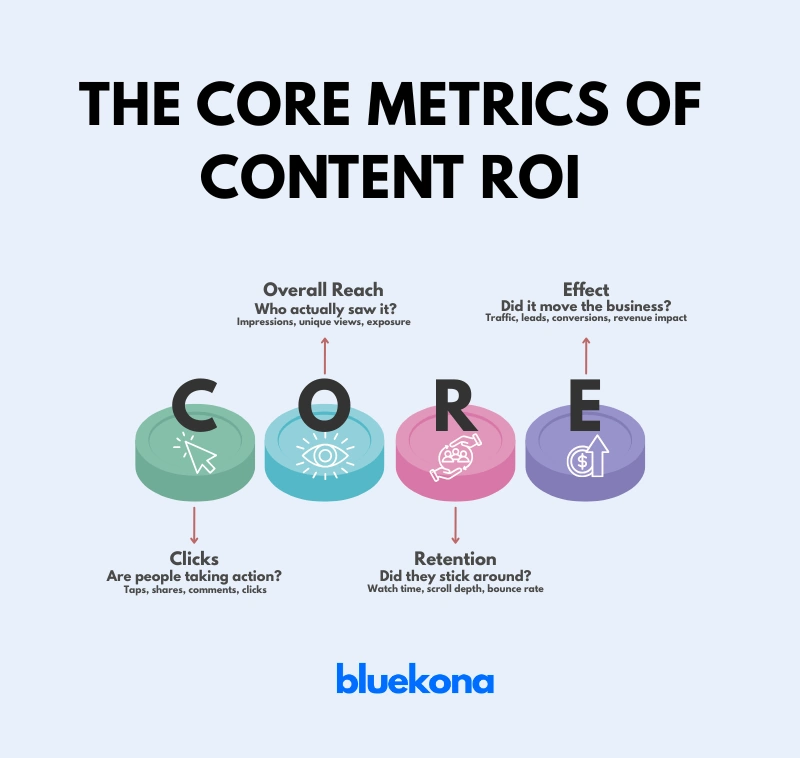
Relying Only on Vanity Metrics Likes and follower counts are surface-level. Prioritize metrics like click-through rate, saves, shares, and comments for a truer measure of impact.
Avoiding these mistakes sets the foundation for a stronger, more strategic Facebook presence.
Wrap Up
Auditing your Facebook Business Page isn’t just a once-a-year task—it’s a habit that separates thriving brands from forgotten ones. Whether you’re a solo creator, a marketer juggling multiple pages, or a growing business, a well-executed audit helps you stay relevant, strategic, and connected to your audience.
With tools like Bluekona AI, you can turn overwhelming audits into quick, actionable insights—freeing up more time to create, engage, and grow.
Now’s the time to revisit your page, make data-backed improvements, and set yourself up for a stronger digital presence in 2025.
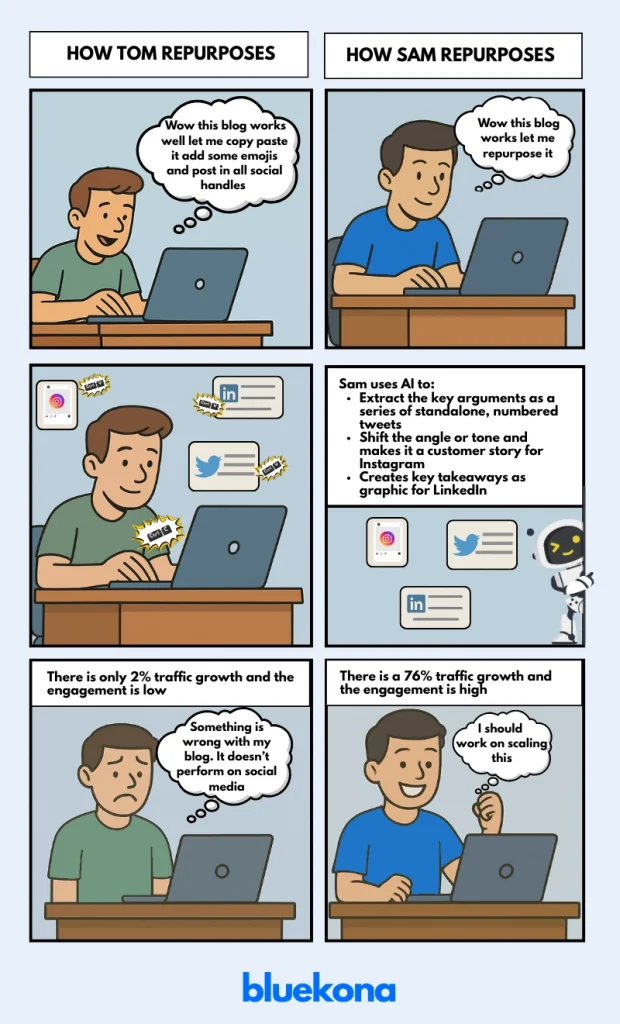
“Create once, repurpose forever.” It sounds brilliant in theory. But in practice? Most content repurposing is just copy, paste, repost, pray.
Let’s be honest. That’s not strategy. That’s desperation masked as productivity.
The real problem isn’t that you’re repurposing content. It’s that you’re doing it manually, inefficiently, and without any learning loop.
Here’s the kicker: AI can take the same core content and actually make it work across platforms. Let’s break down why your current repurposing workflow is wasting your time, and how AI transforms it into a scalable system.
What Does “Content Repurposing” Actually Mean?
Real content repurposing isn’t a blind copy‑and‑paste marathon. It’s a three‑step process:
Reformat – Change the structure to fit the new channel. Turn a 1,500‑word blog post into a 10‑tweet Twitter thread or a 30‑second reel script.
Reframe – Shift the angle or tone so it resonates with that audience. A B2B LinkedIn carousel might lean on data and case studies but the same core idea on Instagram could lean into storytelling or behind‑the‑scenes visuals.
Redistribute – Publish with the right timing, metadata, and hooks. A YouTube Short needs a punchy title and thumbnail whereas an email snippet needs a compelling subject line and preview text.
But What Most Marketers Are Doing Is
Open your blog post, hit CTRL+C, switch to LinkedIn, hit CTRL+V—maybe swap a word or two—and hit Publish. Rinse and repeat for every channel.
That’s not repurposing. That’s syndication with zero strategy.
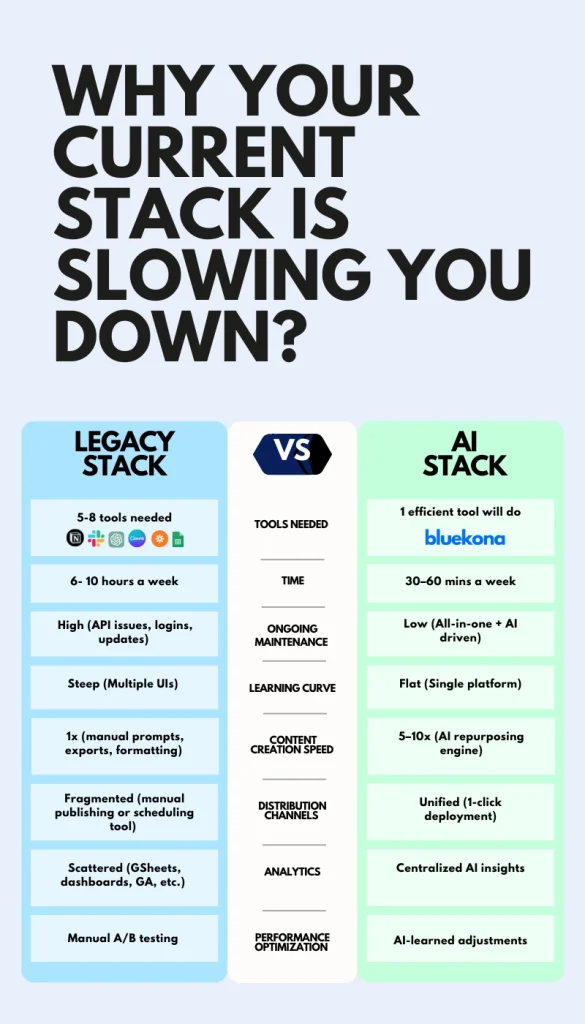
Without tracking what performs, you’re flying blind. You churn out variations, cross your fingers, then rinse and repeat. An AI-driven process, by contrast, learns which formats hit and doubles down—turning every post into a smarter, compounding investment.
2. No Channel Context
Treating every social channel the same is like speaking French in Spain. A Twitter thread thrives on rhythm and punchy hooks. An Instagram caption lives on crisp visuals and a killer one-liner. A YouTube description? It’s a search-optimized pitch. Same core idea—different languages.
3. Repetition Kills Engagement
Seeing the identical message on every platform is like hearing the same song on repeat. Audiences tune out. If your followers catch you copy-pasting blog paragraphs into their feeds, they’ll scroll past in seconds.
4. Time Sink with Minimal ROI
Manually slicing and dicing content for each channel eats up six-plus hours a week. That’s not something that can be scaled up.
How AI Fixes Content Repurposing (and Makes It Compound)
1. Learning from What Works
Every click, comment, and share feeds back into the system. AI tracks which formats, styles, and tones hit the mark and refines future outputs accordingly. Over time, your repurposing engine becomes a self-learning flywheel—compounding results with every cycle.
2. Channel-Specific Adaptation
AI doesn’t just chop down your blog paragraph, it recrafts it as a tweet hook, a slide headline, or a meme caption, depending on the platform. No more awkward one-size-fits-all posts.
3. Infinite Angles
Want fresh spins on the same core idea? AI can flip your blog into a punchy listicle, or a visual quote series—in minutes, not hours. It’s not just about pumping out more content it’s also about creating smarter variations that resonate.
4. Built-In Distribution
Modern AI tools handle publishing natively, (i.e) queuing up posts, optimizing send times, and pushing to each channel in one streamlined flow. It’s your automated traffic cop, keeping every piece of content on schedule.
What to Look For in a Good AI Repurposing Tool?
1. Context-Aware Content Transformation
The tool should read your source material and intelligently reshape it for each channe, rather than you fumbling with mismatched pieces.
2. One-Click Distribution Across Platforms
You shouldn’t need separate apps for LinkedIn, Twitter, Instagram, and email. Look for native publishing so you hit “Go” once, and your content lands everywhere on schedule.
3. Performance Feedback Loop
Every post is a data point. Your repurposing engine should feed engagement metrics back into its AI brain, so it learns what works and doubles down on high-ROI formats.
4. Zero Frankenstein Stack
If you’re juggling Chat GPT, Buffer, Zapier, and three other tools just to publish a single thread, you’re wasting time. The right AI repurposing platform bundles creation, scheduling, and analytics under one roof—no duct tape needed.
Spoiler: bluekona was built to do exactly this.
Wrap Up
You don’t need more blog posts. You need to squeeze 10× value from the ones you’ve already written.
Manual repurposing is a dead end. AI is the fast lane.
With BlueKona, your content becomes a growth asset and not a one-off experiment.
Give it a spin for free and watch your best ideas work harder.
Ever wonder why some YouTube channels explode with views while others barely budge? The secret often boils down to one thing: regular, ruthless audits. A YouTube channel audit is like a tune-up for your car—skip it, and you’ll stall out. But nail it, and you’re cruising at peak performance.
In this guide, you’ll learn exactly how to dissect your channel’s branding, content, SEO, and engagement—step by step. We’re not talking vague “check your analytics” advice. You’ll get concrete, actionable tactics to pinpoint what’s working, fix what’s broken, and turbocharge your growth.
Whether you’re just starting out or you’ve been uploading videos for years, a thorough audit can change the game. You’ll uncover hidden opportunities, outmaneuver competitors, and boost your subscriber count—and yes, you’ll actually use this data to make smarter decisions.
Ready to uncover why your channel isn’t already winning? Let’s dive in and give your YouTube presence the overhaul it deserves.
Why Audit Your YouTube Channel?
Let’s be real: uploading video after video without a plan is like throwing spaghetti at the wall—you might hit something, but you’ll never know why.
A channel audit takes the guesswork out of growth. Here’s why it matters:
Uncover Hidden Strengths You might be underestimating a goldmine. Maybe your “easy recipe” tutorial has 10× more watch time than your polished “restaurant-style dish” video. Auditing shines a light on what’s already resonating so you can double down.
Fix Killer Weaknesses Those cringe thumbnails or rambling intros? An audit calls them out. Once you see which videos have high drop-off rates or low click-throughs, you know exactly what to tweak—no more wasted uploads.
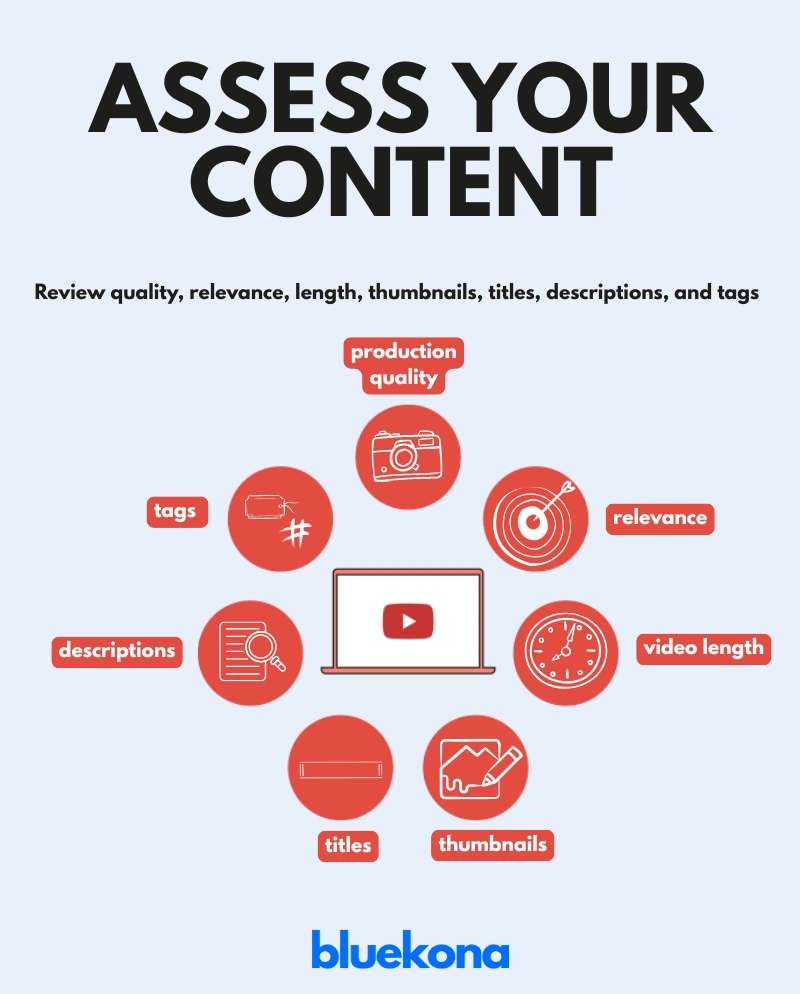
Boost Discoverability YouTube is a search engine. Optimizing titles, tags, and descriptions isn’t optional—it’s crucial. A solid audit spots keyword gaps and metadata blunders so your videos rank higher and reach the right audience.
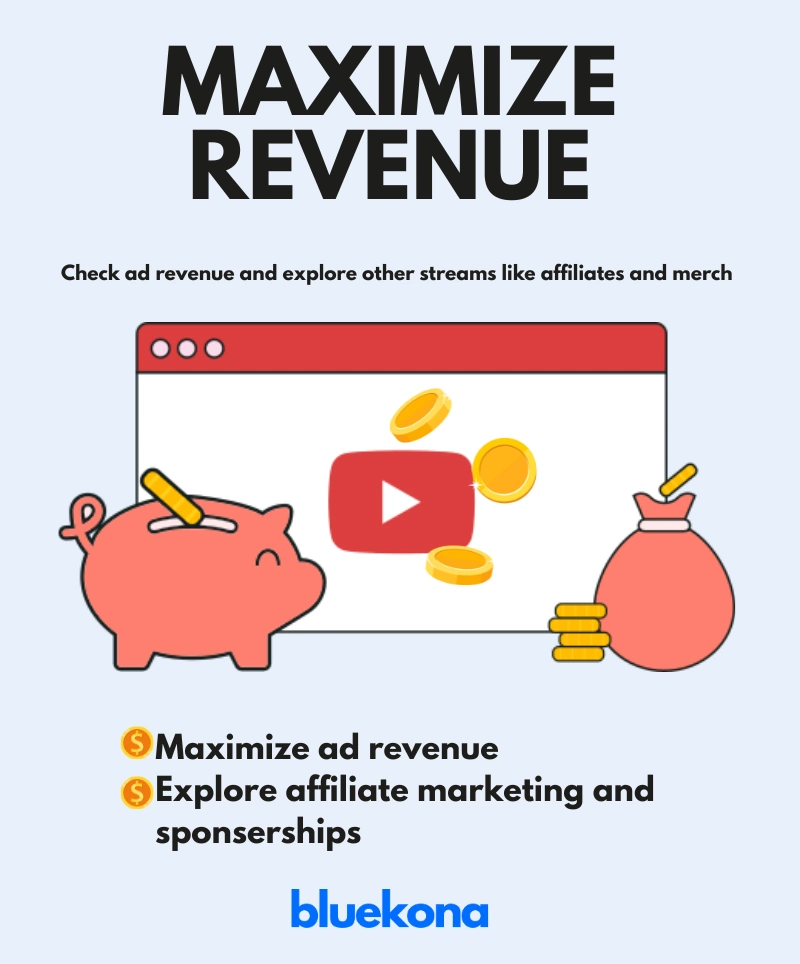
Maximize Revenue Monetization isn’t just about ads. Sponsorships, affiliate links, memberships—they all hinge on solid performance metrics. An audit helps you identify top-earning content, niche opportunities, and underutilized revenue streams.
In short, auditing is the difference between “upload and hope” and “upload with purpose.” Ready to supercharge your channel? Let’s break down the steps.
Step 1: Analyze Channel Branding and Settings
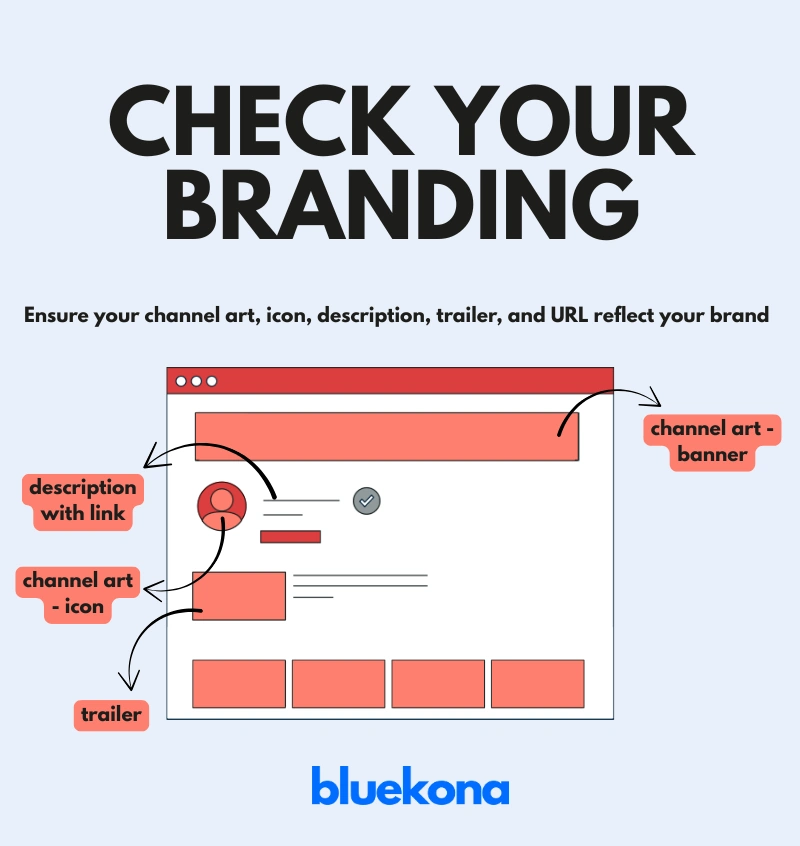
Branding isn’t about pretty logos—it’s about trust. Your channel’s look and feel should instantly tell viewers, “You’re in the right place.” Here’s how to audit and optimize your branding:
1. Channel Art and Icon
Banner Dimensions Matter: Use a 2048 × 1152 px image (16:9 ratio) so it looks crisp on all devices.
Consistent Visual Identity: If you’re a gaming channel, bold, neon colors and dynamic imagery scream “let’s play.” If you’re in tech, sleek fonts and minimal design reinforce expertise.
Legibility Check: Step back—does your channel name and tagline read clearly on mobile? Over 70% of YouTube traffic is on smartphones.
2. Channel Description (About Section)
Keyword-Rich but Human: Start with your core value proposition. Drop in high-impact keywords—“budget laptops,” “smartphone hacks,” “AI tutorials.”
Clear Call-to-Action: Tell viewers what to do: “Subscribe for 2 new videos every week” or “Hit the bell icon to never miss a tutorial.”
Link Strategically: Use the description’s “Links” section to drive traffic—website, social profiles, or a Lead Magnet page.
3. Channel Trailer
Keep It Under 60 Seconds: Attention spans on YouTube are short. Your trailer should highlight your best content, showcase personality, and end with a strong subscribe prompt.
Match Your Niche: A clean tech channel might open with a crisp unboxing scene. A fitness channel could start with a high-energy training montage.
Preview Your Schedule: If you post every Monday and Thursday, say so—consistency builds subscriber habits.
4. Custom URL
Make It Memorable: If eligible (100+ subscribers), claim a custom URL like youtube.com/ChannelName. Shorter is better—youtube.com/Channel beats youtube.com/user/Channel12345.
Brand Alignment: Ensure it matches your channel name to avoid confusion and make it easy for viewers to share offline.
Pro Tip: Open YouTube Studio on mobile and desktop to preview how your branding looks in different contexts. If the banner crops oddly or the icon is pixelated, fix it now—first impressions matter.
Step 2: Evaluate Video Content Quality and Relevance
Your content is the core of your channel—if it’s off, everything else suffers. This step shows you exactly how to audit each element so your videos pack a punch.
1. Production Quality
Audio Clarity: Poor audio is a deal-breaker. Even a $50 USB mic can outperform your laptop’s built-in mic. Listen for static, background noise, or low volume.
Video Resolution: Aim for at least 1080p. If your footage looks grainy or out of focus, viewers click away. A simple phone tripod and good lighting can take you from “meh” to “pro.”
Editing Polish: Are your cuts clean? Do you use jump cuts or B-roll to keep viewers interested? A rushed edit with long pauses or awkward transitions kills retention.
Quick Test: Pick a recent video, mute the audio, and watch without sound. If you’re lost, improve your editing flow or add on-screen text to guide viewers.
2. Relevance to Your Niche
Stay on Brand: If you’re a cooking channel, every video should tie back to food. A random lifestyle vlog might gain views but confuses subscribers.
Audience Interests: Open YouTube Analytics and check the “Overview” tab. Are 60% of your viewers searching for “quick recipes”? Double down on those. If “kitchen gadget reviews” underperforms, shelve it.
Consistency: Post topics that align. If you upload tutorials, follow them with related how-tos or behind-the-scenes cooking demos. Predictability builds trust.
Tip: Survey your audience via the Community Tab or Instagram Stories—ask directly, “What recipe would you like to see next?” Use their answers to guide relevance.
3. Video Length & Retention
Find Your Sweet Spot: Go to “Audience Retention” in YouTube Studio. If viewers drop off after 2 minutes in a 10-minute video, trim the intro or cut filler. Most tutorials do well in the 8–12 minute range.
First 15 Seconds Matter: Hook viewers immediately—pose a question (“Want perfect pasta in 5 minutes?”), tease the result, or show a quick montage of what’s coming.
Pace & Structure: Break your video into clear sections (intro, main steps, wrap-up). Use on-screen titles to segment. A well-structured video keeps retention high.
Action: Pick your last five uploads, check their 30-second retention rates, and adjust the next video’s intro or pacing based on what you learn.
4. Thumbnails That Get Clicked
Bold, Clean Design: Use high-contrast colors and large, readable text. A cluttered thumbnail gets scrolled past.
Emotional Cues: Faces with expressive reactions (surprise, delight) boost click-through rates (aim for 5–10% CTR). If you’re demonstrating a recipe, show the final dish close-up with a happy, inviting expression.
Consistency: Stick to a consistent style—same fonts, color swatches, and logo placement—so your thumbnails become instantly recognizable.
Example: Use a consistent corner overlay with your logo and a bright border that matches your brand palette.
5. Titles and Descriptions for SEO
Front-Load Keywords: Put the main keyword at the beginning of your title—e.g., “How to Cook Pasta Fast (5-Minute Recipe).”
Compelling Hooks: Avoid “My Latest Cooking Video.” Instead use “5-Minute Pasta Recipe: Dinner Tomorrow?” Tease value, not just content.
Rich Descriptions: In the first 200 characters (the part YouTube often displays), include your primary keyword and a brief summary. Then add timestamps, relevant links (website, social channels), and a clear CTA (“Subscribe for weekly cooking hacks”).
Tags That Matter: Use a mix of broad and long-tail tags. If your keyword is “easy pasta recipes,” add tags like “1-minute pasta tutorial,” “weeknight dinner,” and “Italian cooking at home.” YouTube’s auto-suggest can spark ideas; type your keyword into the tag field and see what’s suggested.
Action: Take three older videos that underperformed and update their titles, descriptions, and tags. Log results over 30 days to see if CTR and watch time improve.
Nailing production quality, relevance, length, thumbnails, titles, and tags turns good videos into great ones—and great ones into viral hits. Now that you’ve audited content quality, let’s move on to audience engagement metrics.
Step 3: Assess Performance Metrics and Audience Engagement
Metrics are more than vanity numbers—they’re your GPS to growth. Let’s dig into YouTube Analytics and find out exactly what’s working, what’s not, and how to keep viewers glued to your channel.
1. Key Metrics to Watch
Watch Time: This is gold. YouTube rewards watch time over views, so focus on total minutes watched. If your average watch time is low, viewers aren’t sticking around. Action: Sort your videos by watch time and identify the top 3. Study their structure—how long is the intro? What pacing did you use? Build your next video around those insights.
Click-Through Rate (CTR): Your thumbnail and title combo determine this. Aim for a 5–10% CTR—anything below 2% means your thumbnails or titles need a revamp. Action: Take your bottom 3 videos by CTR, swap out their thumbnails using bolder visuals and clearer text, then monitor for a 30-day improvement.
Average Percentage Viewed (APV): What percentage of each video do people actually watch? If your APV is under 50%, tighten your content. Cut filler, speed up your editing, or restructure your intro. Action: Identify videos with APV below 50%. Shorten intros or use on-screen bullet points to highlight key moments, then compare APV after reupload.
Engagement (Likes, Comments, Shares): These interactions signal YouTube’s algorithm that your content resonates. A video with high watch time but low likes/comments is missing the engagement hook. Action: End each video with a clear call-to-action—ask a question in the comments (“Which flavor should I cook next?”) or encourage shares (“Tag a friend who needs this tip.”).
2. Top Videos: Learn from Your Winners
Identify Your Top Performers: In YouTube Studio’s Analytics, sort videos by watch time or views over the past 90 days. Which videos consistently top the list? Action: Create a quick “Best Of” playlist featuring these winners. Then, analyze patterns: topic, format, thumbnail style, video length. Your goal—replicate these elements in your upcoming content.
Analyze Content Patterns: Do “listicle” videos outperform deep dives? Are shorter tutorials getting more watch time than long-form explainers? Action: If your “Top 5 Kitchen Hacks” reel is killing it, plan two more “Top 5” videos next month—perhaps “Top 5 Baking Tools” or “Top 5 Spice Mixes.”
3. Audience Demographics: Know Who’s Watching
Age, Gender, Location: Check if your core audience skews 18–24 or 35–44. If 40% of viewers are in India, consider adding English subtitles or occasional Hindi phrases. Action: In Analytics → Audience → Demographics, note the top three countries. Create a video tailored to that region—maybe a local cuisine tutorial or a culturally relevant challenge.
Viewer Interests: YouTube shows “Other Channels Your Audience Watches.” If 60% also watch “Budget Gadget Reviews,” a video titled “Top 5 Budget Cooking Gadgets” could cross-pollinate audiences. Action: Run a poll in the Community Tab asking, “Which gadget helps you cook faster?” Use the results to craft a targeted video.
4. Engagement: Interact and Retain
Comments: Replies build community. If a viewer asks, “What’s the secret to perfect pasta?” respond directly or even make a follow-up video answering that question. Action: Set aside 15 minutes daily to reply to new comments. Track which replies spark more discussion—this feedback loop fuels engagement.
Shares and Saves: These are gold—shares indicate your content is valuable enough to broadcast, and saves mean viewers want to revisit. Note which videos get more saves (e.g., “Holiday Recipes”) and consider turning that format into a series. Action: For videos with high saves, add a pinned comment linking to related playlists, maximizing watch time.
Community Tab & Polls: Use polls to crowdsource video ideas (“What’s next: Cake Decor Tips or Bread Baking Hacks?”). Polls boost engagement and give you direct insight into audience preferences. Action: Publish a weekly poll. Feature the winner in next week’s video, then mention the audience by name (“Thanks to @CookingWithAnita for suggesting cake decorating!”).
Now that you’ve mapped your performance metrics and audience behaviors, it’s time to optimize your SEO and channel discoverability.
In Step 4, we drill into keyword research, metadata tweaks, and end-screen strategies that push your channel to the top of search results. Let’s keep those stats climbing!
Step 4: Optimize for SEO and Discoverability
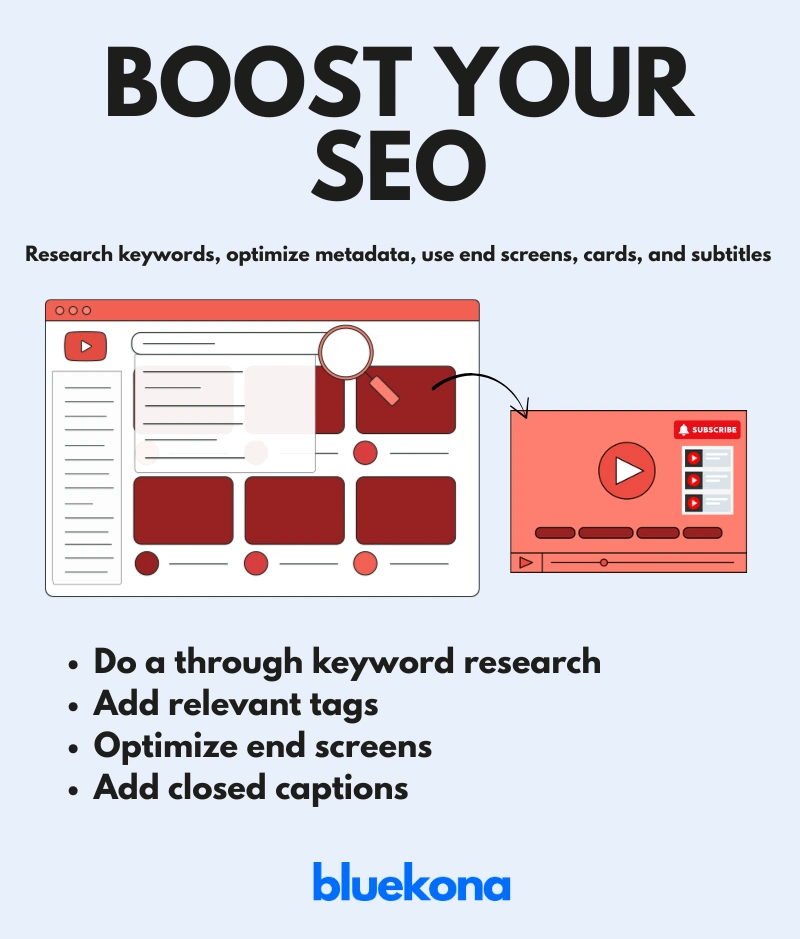
YouTube is a search engine—if you aren’t optimizing your videos, you’re invisible. In this step, we’ll tackle keyword research, metadata tweaks, and other SEO hacks to ensure your content gets found and binged.
1. Keyword Research: Find What People Actually Search For
Plug in your core topic (e.g., “easy pasta recipes”) and find related long-tail phrases like “5-minute pasta recipe” or “vegan pasta dinners.”
Compare search interest over time. If “one-pot pasta” spikes in winter, plan your next video accordingly.
Check top-performing channels in your niche—what keywords are they ranking for? Use those as inspiration, not duplicates.
Action: Make a list of 10 high-volume, low-competition keywords, then incorporate one into your next title and description.
2. Metadata: Titles, Descriptions, & Tags
Front-Load Your Title: Place the main keyword within the first 60 characters. For example: “5-Minute Pasta Recipe | Quick Dinner Ideas”
Craft a Compelling Description:
First 200 Characters Matter: Summarize your video with primary keywords (“Learn how to make a 5-minute pasta recipe that’s perfect for busy weeknights”).
Include Timestamps & Links: Time-stamps boost watch time by letting users jump to specific sections. Add links to your website, social profiles, and related playlists.
Repeat Keywords Naturally: Use your target phrase 2–3 times within the first 300 words—don’t keyword-stuff, keep it human.
Select Tags Strategically:
Mix Broad + Long-Tail Tags: Use “pasta recipes” (broad) and “easy vegan pasta dinner” (long-tail).
Check YouTube’s Auto-Suggest: Start typing your seed keyword in the tag field and note suggested phrases. Those are real searches.
Action: Update three of your highest-view videos with optimized titles, revamped descriptions, and refined tags. Track if CTR and rankings improve over the next 30 days.
3. End Screens & Cards: Keep Viewers Bingeing
Link to Related Content: Use end screens to promote your most-viewed playlists or a related how-to series (e.g., link “Top 5 Pasta Hacks” at the 60-second mark).
Add a Subscribe Button: Position your subscribe CTA in the final 5–10 seconds so viewers can click without scrolling away.
Interactive Cards: Place a card mid-video linking to a “Beginners’ Guide” playlist if retention dips at a certain timestamp. Cards can reroute viewers before they click away.
Action: For your next three videos, add relevant cards at 50% mark and end screens linking to your top 2 playlists. Measure watch time lift.
4. Subtitles & Closed Captions: Unlock Accessibility & SEO Gains
Transcribe & Upload SRT Files: YouTube automatically generates captions, but they’re often inaccurate. Upload your own SRT file to ensure precision.
Embed Keywords in Subtitles: When describing actions (“Add garlic to pan”), sprinkle in your target keyword naturally if it fits. Captions improve search indexing by 16%.
Multilingual Captions: If a sizable chunk of your audience is non-English-speaking, add subtitles in their language. More languages equals more discoverability.
Action: Pick one popular video, generate an accurate SRT transcript, and upload it. Then add one additional language subtitle (e.g., Spanish or Hindi) based on your demographic data.
5. Optimize Thumbnails for SEO Impact
Descriptive Text Overlays: Use your main keyword on the thumbnail sparingly—e.g., “5-Min Pasta” in big, readable text.
Consistent Branding Elements: Include your logo or a distinct visual hook so viewers instantly recognize your videos in search results or recommendations.
A/B Test Variations: Create two thumbnail versions and use TubeBuddy’s AB test feature. Let the data decide which design drives higher CTR.
Action: A/B test thumbnails for your top 5 underperforming videos. Evaluate CTR differences after one week and adopt the winner for future uploads.
By implementing these SEO best practices—keyword research, optimized metadata, engaging cards/end screens, accurate captions, and A/B-tested thumbnails—you’ll dramatically improve your channel’s discoverability. Next up: we’ll benchmark your channel against competitors and uncover fresh growth opportunities.
Step 5: Compare with Competitors
If you’re not watching your competitors, you’re flying blind.
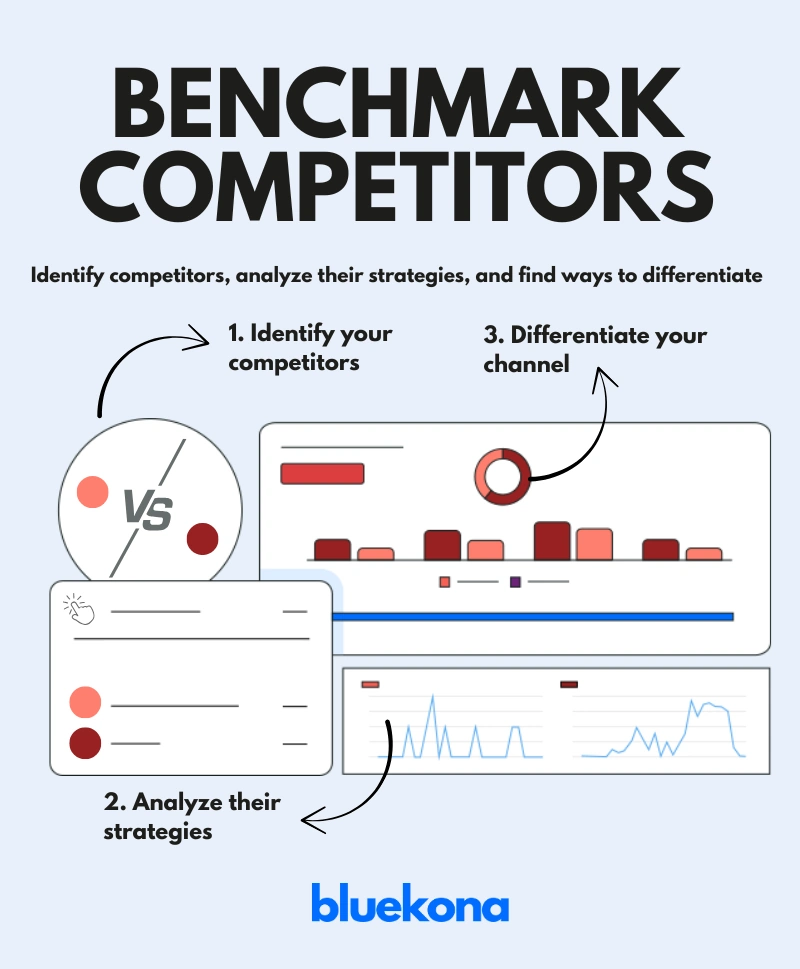
Analyzing similar creators in your niche helps you spot content gaps, decode what’s working for them, and find areas where you can stand out. This isn’t about copying—it’s about outsmarting.
1. Identify Your Real Competitors
Not every big channel in your space is your true competition. Look for creators who:
Target the same audience
Create similar content types
Have a subscriber count close to yours or slightly higher
Example: If you run a food vlog with South Indian recipes, competitors might include other regional cooking channels—not general food vloggers with millions of subscribers.
2. Analyze Their Channel Strategy
Once you’ve picked 3–5 competitors, dig into their:
✅ Content Types
Are they doing how-tos, listicles, shorts, or vlogs?
What’s their most viewed content?
✅ Thumbnails
Are their thumbnails more vibrant or stylized than yours?
Do they use text overlays or face shots effectively?
✅ Titles
Are their titles curiosity-driven (“You’ve Been Cooking Rice Wrong!”) or keyword-heavy (“How to Cook Fluffy Rice | Beginner’s Guide”)?
✅ Posting Frequency
Do they post weekly? Twice a month?
Is there a noticeable boost in views during certain times?
✅ Engagement
Look at like ratios, comments, and community posts.
What kind of content gets them the most discussion?
Tool Tip: Use Social Blade or Noxinfluencer to track competitor subscriber growth, video performance, and upload consistency.
3. Find What They’re Doing Better (and Worse)
Compare their videos to yours and ask:
What’s visually stronger about their branding?
Are they explaining things more clearly?
Do they lead viewers to subscribe more effectively?
What topics have they NOT covered that you could?
Pro Tip: Use their “Videos” tab and sort by Most Popular. Study what’s resonated and how you can create a better version with your own twist.
4. Position Yourself Differently
To win, you need a value proposition that’s clear and unique.
Ask:
What’s your special sauce? (e.g., deeper breakdowns, humor, cultural lens, faster pacing)
How can you visually differentiate? (e.g., different thumbnail color scheme, on-screen animations)
Can you bring something they’re missing—like better storytelling or pro-level visuals?
Example: If all your competitors use voiceovers, you could appear on camera to make it more personal and relatable.
5. Track & Iterate
Competitive analysis isn’t a one-time thing. It’s a habit.
Action Plan:
Monthly: Review 3 top-performing videos from each competitor.
Quarterly: Identify one new tactic they’re using—and test it on your channel.
Bottom line:If you want to grow on YouTube, don’t just focus inward. Watch the competition, learn fast, and adapt even faster. Next, we’ll tackle how to make sure you’re monetizing every view and click.
Step 6: Review Monetization and Revenue Streams
Let’s be real—if you’re putting in hours planning, filming, editing, and uploading, you should be earning from it too. But many creators leave money on the table by not fully tapping into YouTube’s monetization ecosystem.
This step helps you make sure your channel is generating revenue smartly—not just through ads, but through multiple income streams.
1. Audit Your Ad Revenue
Start with YouTube’s built-in monetization: AdSense.
Go to YouTube Studio → Analytics → Revenue Tab
Check:
RPM (Revenue per Mille): How much you earn per 1,000 views.
CPM (Cost per Mille): What advertisers pay per 1,000 ad impressions.
Top-earning videos: What’s making you money now?
Tip: Videos longer than 8 minutes can include mid-roll ads, which can significantly boost earnings. Don’t stretch your content—but if it naturally fits, use this feature.
2. Explore Affiliate Marketing
Recommend products you already use and love—and earn a cut from each sale.
Join platforms like:
Amazon Associates
ShareASale
Impact
Add affiliate links in your description and mention them in the video.
Example: A tech reviewer can link to gadgets they review. A cooking channel can share utensils, ingredients, or kitchen appliances.
Pro Tip: Always use a disclosure (like: “Links may earn a small commission”) to stay compliant with platform rules.
3. Sell Your Own Products or Services
Create and promote something of your own:
Merch (T-shirts, mugs, digital downloads)
Courses or eBooks
Templates or presets
Consulting or coaching
Example: A beauty creator could offer a paid skin-care guide or one-on-one sessions. A food channel could offer an eCookbook or spice kits.
You can promote these in:
Descriptions
End screens
Pinned comments
Community tab
4. Use Fan-Funding Options
Let your audience support you directly.
YouTube Memberships: Offer perks like exclusive videos or emojis.
Super Chat / Super Stickers: For live streams.
Patreon: Offer tiered memberships with behind-the-scenes content, shoutouts, or downloadable bonuses.
Example: A gaming channel might offer early access to walkthroughs or bonus game commentary for members.
5. Track What’s Working
Monetization isn’t “set it and forget it.”
Review which affiliate links get clicks.
Compare RPMs across video types.
Test different product placements or calls-to-action (CTAs).
Action Item: Try one new revenue stream this month—whether it’s adding affiliate links, launching a mini product, or setting up channel memberships.
Bottom Line: Monetizing on YouTube isn’t just about turning on ads. It’s about turning your content into a revenue machine—through strategy, experimentation, and genuine value. Next up, let’s talk about how to grow beyond YouTube by expanding your reach across platforms.
Step 7: Check Cross-Platform Integration
Creating amazing content on YouTube is only half the battle. If you want to grow faster and reach wider audiences, you have to go where your viewers hang out—outside of YouTube. That’s where cross-platform integration comes in.
This step focuses on amplifying your content by distributing and repurposing it across social media, blogs, and more. Think of it as building an ecosystem around your channel.
1. Repurpose for Social Media
Your long-form video can be a goldmine for short-form content.
X (formerly Twitter): Share behind-the-scenes moments, quotes, or quick takes.
Instagram: Use Reels, Stories, and carousel posts for short tips or teasers.
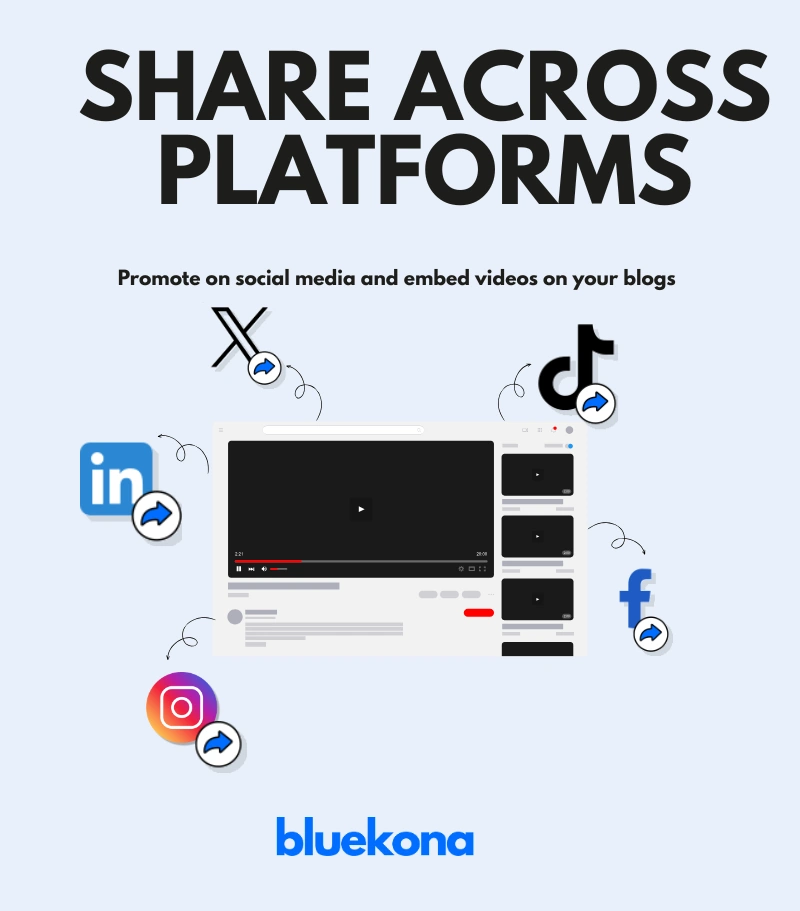
TikTok: Cut 60-second highlights or how-to demos from your full video.
Pinterest: Pin your videos (especially tutorials or how-tos) with keyword-optimized captions.
Example: If you posted a 10-minute recipe video, pull out a 30-second montage of the final dish and post it as a Reel or TikTok.
Tool Tip: Use tools like CapCut, InShot, or Descript to quickly repurpose and format videos for each platform.
2. Embed in Your Website or Blog
If you have a website, use it to extend your video’s life.
Write a short blog post summarizing the video.
Embed the full YouTube video.
Optimize the blog post for SEO using the same keywords from your video.
Example: A finance creator might write a blog titled “How to Save $1,000 in 30 Days” and embed the matching YouTube video in the article.
This helps in:
Driving search traffic from Google.
Increasing video watch time directly from your site.
Improving your domain authority and overall brand presence.
3. Use Email Marketing
Yes, email still works. If you have a subscriber list:
Send a weekly update with your latest video.
Add a personal note or bonus tip to increase open rates.
Include links to your social profiles to cross-pollinate platforms.
Pro Tip: Use free tools like MailerLite or ConvertKit to start building your list.
4. Collaborate Cross-Platform
Sometimes the best growth hack is tapping into someone else’s audience.
Team up with a creator on Instagram or TikTok and cross-promote each other’s YouTube content.
Share content in Facebook Groups or Reddit communities that allow relevant self-promotion.
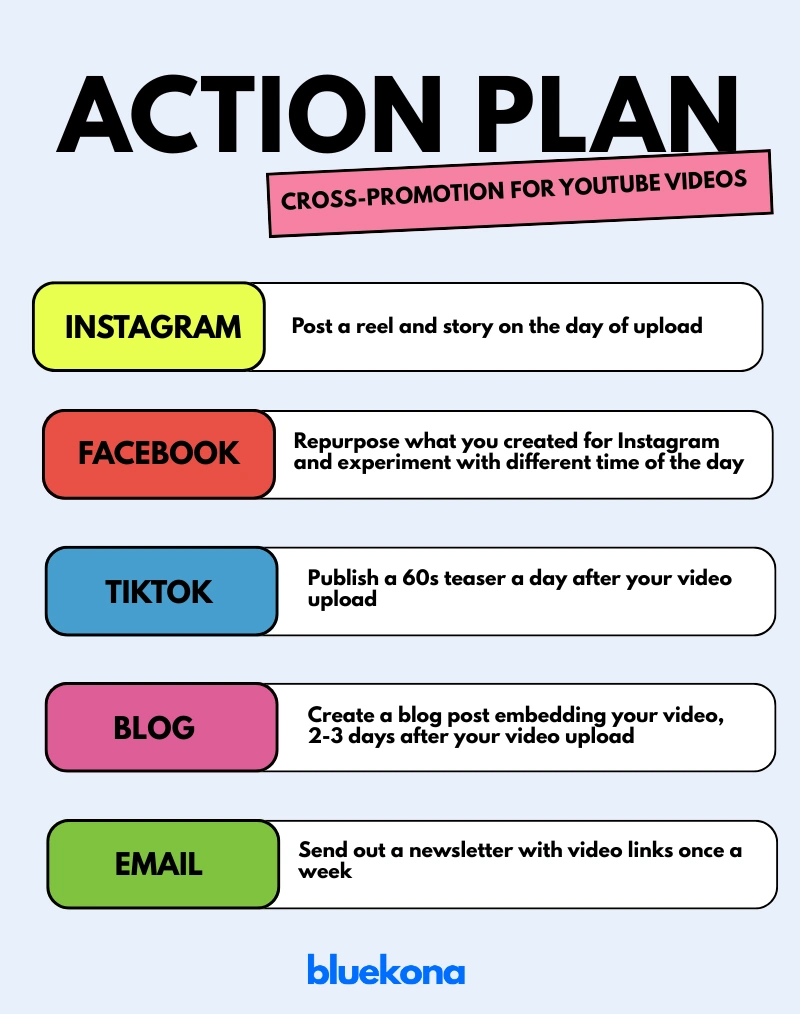
Action Plan
Build a simple cross-promotion system for every upload.
Step 8: Compile Findings and Create an Action Plan
Now that you’ve dug deep into your channel’s branding, content, performance, SEO, monetization, and distribution, it’s time to bring it all together. This is where analysis turns into action—and action turns into growth.
Think of this as your YouTube GPS: it shows where you are, where you want to go, and how to get there.
1. Summarize Your Audit
Start by mapping out your audit findings using a SWOT framework
Writing this out helps you see the bigger picture. Are your thumbnails hurting performance? Are your top videos short and punchy? Are you missing out on collab opportunities?
2. Build an Action Plan (With Deadlines!)
Turn your insights into clear, achievable steps. Prioritize them based on impact and ease of implementation.
Use tools like Trello, Notion, or even a Google Sheet to track progress.
3. Set Clear, Measurable Goals
Without goals, it’s hard to know if your changes are working. Set goals tied to real numbers:
Increase watch time by 20% in 2 months
Hit 5% CTR across new videos
Reach 1,000 subscribers by Q4
Boost revenue by adding 2 affiliate links per video
Make your goals SMART: Specific, Measurable, Achievable, Relevant, and Time-bound.
4. Schedule Regular Check-ins
A one-time audit is good. A recurring one is game-changing.
Quarterly: Do a full audit every 3 months.
Monthly: Review key metrics and note any major shifts.
Weekly: Track progress on your action plan.
Pro Tip: Block time in your calendar now so you actually follow through.
This keeps the process focused, fast, and measurable.
Remember: An audit is only valuable if it leads to action. Use what you’ve learned to improve, experiment, and evolve your channel with purpose. Up next: bonus growth tips, real-life inspiration, and answers to your most pressing YouTube audit questions. Let’s wrap this up strong.
Bonus Tips for YouTube Growth
Consistency: Post on a schedule (e.g., every Wednesday) to build viewer habits.
Trends: Use YouTube’s trending page for timely content ideas.
Community: Host Q&As or live streams to deepen connections.
Case Study: Yoga and You
Take Yoga and You, a channel by Ventuno Yoga (YouTube link). Instead of chasing trends or uploading randomly, they focused on:
High-quality yoga content: Each video offers professionally shot sessions guided by trained instructors.
Consistency: They post regularly, making it easier for viewers to build a habit.
Audience engagement: Their community tab reflect genuine conversations and feedback.
Result? Yoga and You has built a loyal global audience by combining value-driven content with smart branding and routine.
FAQ
What is a YouTube channel audit?
A detailed review of your channel’s performance, content, and strategy.
Why is it important?
It boosts visibility, engagement, and revenue while keeping you competitive.
How often should I audit my YouTube channel?
Every 3–6 months to stay on track.
What tools help?
YouTube Studio, Bluekona AI
How do I improve performance?
Enhance content quality, optimize SEO, and engage your audience.
Take Your Channel to the Next Level
Auditing your YouTube channel isn’t a one-off task—it’s a habit that fuels long-term success.
Start today, implement these steps, and watch your channel thrive.
Have questions or results to share? Drop them below—I’d love to hear your story!
With over 930 million professionals on LinkedIn as of 2025, your company page is more than just an online brochure—it’s a dynamic hub for networking, thought leadership, and lead generation.
But are you truly leveraging its full power?
A systematic LinkedIn page audit helps you pinpoint what’s working, uncover hidden gaps, and adapt to the platform’s rapid evolution—over 50 feature updates in 2024 alone.
In this comprehensive guide, we’ll walk you through a step-by-step audit process tailored for 2025’s LinkedIn landscape. You’ll learn how to define SMART goals, optimize your page setup, refine team profiles, analyze content performance, benchmark against competitors, and tap into new features like enhanced video discovery and post analytics.
Whether you’re a small business, a B2B marketer, or an HR leader, these strategies will ensure your LinkedIn presence drives real engagement, attracts top talent, and supports your broader business objectives.
Ready to transform your LinkedIn page from a static profile into a growth engine? Let’s dive in.
Why Conduct a LinkedIn Page Audit?
Simply posting updates isn’t enough—LinkedIn is constantly evolving, and what worked last year may underperform today. A regular LinkedIn page audit ensures you’re:
Aligned with Your Goals Are you aiming for brand awareness, lead generation, or talent acquisition? An audit confirms your content and activity directly support those objectives—and highlights gaps where you can refocus.
Speaking to the Right Audience LinkedIn analytics reveal who’s following you—industries, job titles, locations, and more. Use those insights to tailor posts that resonate, rather than broadcasting generic updates.
Maximizing Feature Use With over 50 updates rolled out in 2024—like post scheduling, enhanced video analytics, and interactive carousels—an audit spotlights new tools you may be overlooking.
Staying Competitive Your competitors are also optimizing. By benchmarking their growth, content mix, and engagement tactics, you can identify opportunities to differentiate and lead in your niche.
Driving Measurable Results An audit moves you beyond vanity metrics. You’ll track the right KPIs—follower growth, post performance, website clicks—and refine your strategy based on data, not guesswork.
A thorough audit keeps your LinkedIn page fresh, strategic, and geared for real business impact. Next up: defining clear, SMART goals to guide your audit process.
Step-by-Step Guide to Auditing Your LinkedIn Page
Ready to take action? Follow this clear, step-by-step guide to audit every aspect of your LinkedIn page—from profile setup to content strategy—so you can optimize performance and drive real results. Let’s jump in!
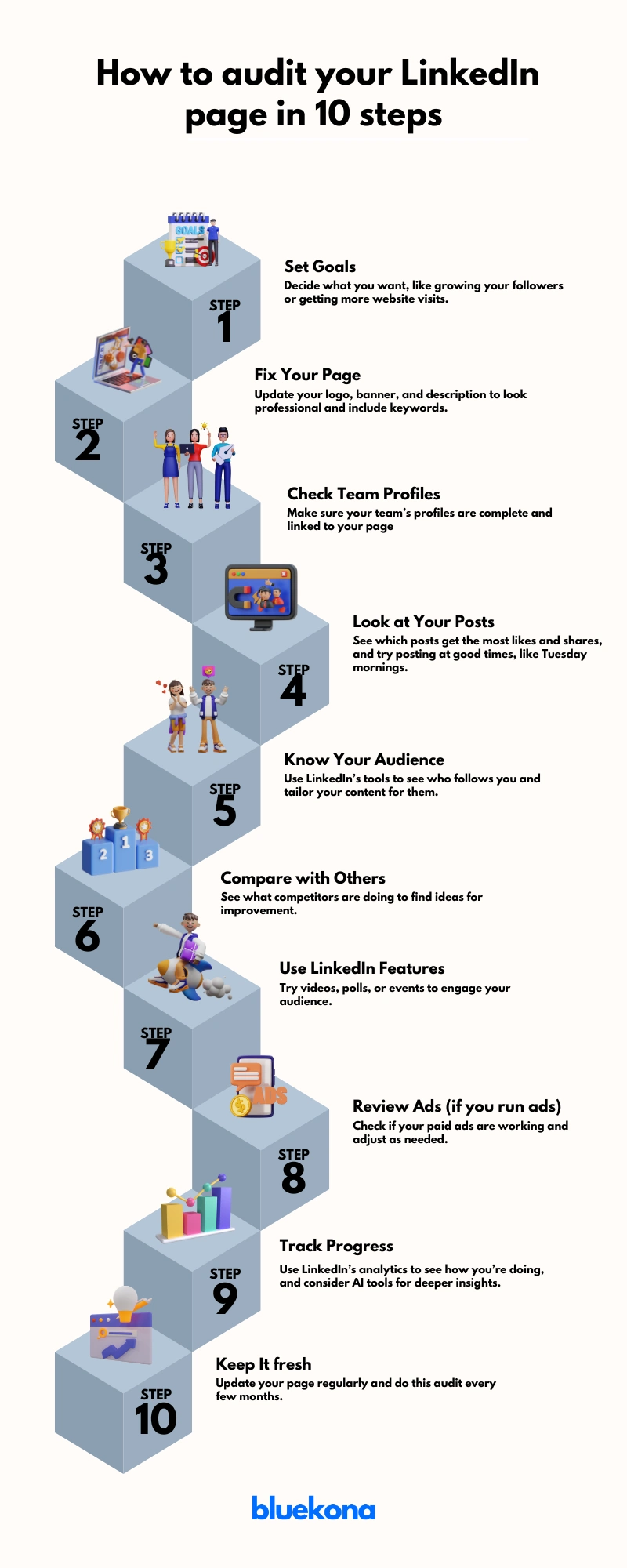
Step 1: Define Your LinkedIn Goals
Before you tweak banners or analyze posts, nail down why you’re auditing. Clear goals keep your efforts focused and measurable.
Brand Awareness: Grow your follower count by 20% in six months to increase top-of-funnel visibility.
Lead Generation: Drive a 15% lift in website clicks from LinkedIn by Q3 2025.
Talent Acquisition: Boost “Careers” page views by 25% to attract qualified candidates.
Thought Leadership: Increase post engagement (likes, comments, shares) by 10% on industry insights.
Actionable Tip: Make each goal SMART—Specific, Measurable, Achievable, Relevant, and Time-bound.
For example:“Secure 200 new followers and 50 website visits from LinkedIn in 3 months by posting weekly case studies.”
Jot down your goals, then align every audit step to them. Next, we’ll optimize your page setup to support these objectives.
Step 2: Optimize Your Company Page
Your LinkedIn Company Page is your digital storefront. If it looks outdated or incomplete, you’re losing trust—and traffic.
Profile Essentials
Logo: Upload a high-res, professional logo (300×300 px). This is what shows in search and employee profiles.
Banner Image: Use a branded image (1128×191 px) that reflects your identity. Add a CTA like “Follow us for weekly insights.”
Headline: Craft a keyword-rich tagline. Example: “B2B SaaS for Growth-Driven Teams | Trusted by 10,000+ Users.”
About Section
First 156 characters count most—they show up in previews. Hook readers with your value prop early.
Full Description (up to 2,000 characters): Cover mission, solutions, audience, and a strong CTA.
Include a link to your website and add relevant keywords naturally—no keyword stuffing.
Additional Fields
Industry, company size, and specialties boost discoverability.
Set a custom button (like “Contact Us” or “Visit Website”) to drive conversions.
SEO Tip: Customize your page URL (e.g., linkedin.com/company/yourbrandname) and sprinkle in location-based terms if relevant.
Data Point: LinkedIn says pages with complete info get 30% more weekly views.
Next, we’ll make sure your team is aligned and optimized as brand advocates.
Step 3: Enhance Team Profiles
Your team members are brand ambassadors, and their profiles impact your company’s reputation. Ensure:
All team members have professional profile pictures, preferably showing their faces for recognizability.
Profiles are tagged on the company page to show association.
Consider using LinkedIn’s Employee Advocacy Program to track and encourage employees to share company content, as they are 14x more likely to engage, boosting brand awareness. Actionable tip: Host a workshop to guide employees on optimizing their profiles and sharing content effectively
Step 4: Analyze and Refine Content Strategy
Content is your LinkedIn engine—it drives visibility, engagement, and conversions. But not all content performs equally. This step is about using data to guide your efforts.
Review Post Performance
Dive into LinkedIn Analytics and look at:
Impressions & Reach – Are people seeing your posts?
Text Posts – Great for storytelling and thought leadership.
Image Carousels – High-performing for guides, tips, and visual storytelling.
Videos – Get 20x more shares than other types (LinkedIn, 2024).
Polls – Excellent for boosting engagement and feedback.
Articles – Ideal for deep dives and authority building.
Pro Tip: Posts with multiple images tend to drive more engagement than single-image posts (Socialinsider, 2024).
Best Time to Post
Based on 2024 data, optimal windows are:
Tues–Thurs, 8 AM–2 PM (local time)
Fridays at 11 AM or 12 PM also see strong engagement
Test and refine based on your own analytics.
Engagement Practices
Reply to every comment—quickly. This boosts reach and builds community.
Tag relevant employees or partners when appropriate to amplify visibility.
Actionable Tip: Create a monthly content calendar with a mix of insights, updates, videos, and community features. Track each post’s success and adjust as needed.
Next up: let’s get specific about your audience and how to tailor content for them.
Step 5: Understand Your Audience
You can’t engage if you don’t know who you’re talking to. This step is about turning data into understanding—and understanding into content that connects.
Demographic Insights
Use LinkedIn’s built-in analytics to uncover:
Job Functions – Are they marketers, HR professionals, or C-level execs?
Seniority Levels – Entry, mid, senior, or decision-makers?
Industries & Company Sizes – Are you attracting startups, enterprises, or something in between?
Locations – Where is your audience based?
Knowing this helps you shape your tone, topics, and content formats.
Example: If most of your followers are mid-level IT professionals at large firms, focus on actionable insights, career growth, and technology trends—not beginner guides or broad thought leadership.
Engagement Data
Look beyond who they are—analyze what they care about:
Which posts get the most likes, shares, and comments?
What topics generate conversation?
Do videos or carousels resonate more with your top segments?
Trend to Watch (2025): Audience filters now let you see how different content types perform across segments (e.g., HR managers vs. operations leads). Leverage this to fine-tune content delivery.
Tailored Content = Higher Impact
Segment your audience in your planning process.
Create specific content for each segment (e.g., industry reports for execs, how-to guides for junior roles).
Speak their language—solve their challenges.
Actionable Tip: Create 2–3 audience personas based on LinkedIn data. Write posts specifically targeting each persona at least once per month.
Step 6: Benchmark Against Competitors
To stand out, first you need to know where you stand.
Benchmarking your LinkedIn presence against competitors reveals strategic gaps, performance benchmarks, and content opportunities that can set your brand apart.
Identify Your Competitors
Start with 3–5 companies that:
Offer similar products/services
Target the same audience
Actively publish content on LinkedIn
Use LinkedIn search or tools like Sales Navigator to shortlist these brands.
Look at:
Content types: Do they post more carousels, videos, or thought leadership?
Engagement: Are their posts sparking conversation?
Tone and visuals: How do they brand their messaging?
Learn and Differentiate
Steal like a strategist:
Adopt what works: If competitors get traction with polls or case studies—try your spin on it.
Spot the gaps: Are they ignoring employee stories or trending topics? You can fill that void.
Differentiate: Use your unique value prop or brand voice to stand out where others blend in.
Actionable Tip: Set up a monthly competitive content review. Use it to inspire campaigns, content formats, and engagement strategies.
Step 7: Leverage LinkedIn Features
Tap into LinkedIn’s built-in tools to amplify reach, engagement, and brand credibility.
LinkedIn is no longer just a job board—it’s a content platform, a video hub, and an event stage. If you’re not using its full feature set, you’re leaving visibility on the table.
Key Features to Use
Showcase Pages: Create dedicated pages for specific products, services, or sub-brands. Great for targeted audiences or campaigns.
Events & LinkedIn Live: Host webinars, AMAs, or workshops. These tools boost visibility and position your company as a thought leader.
Polls & Articles: Encourage interaction through polls. Use long-form articles to dive deep into topics your audience cares about.
Post Scheduling (2025 Update): Schedule content natively to stay consistent. No third-party tool needed.
“Videos for You” Feature: Leverage LinkedIn’s improved video discovery tool to boost reach. Short videos, behind-the-scenes clips, and explainers work best.
Premium Company Pages: If available to you, unlock enhanced analytics and audience insights.
Why It Matters
These features aren’t gimmicks—they’re algorithm-friendly, engagement-boosting tools designed to make your brand more visible. Companies that use video, events, and employee-generated content often outperform those that don’t.
Actionable Tip: Choose 2–3 features you’re not using today. Run a 30-day test and track engagement uplift.
Step 8: Review Paid Campaigns (If Applicable)
If you’re running LinkedIn ads, it’s time to dig into the data—not just spend and impressions, but real business outcomes.
Paid campaigns can supercharge your reach, but only if they’re aligned with your goals and targeted with precision. An audit ensures you’re not wasting budget on underperforming content or audiences.
What to Review
Campaign Objectives: Are your campaigns tied to clear goals—awareness, lead gen, or conversions? Match each ad to the appropriate funnel stage.
Targeting Accuracy: Reassess your audience filters — job titles, industries, company size, location. Narrow targeting often performs better on LinkedIn.
Creative Elements: Audit your headlines, visuals, CTAs, and ad formats (video vs. single image vs. carousel). A/B test what’s working.
Budget Allocation: Look at ROI per campaign. Double down on top-performers and pause or refine low-impact spend.
Conversion Tracking: Use LinkedIn’s Campaign Manager and conversion tracking to measure clicks, form fills, site visits, or job applicants.
Actionable Tip: Create a monthly reporting template that includes: 1. Spend vs. ROI 2. Top-performing creatives 3. CTR and conversion rates 4. Audience insights Use this to decide on ongoing optimization and justify budget increases—or cuts.
Step 9: Utilize Analytics and Tools
You can’t optimize what you don’t measure.
LinkedIn’s built-in analytics can uncover what’s working, what’s not, and what to do next.
An audit is only as good as the insights it delivers. Metrics help you validate strategy, fine-tune content, and prove ROI.
Page views
Key Areas to Monitor
Follower growth
Post impressions
Engagement rate (likes, comments, shares)
Click-throughs
Follower demographics
Monitor profile views driven by specific posts, and follower gains from video content. These fresh insights reveal what truly moves the needle.
While LinkedIn’s native tools are powerful, there are many platforms like HubSpot or Hootsuite that offer enhanced scheduling, reporting, and competitor tracking.
Actionable Tip: Avoid tool overload—choose a smart tool like Bluekona that not only provide analytics but also suggestions to level you up.
Step 10: Regularly Update and Re-audit
A single audit is powerful—regular audits are transformative. LinkedIn evolves quickly, and your business does too. Staying updated ensures your page never falls behind.
Why It Matters:
Algorithms shift. Features roll out. Your audience grows. A quarterly or monthly re-audit helps you adapt, stay competitive, and maintain momentum.
Actionable Tip: Create a repeatable checklist to make future audits easier and more efficient. Document what you review, what tools you use, and who’s responsible. This becomes your LinkedIn playbook.
Addressing Common Pitfalls
Even with a solid strategy, LinkedIn pages often underperform due to avoidable missteps. Spotting these early can save time, improve ROI, and keep your brand ahead.
Common LinkedIn Audit Mistakes (and How to Fix Them)
1. Neglecting Team Profiles Your employees are brand ambassadors. Incomplete or outdated profiles diminish credibility. Fix: Encourage team members to update photos, headlines, and link their profiles to the company page.
2. Ignoring Analytics If you’re not using LinkedIn’s built-in insights, you’re flying blind. Fix: Regularly review analytics to identify what’s working and double down.
3. Overlooking Competitor Benchmarks Without external reference points, your audit exists in a vacuum. Fix: Compare engagement, follower growth, and content strategy with 2–3 competitors quarterly.
4. Failing to Engage with Followers Publishing content is half the game—engagement builds trust and visibility. Fix: Respond to comments, DMs, and reactions. Set aside time weekly for community interaction.
5. Stale or Inconsistent Content Posting randomly or recycling outdated updates won’t keep your audience interested. Fix: Use a content calendar and mix in fresh formats like polls, carousels, and short-form videos.
6. Not Testing New Features LinkedIn constantly evolves. Skipping new features = missed opportunities. Fix: Test emerging tools like LinkedIn Live, post scheduling, and video carousels to stay ahead.
Pro Tip: Run a quarterly “Pitfall Checkup” alongside your audit to catch and correct these common issues. Small tweaks here can create massive improvements in performance.
The Role of AI in LinkedIn Audits
Artificial Intelligence is rapidly reshaping how brands approach LinkedIn optimization.
Gone are the days of manual guesswork—AI-driven insights now allow marketers to audit smarter, faster, and with greater accuracy.
Why AI Matters in Your LinkedIn Audit
Data-Backed Decisions: AI helps you uncover patterns in audience behavior, engagement trends, and content performance that human analysis might miss.
Content Optimization: AI tools can suggest best-performing post formats, optimal posting times, and even recommend keywords or hashtags tailored to your audience.
Real-Time Alerts: Track dips or spikes in metrics as they happen, allowing for faster course corrections.
BlueKona.ai—a specialized AI tool built to streamline LinkedIn audits for brands and agencies.
What BlueKona Does:
Analyzes your company page performance across data points.
Recommends actionable tasks prioritized by potential ROI.
Detects algorithm shifts and suggests strategy updates proactively.
💡 Example: Instead of guessing which post formats work, BlueKona might show you that carousels outperform whitepaper links by 3x in engagement—giving you the clarity to adjust instantly.
How to Use AI in Your Next Audit
Run your LinkedIn page through an AI-powered audit tool like BlueKona.
Review auto-generated reports showing gaps, wins, and quick wins.
Apply AI-suggested optimizations to content cadence, targeting, and messaging.
Set monthly AI-powered check-ins to stay agile and informed.
Bottom line: AI transforms LinkedIn audits from a static report into a living, evolving strategy map. If you’re still relying on spreadsheets, it’s time to upgrade your toolkit.
Conclusion
Auditing your LinkedIn company page isn’t just a best practice in 2025—it’s a business necessity. With LinkedIn evolving rapidly and B2B competition fiercer than ever, a structured audit gives you the clarity to sharpen your strategy, engage your audience, and drive measurable results.
By following this step-by-step audit guide—from setting goals and optimizing your page to leveraging AI tools like BlueKona.ai—you position your brand to not only keep up with platform changes but to stay ahead of the curve.
Final Tip: Make LinkedIn audits a regular part of your marketing workflow—quarterly if possible. With each cycle, you’ll uncover new opportunities, fix what’s broken, and fine-tune what’s working.
Your next move? Block 60 minutes on your calendar, run your first audit, and take the first step toward a smarter, more strategic LinkedIn presence.
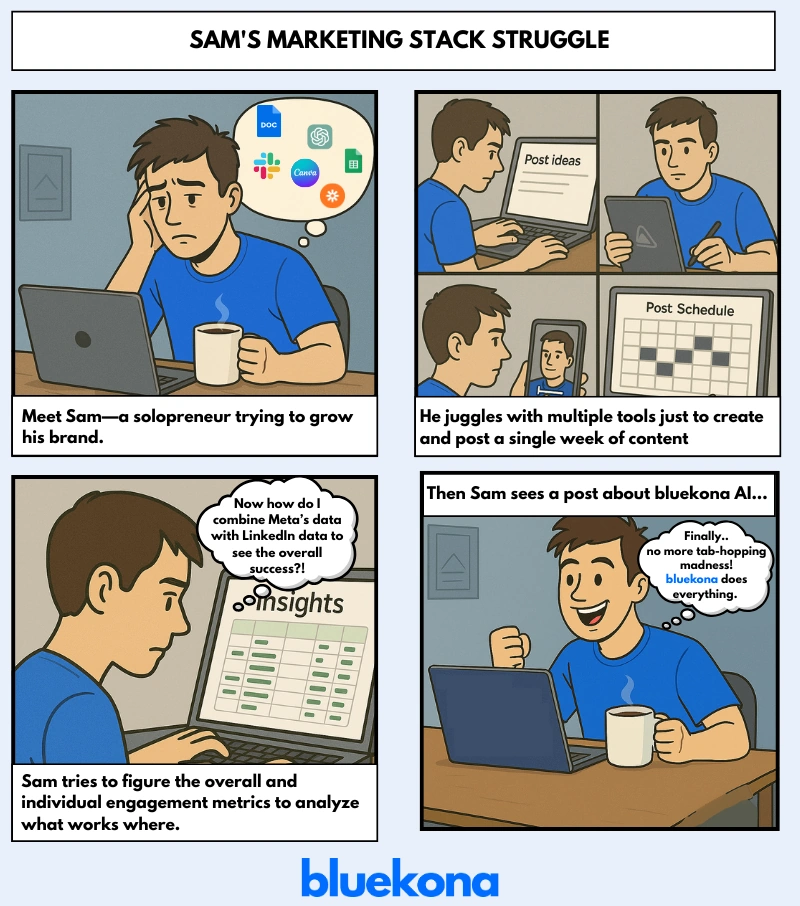
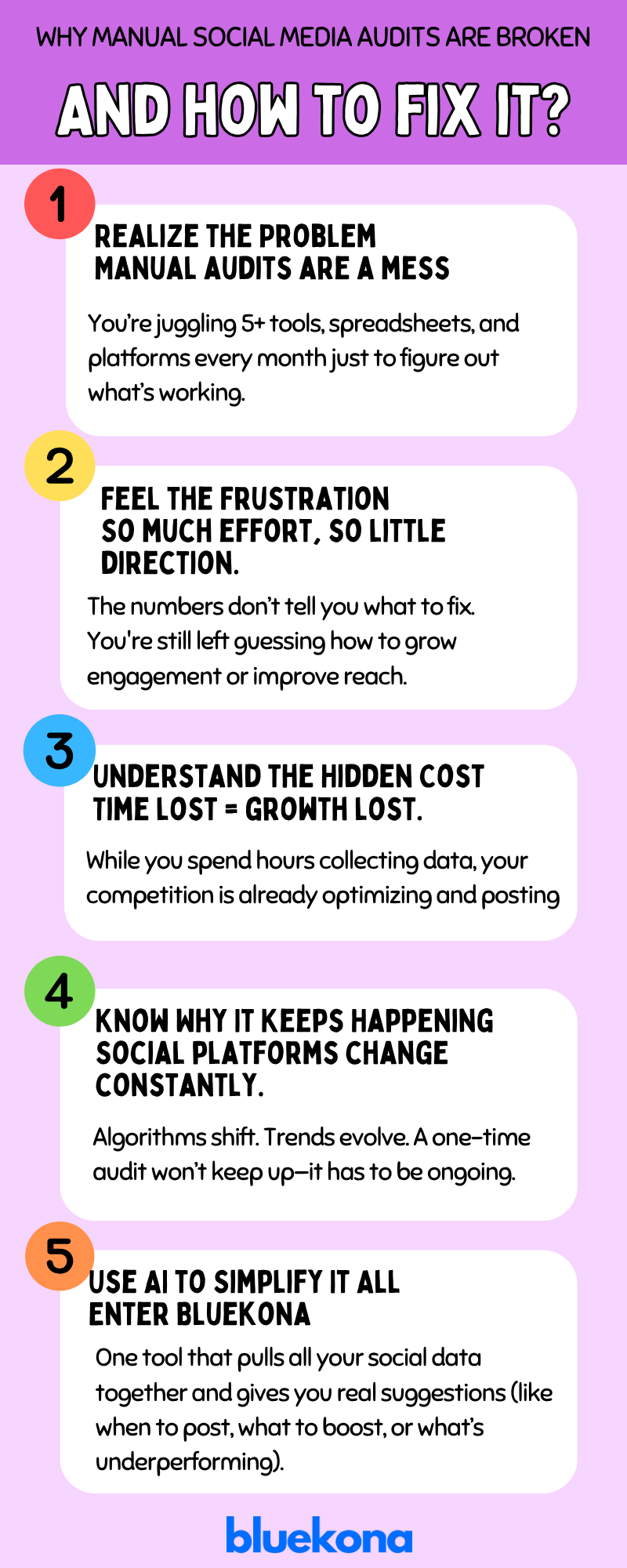
If you’re a solopreneur or small-team marketer, you’ve likely spent hours toggling between Facebook Insights, Youtube Analytics, and LinkedIn dashboards—exporting CSVs, wrestling with spreadsheets, and still ending up clueless about “what to do next.”
Manual audits eat up your most precious resource: time. Worse, they leave you staring at numbers rather than guiding real decisions.
Imagine instead having an AI-powered auditor that pulls data from every platform, pinpoints exactly where you’re losing engagement, and delivers clear, prioritized action items in minutes.
In this post, we’ll show you why manual social media audits are killing your growth—and how Bluekona’s AI-driven solution gives you back hours each month plus the confidence to scale your impact.
Manual Social Media Audits Are a Time Sink
Let’s be honest—manual social media audits are exhausting.
You log into Instagram to check post engagement, switch to Facebook Insights for reach and reactions, then jump over to LinkedIn Analytics for follower growth. Maybe you even export all that data into Excel or Google Sheets, try building a few charts, and hope something meaningful pops out. Sound familiar?
Now multiply that by however many platforms you manage—and do it again next month. And the month after that.
Most small teams rely on a patchwork of tools just to cobble together the basics: reach, impressions, clicks, engagement rates. But those numbers alone don’t tell you what’s working or what to do next. They’re just metrics in a vacuum.
There’s No One Tool That Truly Does It All
Sure, there are analytics platforms out there. But most are either hyper-specific to one platform or simply surface-level. They spit out generic dashboards and pretty graphs without translating them into actionable insights.
You’re still left asking:
Should I post more Reels or carousels?
Which posts actually contributed to lead gen?
Is now the time to shift budget to paid?
Plus—The Work Is Never Done
Even if you build out a solid audit, algorithms change constantly. What worked last quarter might flop this month. Instagram may suddenly prioritize Saves over Likes. LinkedIn might start favoring native documents over external links. TikTok trends can shift in a week.
That means your “finished” audit has a shelf life of… maybe a few weeks?
So you’re not just running a manual process. You’re running a never-ending, manual process.
And for small teams juggling everything from content creation to customer support, that’s simply unsustainable.
What Manual Audits Are Really Costing You
It’s not just time you’re losing—it’s momentum, clarity, and competitive edge.
Every Hour Spent Auditing Is an Hour Not Growing
While you’re deep in a spreadsheet, your competitors are pushing out new Reels, testing fresh ad creatives, and riding the latest trend. They’re executing. You’re analyzing.
And it’s not just one hour. A typical manual audit across 3–4 platforms can easily eat up 6–10 hours per month. That’s a full day—gone. If you’re a solopreneur or a lean marketing team, that’s time you don’t have.
All That Work, and Still No Clear Direction
Let’s say you power through the process. You’ve pulled the numbers, built the reports. Now what?
You know your engagement dropped on Instagram… but not why.
Your Facebook reach is up… but which posts moved the needle?
Your LinkedIn follower growth is flat… but what content should you test next?
You have data—but no decisions.
Most analytics tools don’t bridge the gap between metrics and next moves. They tell you what happened. Not what to do.
You’re Always a Step Behind Algorithm Changes
Social media platforms evolve fast. What worked last month might not land this month. By the time you notice a dip in performance and redo your manual audit, the trend has already shifted.
For example:
Instagram deprioritizes static images in favor of carousels.
TikTok favors shorter videos under 15 seconds.
LinkedIn boosts content with native PDFs… again.
If you’re not constantly monitoring for these changes (and let’s face it, who has the time?), you’re reacting instead of staying ahead.
The Emotional Toll? Real.
Manual audits drain energy and motivation. The more complex your audit process becomes, the more likely you are to push it off. And eventually, you stop doing it altogether—which leads to flying blind across channels.
The result? Stagnant growth, inconsistent engagement, and second-guessing every post or campaign.
But it doesn’t have to be that way.
AI-Powered Social Media Auditing with Bluekona
If manual audits are costing you time, clarity, and performance—Bluekona gives you all three back.
Meet Bluekona: Your Always-On Audit Assistant
Bluekona is built for solopreneurs and small teams who don’t have time to dig through dashboards or build weekly reports. Using AI, it automatically ingests data from your connected social channels, analyzes performance, and delivers clear, prioritized recommendations.
No spreadsheets. No guesswork. No delays.
Real-World Example: How HomeCookingShow Turned Data into Growth
HomeCookingShow—an Indian culinary brand with millions of followers across YouTube, Instagram, Pinterest, and more—was facing a classic challenge:
They were publishing content regularly but had little clarity on what formats worked best, when to post, or why engagement fluctuated.
Their social team used to spend hours every month toggling between:
YouTube Studio for video metrics
Instagram Insights for Reels and Stories
Pinterest Analytics to track recipe pin performance
And spreadsheets to stitch it all together
It was exhausting—and still didn’t answer key questions like:
“Are we posting at the right time?” “Should we do more Reels or Carousel recipes?” “Why did our Facebook engagement drop last month?”
Enter Bluekona
With Bluekona, HomeCookingShow connected all their channels in one place. The AI:
Flagged that shorter, vertical Reels under 45 seconds had 2× more completion rate
Notified them that Pinterest was driving traffic to older Diwali recipes—so they re-promoted them
Recommended switching Facebook post times based on when engagement spiked in their regional audience
Result? They saved 10+ hours per month on reporting, and more importantly—started making data-backed content decisions in real time.
If you’re still manually auditing your social media, you’re pouring hours into pulling numbers—only to be left guessing what to do next. And in the fast-paced world of Instagram algorithms and TikTok trends, that lag costs you real growth.
Instead of raw data dumps, you get clear, personalized recommendations—like “Double your carousels on Wednesdays” or “Post Reels at 6 p.m. for maximum reach.”
Instagram is more than just a social media app—it’s a powerful growth engine for brands, creators, and businesses. But without a clear roadmap, you’re essentially flying blind: posting content, hoping for engagement, and wondering why growth stalls.
That’s where an Instagram audit comes in. By regularly reviewing your profile, content, audience, and competitors, you’ll uncover hidden opportunities, refine your strategy, and boost performance.
Whether you’re a local shop or a global brand, this step-by-step audit will give you the insights you need to evaluate key areas (profile, content, audience, and metrics), and turn your Instagram into your most reliable marketing channel.
What is an Instagram audit?
An Instagram audit is a systematic review of your profile, content, audience, and performance metrics to uncover strengths and opportunities for improvement.
Why audit your Instagram account?
Regular audits help you boost engagement, sharpen your content strategy, and adapt to Instagram’s ever-changing algorithm—making your posts more discoverable both by users and by AI-driven search engines.
Steps to Audit Your Instagram Account
Ready to turn your Instagram from guesswork into a growth machine?
Before diving into your audit, gather the right tools to streamline data collection and analysis. Here are the essentials:
Instagram Insights tracks reach, engagement, and follower demographics.
Hootsuite schedules posts and monitors performance trends across multiple accounts.
Iconosquare analyzes hashtag performance and benchmarks competitors.
Sprout Social generates detailed reports on audience behavior and content effectiveness.
Pro Tip: Opt for an all-in-one platform like BlueKona that consolidates these features and automates your entire Instagram audit process — so you can get comprehensive insights without juggling multiple apps.
Step 2: Conduct Your Instagram Audit — Key Areas to Review
Now that you’ve gathered your tools, it’s time to dive into your audit. We’ll break this into four key areas—profile, content, audience, and metrics—so you can tackle each systematically.
2.1 Profile Audit
Goal: Make a killer first impression.
Profile Picture: Use a high-resolution, brand-consistent image.
Bio: Write a clear, keyword-rich description (e.g., “LA Fitness Coach”) with a call-to-action.
Link: Point to a relevant landing page or use a Linktree for multiple destinations.
Highlights: Organize Stories into branded covers and logical categories
Action: Update any outdated details, tighten your bio copy, and swap in fresh highlight covers.
2.2 Content Audit
Goal: Identify your top performers and gaps.
Post Types: Compare Reels, carousels, single images, and Stories.
Story Performance: Monitor view counts, forward taps, and exits.
Action: Set benchmarks for each metric and identify any content types that consistently miss the mark.
With these four areas audited, you’ll have a clear map of strengths, weaknesses, and quick-win opportunities.
Step 3: Turn Insights into Action
Your audit has revealed what’s working—and what isn’t. Now it’s time to act on those findings to boost performance and engagement.
Follow these targeted tactics based on common audit outcomes:
If engagement is low on static posts: Experiment with Reels or carousel posts. Video formats often drive higher reach and saves.
If follower growth has stagnated: Refresh your hashtag strategy—mix niche, location-based, and trending tags. Or partner with micro-influencers in your niche to tap new audiences.
If your bio isn’t converting: Rewrite it with a stronger call-to-action (e.g., “Book your free consult today!”) and include a keyword relevant to your audience.
If your posting schedule is inconsistent: Use instagram’s scheduling features to plan and maintain a steady content calendar—aim for 3–5 quality posts per week.
Step 4: Keep Auditing
An Instagram audit isn’t a one-and-done task—it’s a continuous cycle of review, action, and refinement.
Schedule your next audit every 3–6 months, or after any major campaign, to stay ahead of trends and algorithm shifts.
Review your checklist: Revisit each audit area—profile, content, audience, and metrics—to ensure your improvements stick.
Measure progress: Compare new metrics against your audit benchmarks to see what’s working.
Iterate quickly: Double down on successful tactics and pivot away from underperforming ones.
By making audits a habit, you’ll not only maintain peak performance but also uncover fresh opportunities to engage your audience, grow your following, and outshine competitors.
Wrap Up
Auditing your Instagram account turns guesswork into strategy. By regularly reviewing your profile, content, audience, and metrics, you’ll spot what’s working, uncover hidden gaps, and fuel continuous growth.
Remember, social media isn’t static—algorithms change, audiences evolve, and new features emerge.
Scheduling an audit every 3–6 months keeps you agile and ahead of the curve.
When Airbnb launched, the idea of sleeping in a stranger’s home felt unsettling to many. Trust was a major hurdle — and one that traditional advertising couldn’t easily overcome.
Instead of pushing hard with ads, Airbnb took a different route: they used content to change how people felt. Their Neighborhood Guides didn’t talk about beds or bookings. They painted a picture of life in local neighborhoods — the kind of storytelling that made people feel like they belonged.
Let’s break down how Airbnb used content not just to promote, but to shift perception — and how marketers can learn from that approach
The Power of Content Marketing
Let’s be honest — traditional marketing can only take you so far, especially when trust is the barrier.
That’s where content marketing shines. It isn’t about pushing products, it’s about pulling people in with value, emotion, and story.
Content marketing works because it builds relationships before transactions. When done right, it educates, inspires, and slowly chips away at hesitation.
People don’t want to be sold to — they want to feel something, understand something, and connect with a brand’s bigger story.
For Airbnb, that story wasn’t “rent a room.” It was: belong anywhere. And to make that believable, they had to go beyond features and into feelings — which is exactly what great content marketing does.
In this case, the content didn’t just support the product. It transformed how people saw the product.
Airbnb’s Unique Challenge
Airbnb wasn’t just launching a product. They were introducing a completely new behavior — staying in a stranger’s home instead of a hotel. And as you can imagine, that raised a lot of eyebrows.
The idea sounded adventurous to some… and downright risky to others. Would the place be clean? Safe? Would the host be normal? These weren’t small concerns — they were major blockers to trust.
Airbnb knew it had to shift the narrative. This wasn’t just about lodging; it was about belonging, discovery, and local connection. But how do you reframe a concept that feels unfamiliar — maybe even uncomfortable — to so many people?
That’s where the Neighborhood Guides came in. Instead of focusing on the transaction (a bed, a price, a location), they focused on the experience — the smells, the sounds, the spirit of each place.
By making the unfamiliar feel familiar, Airbnb started breaking down that fear. And they did it not with ads — but with content.
Founding and Vision
Airbnb was founded in 2008 by Brian Chesky, Joe Gebbia, and Nathan Blecharczyk. Like many startups, it began with a problem: they couldn’t afford their San Francisco rent. So, they decided to rent out air mattresses in their apartment to conference attendees who couldn’t find hotel rooms — and called it “AirBed & Breakfast.”
From that quirky experiment came a powerful vision
That idea became Airbnb’s north star. The goal wasn’t just to offer cheaper stays, but to create a sense of belonging for travelers and hosts alike.
Early Market Positioning
In the beginning, Airbnb’s appeal was mostly about price and uniqueness. It wasn’t your standard hotel — and that was the point. You could stay in a treehouse, a loft, or a cozy backroom, often for less money.
But with that uniqueness came skepticism. Could travelers really trust a stranger’s home? Would the place be clean? Safe? As charming as the photos?
This trust gap — the hesitation many people felt — was Airbnb’s biggest obstacle in the early years. And it’s exactly the kind of challenge content marketing is built to solve.
The Neighborhood Guides weren’t just a creative side project — they were a strategic response to this trust problem. And in the next sections, we’ll explore how they helped Airbnb move from a fringe idea to a mainstream travel brand.
The Challenge
Airbnb wasn’t just trying to break into the travel market — it was trying to change the way people thought about travel entirely. And that meant facing some very real, very human obstacles head-on.
Fear of Staying with Strangers
At its core, Airbnb’s offering asked something big from users: trust. Trust that a stranger’s home would be safe. That it would be clean. That the photos were real. And that nothing unexpected — or uncomfortable — would happen.
For many people, the idea of staying in someone else’s home triggered a basic fear. We’re wired to be cautious in unfamiliar environments, and Airbnb was offering… well, unfamiliarity by design.
So even though the price might be right, and the photos might look amazing, that nagging voice inside many customers whispered “But what if it’s not what it seems?”
Airbnb needed to turn that voice down.
Competing with Established Hospitality
At the same time, Airbnb wasn’t just fighting fear — it was competing with giants. Traditional hotels had decades of brand trust, polished marketing, and consistent experiences. You knew what you were getting with a Hilton or Marriott.
Airbnb couldn’t win with glossy ads or deep pockets. What it needed was a different approach — one that made the experience feel richer, more meaningful, and more trustworthy than a cookie-cutter hotel room.
And that’s where content came in.
By shifting the focus from just “where you sleep” to “how you experience the city,” Airbnb had a chance to tell a better story — one that made staying in a stranger’s home feel less risky and more real.
That story came to life through the Neighborhood Guides, and they became one of Airbnb’s most effective content plays.
The Neighborhood Guides Strategy
To shift perception, Airbnb didn’t just need content — it needed content that made people feel something. That’s where the Neighborhood Guides came in.
How Airbnb’s Neighborhood Guides Were Created
When Airbnb set out to build the Neighborhood Guides, they didn’t treat it like a blog post or a quick content piece. They approached it like crafting a travel magazine — polished, personal, and visually rich.
Here’s how they pulled it off
1. Collaborating with Local Experts
Airbnb partnered with people who knew the neighborhoods best — locals, hosts, photographers, and even city insiders. They gathered real, lived-in knowledge about what makes each area special:
The best coffee shop for a quiet morning
That hole-in-the-wall restaurant locals love
A park where kids play on Sunday afternoons
This added depth and authenticity that couldn’t be faked.
2. Professional Visual Design
The Guides weren’t just text-heavy pages. Airbnb invested in high-quality photography and sleek layouts to make the content feel like an experience.
Full-width images of street corners, markets, murals
Warm lighting and candid shots — nothing staged or stock
Easy-to-browse maps and callouts to hotspots
The goal? Make people see themselves there.
3. Storytelling over Selling
Instead of promoting listings, the Guides told stories about the neighborhoods. They leaned into mood and personality. A neighborhood wasn’t just “close to downtown” — it was “creative, bohemian, and full of independent bookstores.” That kind of storytelling helped users emotionally connect with places they hadn’t been yet.
4. Integrated into the Booking Experience
These guides weren’t buried in a blog. They were integrated into Airbnb’s core platform — right when a traveler was searching for a place to stay. That way, discovery and trust-building happened at the exact moment of decision-making.
By combining insider knowledge, gorgeous visuals, and thoughtful storytelling, Airbnb’s Neighborhood Guides became more than content — they became a trust-building engine.
Results and Impact
The Neighborhood Guides weren’t just beautifully made—they delivered real business results by transforming how people viewed Airbnb and the idea of home sharing.
Shifting Consumer Perception
For many first-time users, the idea of staying in a stranger’s home felt risky. The Neighborhood Guides helped rewrite that narrative.
By showing travelers the real character of local neighborhoods—complete with cozy cafés, murals, parks, and hidden gems—Airbnb shifted the focus from uncertainty to experience. Instead of asking “Is this safe?”, travelers began asking “Which neighborhood fits my vibe?”
While exact numbers vary, this content move coincided with a sharp rise in organic traffic, increased time on site, and higher conversion rates on listings featured within guides. It turned a leap of faith into an informed, emotional decision.
Brand Differentiation
The Guides did more than ease concerns—they carved out a unique space for Airbnb. While hotels emphasized comfort and reliability, Airbnb leaned into lifestyle, discovery, and local immersion.
This strategy helped Airbnb stand apart not just from traditional hospitality, but also from direct competitors like Vrbo. While others were selling a place to stay, Airbnb was selling a way to live.
The Guides reinforced Airbnb’s identity as more than a booking platform—they were a brand rooted in belonging, not just accommodation.
Community Engagement
One of the most lasting impacts of the Neighborhood Guides was the ripple effect it had within communities.
Locals, hosts, and even guests began sharing tips, stories, and neighborhood gems—contributing to a growing ecosystem of user-generated content. The Guides created a space for collaboration, where people could co-author the narrative of their cities.
This wasn’t just top-down content. It was content that sparked participation, pride, and real community ownership—making Airbnb feel like a movement, not just a marketplace.
Challenges and Lessons Learned
Even a great content idea needs fine-tuning. As effective as Airbnb’s Neighborhood Guides were, they weren’t flawless from the start. Like any ambitious content initiative, there were bumps along the way — and valuable lessons for marketers trying to replicate that kind of impact.
Host Content Quality Issues
When Airbnb encouraged hosts and locals to contribute content, the idea was solid: tap into grassroots knowledge and community stories. But in the early days, this led to uneven quality. Some submissions lacked the polish, storytelling, or visual standards set by Airbnb’s editorial team.
To fix this, Airbnb had to shift gears — creating editorial guidelines, curating contributions more tightly, and investing in professional oversight. The takeaway? Community-generated content is powerful, but it still needs direction to reflect your brand.
Time to Build Trust
Changing perceptions doesn’t happen overnight — especially when you’re asking people to do something unfamiliar, like staying in a stranger’s home. The Neighborhood Guides didn’t deliver instant results, but over time, they worked.
Airbnb stuck with the strategy, kept investing in quality, and let the content do its job. It’s a reminder that building trust through content takes time, consistency, and patience — but it pays off.
Key Takeaways for Marketers
If you’re thinking of using content to shift perceptions or tell a bigger brand story, here’s what Airbnb’s experience makes clear:
Use lifestyle content to reframe how people see your product.
Invest in high-quality, authentic visuals and human storytelling.
Engage real communities — but provide structure to guide them.
Trust-building content takes time. Keep showing up, and don’t rush it.
Wrap Up
Airbnb didn’t just build a booking platform — they reshaped how people think about travel, trust, and what it means to “belong anywhere.”
Their Neighborhood Guides played a pivotal role in that transformation. What started as a risky proposition — staying in a stranger’s home — became something aspirational, thanks to smart, story-driven content.
By focusing on local culture, visual storytelling, and emotional connection, Airbnb turned neighborhoods into narratives and listings into lived-in experiences. It’s a powerful reminder that the right content can do more than inform — it can build trust, shift perception, and spark real behavior change.
For marketers, the Neighborhood Guides are more than a case study — they’re a blueprint. If you’re trying to position your brand differently, connect with your audience on a deeper level, or make your product feel more human — content like this is where to start.
Inspired? Take a look at how your brand is showing up through content. And if you’re ready to turn content into a growth engine, the team at BlueKona can help you build something just as meaningful.
In a digital world overflowing with ads, pop-ups, and cold outreach, one company rewrote the rules of marketing—and turned content into a growth engine.
HubSpot didn’t just adopt content marketing — they helped define it, championing a new approach that prioritized value over volume, education over interruption.
Let’s explore how HubSpot’s bold bet on inbound transformed them from a startup into a marketing powerhouse, setting the gold standard for content-driven growth.
What is Content Marketing?
Content marketing is more than just publishing blog posts—it’s a strategic approach to creating and distributing valuable, relevant, and consistent content to attract and retain a clearly defined audience.
Instead of pushing products, it pulls people in with information they actually want.
In today’s digital landscape, where attention is scarce and trust is earned, content marketing has become essential. It builds credibility, nurtures relationships, and helps brands stay top-of-mind long before a purchase decision is made.
For modern marketers, it’s not just a tactic—it’s a foundation.
The Rise of Inbound Marketing
As the internet reshaped how people discover and engage with brands, a shift was brewing. Traditional outbound tactics like cold calls, display ads, email blasts—were losing their edge.
Audiences had more control, more choices, and higher expectations.
Enter inbound marketing: a customer-centric methodology focused on attracting people through helpful, relevant content instead of interruptive messages.
Rather than chasing customers, inbound lets them come to you—when they’re ready, and on their terms.
HubSpot didn’t just embrace this idea—they built a movement around it. By positioning themselves as the champions of inbound marketing, they not only defined a new way of thinking but also created a category they could lead.
This laid the groundwork for their rise as one of the most influential voices in modern marketing.
Background on HubSpot
To understand HubSpot’s impact on the marketing world, it’s essential to start at the beginning—with a bold vision, a timely insight, and two founders who believed the old way of marketing was broken.
Founding and Early Days
HubSpot was founded in 2006 by Brian Halligan and Dharmesh Shah, who met at MIT. The duo observed a fundamental shift in consumer behavior — people were tuning out traditional marketing and seeking out their own information before making decisions.
Halligan and Shah saw an opportunity. What if businesses could stop interrupting and start attracting? Their idea was simple but revolutionary. This helped companies grow by aligning their marketing with how people actually want to buy.
Initial Product Offering
HubSpot’s first product was a marketing automation platform designed to give small and mid-sized businesses the same tools larger enterprises used— but easier, more affordable, and focused on content-led growth.
From the beginning, the product supported a new philosophy: attract, convert, close, and delight customers with useful content and personalized experiences. It wasn’t just software—it was a new system of thinking.
The Challenge
Despite a promising idea and a clear market need, HubSpot’s path to success wasn’t without hurdles. As a young startup entering a crowded space dominated by giants, the company faced significant challenges that shaped its bold content-first strategy.
Competing with Salesforce
At the time, Salesforce was the undisputed leader in CRM and marketing software. With deep pockets and established brand recognition, Salesforce set the standard—and made it incredibly hard for newcomers to stand out.
HubSpot couldn’t outspend Salesforce on advertising or salesforce manpower. Instead, they needed to outthink them—by becoming more relevant, more helpful, and more discoverable to their ideal customer.
Limited Resources as a Startup
Like many startups, HubSpot operated on tight budgets and lean teams. This meant traditional outbound tactics—TV ads, trade shows, cold outreach—were out of the question.
To grow efficiently, they needed a strategy that was:
Cost-effective
Scalable over time
Aligned with the way modern consumers buy
The solution? Inbound marketing. A playbook that didn’t rely on paid reach—but on building long-term trust through content.
The Inbound Marketing Strategy
Faced with larger competitors and limited resources, HubSpot didn’t just adopt inbound marketing — they defined it. The team built a strategy rooted in one powerful idea: instead of pushing products, pull people in with helpful, relevant content.
Defining Inbound Marketing
HubSpot coined inbound marketing as a methodology focused on:
Rather than interrupting with ads, inbound marketers create content that:
Solves problems
Answers questions
Builds trust over time
It’s marketing that feels more like a service than a pitch.
Why Inbound Marketing?
Inbound wasn’t just a buzzword—it was a strategic answer to the real challenges HubSpot faced:
No massive ad budgets? Inbound was cheaper and compounding.
Low brand awareness? Inbound built authority and SEO.
Skeptical buyers? Inbound earned trust through education.
Inbound gave HubSpot a way to own its visibility without renting attention through ads.
Attracting Customers
To draw in the right audience, HubSpot leaned heavily on:
Search engine optimization (SEO)
Blog content tailored to marketers and small businesses
Social media to distribute and amplify reach
Every piece of content acted as a magnet, bringing prospects into their world.
Engaging and Delighting Customers
Once in the funnel, HubSpot used email nurturing, gated assets (like ebooks and templates), and marketing automation to:
Educate leads
Guide them through their journey
Turn them into loyal users and evangelists
It wasn’t just about leads—it was about building lasting relationships.
Execution and Content Creation
A great strategy means nothing without consistent, high-quality execution — and HubSpot nailed it. They turned their inbound vision into reality by building a content engine that delivered massive value, day after day.
Types of Content Produced
HubSpot didn’t rely on just one format. They created a library of resources that met prospects at every stage of the funnel.
Blogs
Their blog became the heartbeat of the strategy:
Covered topics marketers actively searched for (SEO gold)
Delivered actionable insights for free
Published frequently and consistently
The result? HubSpot ranked for thousands of high-intent keywords and became a go-to source in the industry.
Ebooks
Deep dives turned blog visitors into leads:
Gated behind simple forms
Focused on specific challenges (like lead gen or CRM)
Positioned HubSpot as both helpful and authoritative
These weren’t fluff — they were full-on guides, often downloaded and shared across teams.
Templates
HubSpot understood the power of tools over tips:
Marketing plans
Editorial calendars
Email copy swipe files
By giving marketers resources they could actually use, HubSpot encouraged downloads, sharing, and bookmarking.
Webinars
Webinars added a real-time, human touch:
Live education with Q&A
Guest experts and internal specialists
Lead nurturing through teaching
They weren’t just selling — they were helping people do their jobs better.
Distribution Channels
Creating content was only half the battle — HubSpot built smart distribution systems to ensure their content reached the right people:
Website as a central content hub
Email for nurturing and announcements
Social media for organic reach and engagement
Partner collaborations for extended visibility
Their strategy wasn’t just “write it and they will come.” It was: write it, share it everywhere, and optimize constantly.
Consistency and Quality Control
HubSpot treated content like a product:
Set a publishing cadence (daily blog posts, monthly webinars, etc.)
Hired a content team to maintain editorial standards
Used data to refine what worked (and ditch what didn’t)
This wasn’t random content creation. It was a well-oiled system built for scale.
Results and Impact
HubSpot’s inbound marketing strategy didn’t just look good on paper — it delivered real, measurable results that transformed the company from a scrappy startup into an industry-defining powerhouse. SEO Dominance
Thanks to consistent, SEO-optimized content, HubSpot quickly rose through the search rankings:
Dominated page 1 for high-volume keywords like “how to generate leads” or “email marketing strategies”
Became a top destination for marketers seeking advice, tools, and education
Massive organic traffic growth — driving leads without buying ads
By owning marketing-related search intent, HubSpot positioned itself as the trusted authority.
Community and Movement Building
HubSpot didn’t just market — it built a movement around inbound:
Launched the “Inbound” philosophy, turning it into a category of its own
Created the INBOUND conference, drawing tens of thousands of marketers every year
Fostered a global community of advocates, educators, and certified professionals
Inbound wasn’t just a strategy — it became a shared identity among modern marketers.
Business Growth Metrics
The numbers speak for themselves:
Scaled from startup to IPO in 2014
Millions of monthly blog readers and thousands of leads generated from content
Became a market leader in CRM, marketing automation, and customer platforms
All this, largely powered by content — not just ads.
Challenges and Lessons Learned
HubSpot’s journey with inbound marketing wasn’t without bumps. Their success was built on experimentation, iteration, and long-term commitment. Here’s what they learned along the way:
Early Content Quality Issues
At the start, HubSpot focused on volume. The result?
Inconsistent quality: Some posts were thin or redundant.
SEO wins didn’t always convert to engaged users.
They quickly pivoted to emphasize value and depth, setting editorial standards and investing in content expertise.
Lesson:It’s not enough to publish often — quality builds trust.
Time to Maturity
Inbound wasn’t a quick fix:
It took months, even years to see compounding growth.
Leadership had to stay patient and keep the team focused on long-term value.
But over time, the flywheel effect kicked in — content began driving exponential returns.
Lesson:Organic marketing rewards consistency, not instant gratification.
Key Takeaways for Marketers
Here’s what marketers can steal from HubSpot’s playbook:
Invent or define a category (like “inbound marketing”) to own the conversation.
Be relentlessly helpful — focus on utility, not selling.
Publish consistently and build trust over time.
Leverage SEO and lead capture to turn traffic into revenue.
Build a community, not just an audience.
Wrap Up
HubSpot didn’t win by outspending competitors — they out-taught them.
HubSpot’s rise from startup to SaaS powerhouse didn’t hinge on a massive ad budget — it came from mastering the long game of content.
By pioneering inbound marketing, they not only attracted millions of users but also reshaped how brands think about growth. Their strategy proved that with the right mix of education, value, and consistency, companies can build momentum that doesn’t stop when ad spend does.
For modern marketers, the takeaway is clear: if you want lasting impact, stop renting attention and start building your own. Whether you’re a solopreneur or scaling a team, content is still your most scalable asset.
If you’re serious about growing your Instagram presence and saving time while doing it, then Meta Business Suite is your new best friend. It’s the all-in-one tool that lets you create, manage, and monetize your content from one central dashboard.
Whether you’re a solo creator or managing multiple brands, here’s how to get started.
Step 1: Make Sure You Have the Right Instagram Account
Before you dive in, make sure your Instagram account is either a Business or Creator account. If you’re still on a personal profile, go switch it now — it’s quick and essential if you want access to full features.
Managing Instagram Without a Facebook Page? Here’s What to Do:
Yes, you can use Meta Business Suite even if your Instagram isn’t linked to a Facebook Page. Here’s how:
If Meta is asking you to connect to a Facebook Page (and you don’t want to), try this:
Option 1: Log out of your Facebook profile, then go back to Meta Business Suite and log in with Instagram only.
Option 2: Use a private or Incognito browser, then log in using your Instagram credentials.
Want to Manage Instagram AND a Facebook Page Together?
Smart move. When you connect both your Instagram account and Facebook Page, you can manage everything in one seamless workflow. Here’s what you can do:
Option 1: Connect Instagram to Your Facebook Page
Once connected, they’ll appear as one unified profile inside Meta Business Suite. You can set this up from:
The Instagram app
Your Facebook Page settings
Option 2: Add Both Accounts to a Business Portfolio
Not ready to connect them directly? You can still add them under the same business portfolio. This way, they stay separate but are still manageable under one roof in Meta Business Suite.
⚠️ Heads up: Adding your Instagram account to a business portfolio doesn’t automatically link it to your Facebook Page.
If you’re juggling multiple Pages or Instagram accounts, Meta Business Suite can save you hours every week. Centralize your content, plan ahead, and focus on growing your brand — not fighting with logins.
Ever feel like you’re doing everything right with your ads, but something still feels… off?
You’re not alone.
If you’re a founder or marketer pouring thousands into paid ads each month, it makes total sense. They’re fast. Predictable. Scalable. You can track every click, A/B test every headline, and turn the faucet on or off whenever you want.
But here’s the thing no one talks about — behind all those dashboards and ROAS reports, many brands feel uneasy — like they’re building momentum on rented land. Because the moment you stop paying? The growth stops too.
Meanwhile, organic marketing — social, search, content, community — sits underfunded, half-baked, or just flat-out ignored. Why? Because it’s hard. It’s slow. And it doesn’t always show immediate results.
But what if that’s the point?
Let’s understand why the easy path might be costing you more than you think — and what a smarter, more sustainable approach really looks like.
The Trap: Why Brands Default to Paid
Let’s be honest — paid marketing is easier.
You set a budget, pick your audience, launch your campaign… and boom — traffic, leads, conversions.
It’s fast, measurable, and under your control. No brainstorming content for hours. No worrying about engagement. No waiting.
That ease comes at a cost — and we’re not just talking money.
But here’s the trap: just because something works fast doesn’t mean it works forever.
Think of paid ads like a high-speed treadmill. You jump on, crank it up, and start sprinting. It’s efficient, controlled, and it delivers results instantly — as long as you keep running.
Meanwhile, organic marketing? That’s like planting a garden. You dig, you water, you wait. At first, nothing happens. Then slowly, you see signs of life. Eventually, that garden feeds you endlessly.
The problem? Most brands never make it past the digging.
Here’s why they stay on the treadmill:
Speed > Strategy
In a world of quarterly targets and investor updates, paid delivers immediate wins. Organic takes longer, and that delay feels risky.
Measurable > Messy
Paid marketing gives you clean numbers: CPC, CTR, ROAS. Organic? The metrics are murkier — how do you measure trust or community impact in a spreadsheet?
Control > Creativity
You don’t need a creative genius to launch ads. But organic growth? That requires storytelling, visuals, relevance — and real effort.
HubSpot reports that businesses that blog consistently generate 67% more leads than those that don’t. And SEO leads have a 14.6% close rate, compared to just 1.7% for outbound methods like ads.
Paid media creates the illusion of momentum. You feel like you’re growing — fast — and it’s scary to pause and risk losing ground. No one wants to go to their boss or board and say, “Let’s slow down and build something meaningful.”

But without a foundation, you’re just renting attention — not earning it.
Organic? Not So Much.
Now let’s talk about the other side of the coin: organic marketing.
You know, the slow burn. The long game. The thing everyone says they want to do… until they actually try it.
Because here’s the truth — creating high-quality, engaging, consistent content across multiple platforms isn’t just posting on Instagram twice a week. It’s a full-time job — or more like five.
Here’s what organic really takes:
Time – Content doesn’t go viral on command. Building traction organically means posting even when no one’s watching.
People – Writers, designers, editors, strategists, community managers… organic isn’t a solo mission.
Tools – You’ll need scheduling platforms, analytics dashboards, SEO software, creative apps — and they add up fast.
Patience – SEO takes months. Algorithms are fickle. Organic is slow by design.
Strategy – Random content gets random results. You need a plan, a calendar, and a clear brand voice that actually resonates.
That’s a big ask — especially for lean teams juggling launches, sales, product updates, and, yes, paid ads.
Why Most Brands Give Up Before It Gets Good
You commit to organic.
You post a few times. Engagement is… meh.
The team gets busy. No one owns the calendar.
Content becomes inconsistent or tone-deaf.
Metrics don’t move, so leadership loses interest.
You fall back on paid.
Sound familiar?
A 2023 Content Marketing Institute report found that 52% of marketers say creating content consistently is their biggest challenge — and 39% say their team lacks the capacity to execute a full content strategy.
The real results come when you build the habit — and stick with it long enough for the compound effect to kick in.
And most brands? They never make it past that awkward, invisible phase where it feels like you’re shouting into the void.
Paid vs Organic
Let’s call it what it is: paid marketing is a sprint. Organic is a marathon. Both have their place — but they serve very different purposes.
So, how do they stack up side by side?
Paid Marketing
Paid is fast. Predictable. Scalable. You know the playbook:
Launch a few test ads.
Optimize based on performance.
Scale what works.
At first, it’s smooth sailing. Your CPMs look good. Leads are rolling in. Everything feels like it’s working
But then… saturation hits. CPMs go up. Creative performance dips. ROI starts to flatten.
And here’s the kicker — The moment you pause your budget? The growth stops. Cold.
Organic Marketing
Organic starts slow. Like, painfully slow.
You post. Tweak. Test. Repeat. At first, no one sees it. No one clicks. No one cares.
But then… it starts working. SEO kicks in. People begin engaging.Content gets shared. Trust builds.
And suddenly? You’re getting traffic, leads, and reach — without paying for every impression.
It’s not a treadmill. It’s a flywheel. And once it’s spinning, it gets easier with time.
The Key Difference?
Paid gives you reach right now. Organic builds reach forever.
The smartest brands? They don’t choose one or the other. They use paid to fuel the now — and organic to own the future.
So Why Isn’t Everyone Doing Organic?
If organic marketing works so well… why aren’t more brands all-in?
Simple. Because for most teams, organic feels broken.
Not because it doesn’t work — but because it’s hard to do it consistently, effectively, and at scale.
Let’s break that down.
Here’s what it really takes to make organic work:
Coming up with content ideas — every. single. week.
Adapting those ideas to different formats (blog, LinkedIn, Instagram, TikTok, newsletter…)
Maintaining brand voice — across every channel, no matter who’s writing.
Posting regularly — without burning out or ghosting your audience.
Analyzing performance — and actually acting on what’s working.
That’s a lot of moving parts. And most teams? They’re already stretched thin.
So what happens?
They try it. They get a few posts out.
Engagement is low.
The team gets pulled into other priorities.
The content slows… then stops.
And paid starts looking really good again.
It’s not that organic can’t scale — it’s that most brands don’t have the system to scale it.
And that’s where everything changes.
Because now, we’ve got a tool that removes the friction, lifts the heavy parts, and helps brands finally make organic work – AI.
How AI Makes Organic Marketing Sustainable
Let’s be clear: AI isn’t a magic wand. It won’t write viral posts on autopilot or turn average content into gold. But what it can do — and where it really shines — is removing the friction that makes organic marketing feel unmanageable.
Because most of the time, it’s not the ideas that hold teams back.
It’s the execution.
Deadlines slip. Platforms change. Writers burn out. Strategy gets buried under other priorities. AI helps smooth those bumps in the road — so you can stay consistent without needing a huge team or endless hours.
Here’s how
1. Repurpose content across formats and channels
That LinkedIn post? It could be an email. A blog intro. A short-form video script.
AI helps you take one strong idea and translate it across platforms — without losing your voice or message.
2. Analyze performance and suggest next steps
What’s working? What’s not? What should you post next?
AI can spot patterns faster than you can — and use that insight to guide content planning, not just report on the past.
3. Optimize for tone, timing, and audience
Whether you’re writing for founders on LinkedIn or consumers on Instagram, AI can help adjust your content to fit the tone, style, and language your audience expects — all without starting from scratch.
4. Automate publishing without sounding robotic
Scheduling tools have been around forever, but AI adds a layer of intelligence. You can maintain a consistent posting rhythm — and even localize, personalize, or tweak for context — at scale.
The goal isn’t to replace your creativity.
It’s to protect it — by clearing the repetitive, operational work that usually gets in the way.
When used well, AI doesn’t just make organic marketing easier. It makes it possible — for small teams, fast-growing brands, and anyone tired of starting from zero every time they open a content calendar.
What’s the Right Move?
Paid marketing isn’t the enemy. In fact, it’s incredibly effective — especially when speed is the priority.
Need to generate leads this quarter? Paid gets you there.
Launching a new product? Paid can get eyes on it fast.
Want to test a message, an offer, a creative direction? Paid gives you immediate feedback.
But it comes at a cost. Literally. And once the spend stops, the momentum usually does too.
Organic, on the other hand, builds slowly — but it sticks.
It creates visibility that doesn’t disappear when budgets shift.
It builds brand equity, not just clicks.
And when you get it right, it starts paying you back long after you hit “publish.”
Smart brands don’t pick sides. They blend both — but they don’t ignore organic.
Because the brands that will win the long game aren’t the ones with the biggest ad budget. They’re the ones that show up consistently, deliver real value, and own their visibility.
The key is having a system that lets you do organic well — and do it sustainably.
That’s where tools like AI can unlock a new level of consistency, creativity, and clarity — especially for brands that have struggled to make organic work in the past.
Wrap Up
If you’re stuck in the paid trap — always spending, always optimizing, but never compounding — it’s time to step back.
Because growth shouldn’t vanish the moment your budget pauses.
At BlueKona AI, we’re building tools and systems that make organic feel less like a grind and more like a growth engine. Not just content for the sake of it — but content that builds trust, attracts the right audience, and works even when you’re not online.
Paid will always have a role to play.
But the future belongs to brands that know how to grow without always paying for it.